AI agent for patent agents
Drawing and Specification Support Check Agent
Make sure every claim term is supported in the description and drawings before filing.
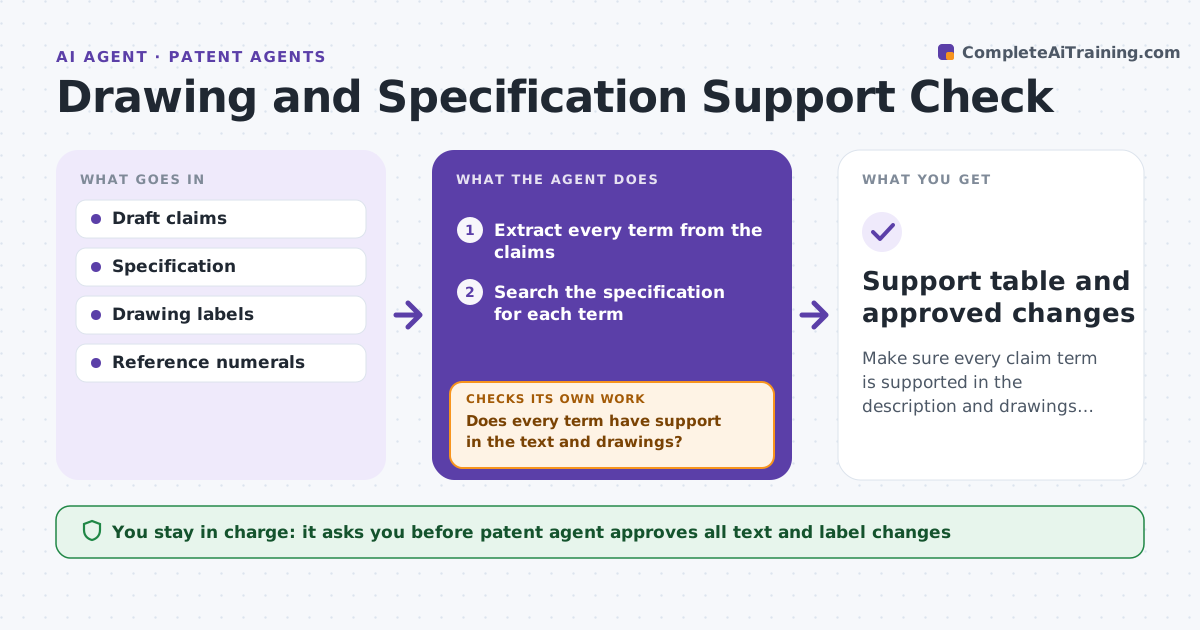
What it does
A claim term that has no support in the specification or the drawings invites rejections. The agent reads the draft application, extracts each claim term and searches the specification and drawing labels for support. It lists terms without support and for each one proposes added description or a label change. It then re-runs the check, because a change in one place can change others. It repeats until every term has support. The patent agent approves all changes. Edge case: the claim says securing member, and the specification says clip, so the agent proposes a sentence linking them.
How it works
Follow the arrows from top to bottom. The orange dashed arrow is the loop: when a check fails, the agent goes back and tries again.
Read the steps as a list
- Draft application ready
- Extract every term from the claims
- Search the specification for each term
- Search drawing labels and numerals
- Does every term have support in the text and drawings?If not: List unsupported terms and propose added text or label changes. Back to step 3.
- Draft the specific sentences and label changes
- Patent agent approves the changesThe agent waits here for your OK.
- Apply the approved changes
- Does every term pass the check after the changes?If not: Re-check and handle terms that changed or lost support. Back to step 3.
- Support table and approved changes
How it decides
A term is supported when the specification describes it in words that match its use in the claim and the drawings show it if needed. Gaps get a proposed addition.
- A claim term with no matching description is a gap
- A drawing element named in a claim must appear in a figure
- Check every claim after each edit
- New text must not add new matter to an existing filing
Make it yours
Every agent is a starting point. You choose these settings for your own situation.
- Term matching strictness
- Whether to check drawings
- Format of support table
- Claims in scope
What keeps you in control
It always asks you first
- Patent agent approves all text and label changes
Hard limits
- Never makes claim changes itself
- Never adds new matter to a filed application
It stops when
- Done: all terms supported
- Stop: a gap needs new matter, so the agent decides on a new application
Set it up
We guide you through the set-up, step by step
Members get the full set-up guide for this agent. No technical skills needed: you copy, paste and upload.
- One set of instructions to paste into your AI, with the clicks for ChatGPT, Claude, Microsoft 365 Copilot, Gemini and Grok
- The agent then walks you through connecting your own data, one source at a time
- A downloadable copy with the flow chart, the rules and the full guide