AI agent for pharmacists
Drug Recall Patient Lookup Agent
Complete recall actions quickly and completely
What it does
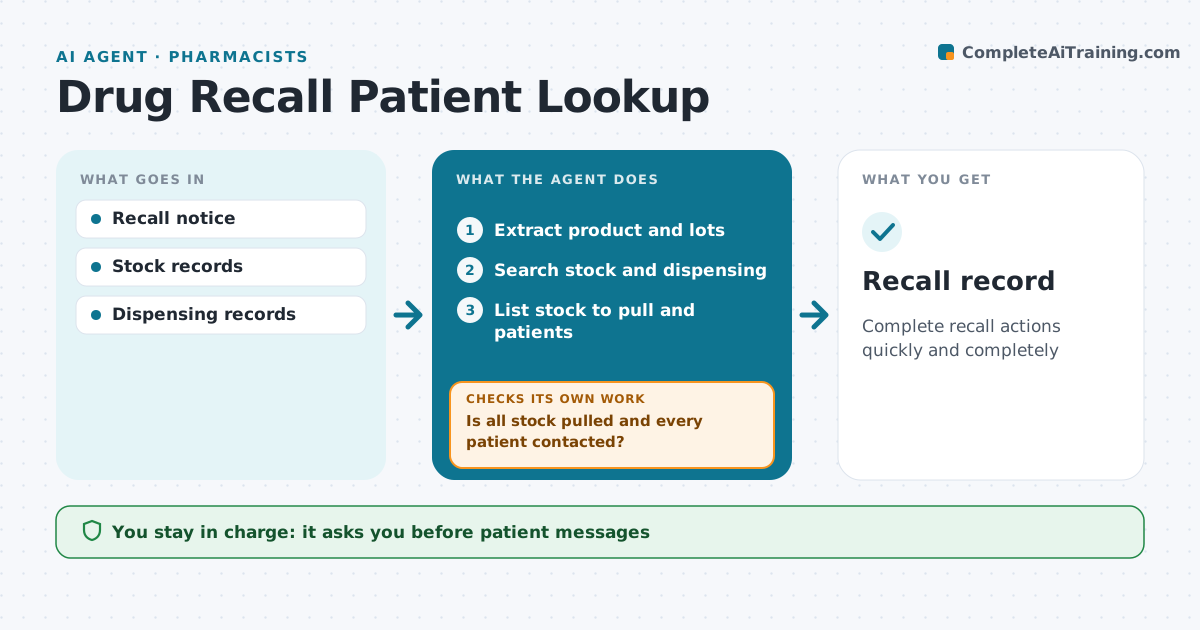
When a recall notice arrives, the pharmacy must pull stock quickly and, for patient-level recalls, contact every patient who got the product. This agent reads the notice and extracts product, strength and lot numbers. It searches stock and dispensing records, lists stock to pull, and lists patients who received affected lots. It drafts patient messages that fit the recall level. After staff pull the stock, it checks the counts match what the records show. It tracks patient contacts and follows up on anyone not yet reached. The pharmacist approves all patient messages and returns to the supplier. Edge case: if lot numbers were not recorded when the drug was dispensed, it lists every patient who received that product during the recall window.
How it works
Follow the arrows from top to bottom. The orange dashed arrow is the loop: when a check fails, the agent goes back and tries again.
Read the steps as a list
- Recall notice received
- Extract product and lots
- Search stock and dispensing
- List stock to pull and patients
- Pharmacist approves messagesThe agent waits here for your OK.
- Is all stock pulled and every patient contacted?If not: follow up on gaps. Back to step 4.
- Recall record
How it decides
Recall level sets the action. Patients are found by lot or by product window.
- Patient-level recalls need contact
- Unknown lots widen the search
- Contacts logged
Make it yours
Every agent is a starting point. You choose these settings for your own situation.
- Contact methods
- Attempts
- Message templates
- Report format
What keeps you in control
It always asks you first
- Patient messages
- Returns
Hard limits
- No clinical advice beyond the notice
It stops when
- Done: all actions logged
- Stop: patients unreachable after 3 tries
Set it up
We guide you through the set-up, step by step
Members get the full set-up guide for this agent. No technical skills needed: you copy, paste and upload.
- One set of instructions to paste into your AI, with the clicks for ChatGPT, Claude, Microsoft 365 Copilot, Gemini and Grok
- The agent then walks you through connecting your own data, one source at a time
- A downloadable copy with the flow chart, the rules and the full guide