AI agent for pharmacists
Drug Shortage Substitution Agent
Keep patients on safe therapy during shortages
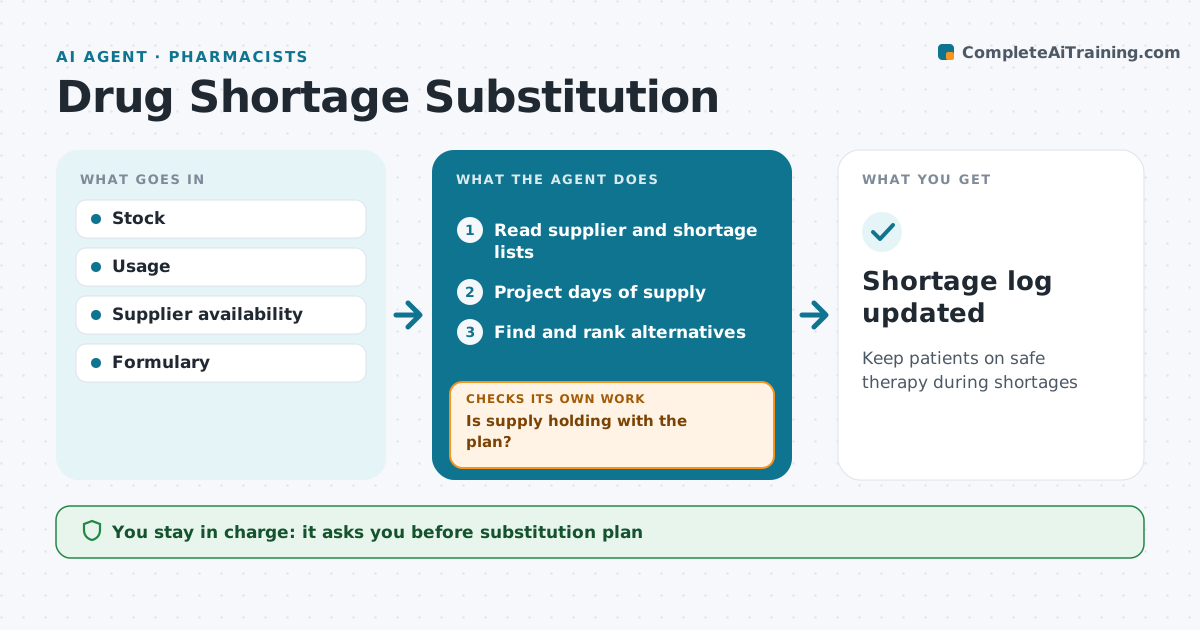
What it does
When a drug goes short, the pharmacy must find stock, pick alternatives and tell prescribers, often within days. This agent watches supplier availability and shortage lists, compares them with stock and usage, and predicts when each item will run out. It finds alternatives on the formulary, checks equivalent dosing, and lists any patient groups for whom an alternative is unsafe, such as those with kidney problems. It drafts a substitution plan and a notice to prescribers. After approval, it watches stock and usage to see if the plan holds. If supply of the alternative falls short too, it moves to the next option and drafts an update. The pharmacist approves the substitution plan and every prescriber notice. Edge case: when the first alternative is also short, the next option is prepared.
How it works
Follow the arrows from top to bottom. The orange dashed arrow is the loop: when a check fails, the agent goes back and tries again.
Read the steps as a list
- Daily shortage check
- Read supplier and shortage lists
- Project days of supply
- Find and rank alternatives
- Pharmacist approves plan and noticeThe agent waits here for your OK.
- Is supply holding with the plan?If not: move to the next alternative. Back to step 3.
- Shortage log updated
How it decides
Days of supply are compared with resupply. Alternatives are ranked by safety and equivalence.
- Under 14 days supply triggers a plan
- Alternatives must be on formulary
- Unsafe groups are excluded
Make it yours
Every agent is a starting point. You choose these settings for your own situation.
- Supply threshold
- Alternative list
- Notice recipients
- Check time
What keeps you in control
It always asks you first
- Substitution plan
- Prescriber notices
Hard limits
- No substitutions without pharmacist
- Notices reviewed before sending
It stops when
- Done: shortage ends
- Stop: no safe alternative, escalate to committee
Set it up
We guide you through the set-up, step by step
Members get the full set-up guide for this agent. No technical skills needed: you copy, paste and upload.
- One set of instructions to paste into your AI, with the clicks for ChatGPT, Claude, Microsoft 365 Copilot, Gemini and Grok
- The agent then walks you through connecting your own data, one source at a time
- A downloadable copy with the flow chart, the rules and the full guide