AI agent for academic advisors
Early Alert Outreach Agent
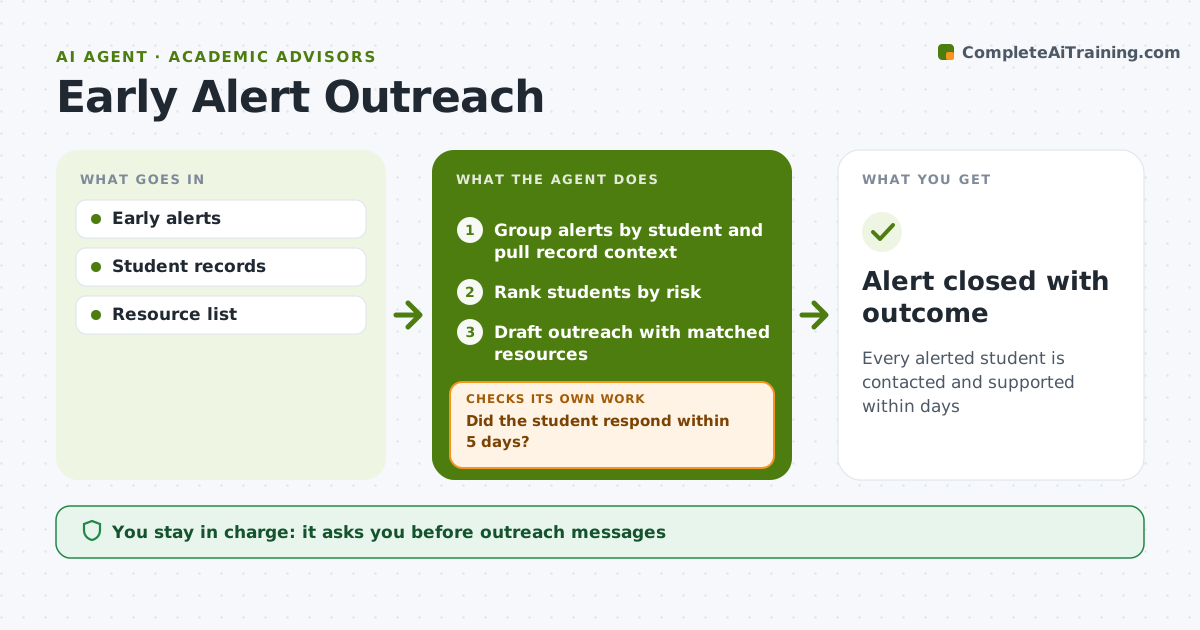
Every alerted student is contacted and supported within days
What it does
Faculty raise early alerts for absences, missing work or low midterm grades, but the value is lost if nobody follows up within days. Advisors often get alerts one by one with no context. This agent reads new alerts, groups them by student so one student with three alerts gets one conversation, and adds context from the student record such as credit load, holds and past alerts. It ranks students by risk, drafts a personal outreach message for the advisor to approve and suggests campus resources that fit the reason, like tutoring or counseling. It tracks replies, and if a student does not respond in five days it drafts a second try through another channel. Two weeks later it asks the faculty member whether things improved. The advisor decides on every message. Edge case: an alert that mentions wellbeing concerns goes to the care team as well as the advisor.
How it works
Follow the arrows from top to bottom. The orange dashed arrow is the loop: when a check fails, the agent goes back and tries again.
Read the steps as a list
- Early alert submitted
- Group alerts by student and pull record context
- Rank students by risk
- Draft outreach with matched resources
- Advisor approves and sends outreachThe agent waits here for your OK.
- Did the student respond within 5 days?If not: send a second message by another channel and notify the advisor. Back to step 4.
- Does the faculty member report improvement after 2 weeks?If not: schedule a follow-up meeting and review the support plan. Back to step 3.
- Alert closed with outcome
How it decides
Students with more alerts or higher risk are contacted first. Resource suggestions match the alert reason.
- Three or more alerts in a term is high risk
- Wellbeing concerns go to the care team too
- Outreach within 2 business days
Make it yours
Every agent is a starting point. You choose these settings for your own situation.
- Response deadline
- Risk rules
- Outreach channels
- Resource list
What keeps you in control
It always asks you first
- Outreach messages
- Referrals to the care team
Hard limits
- No grades or alerts shared with anyone not authorized
- Wellbeing concerns always reach a person
It stops when
- Done: alert closed with outcome
- Stop: student withdraws, record and close
Set it up
We guide you through the set-up, step by step
Members get the full set-up guide for this agent. No technical skills needed: you copy, paste and upload.
- One set of instructions to paste into your AI, with the clicks for ChatGPT, Claude, Microsoft 365 Copilot, Gemini and Grok
- The agent then walks you through connecting your own data, one source at a time
- A downloadable copy with the flow chart, the rules and the full guide