AI agent for investor relations managers
Earnings Release Fact Check Agent
An earnings release where every figure ties to approved numbers
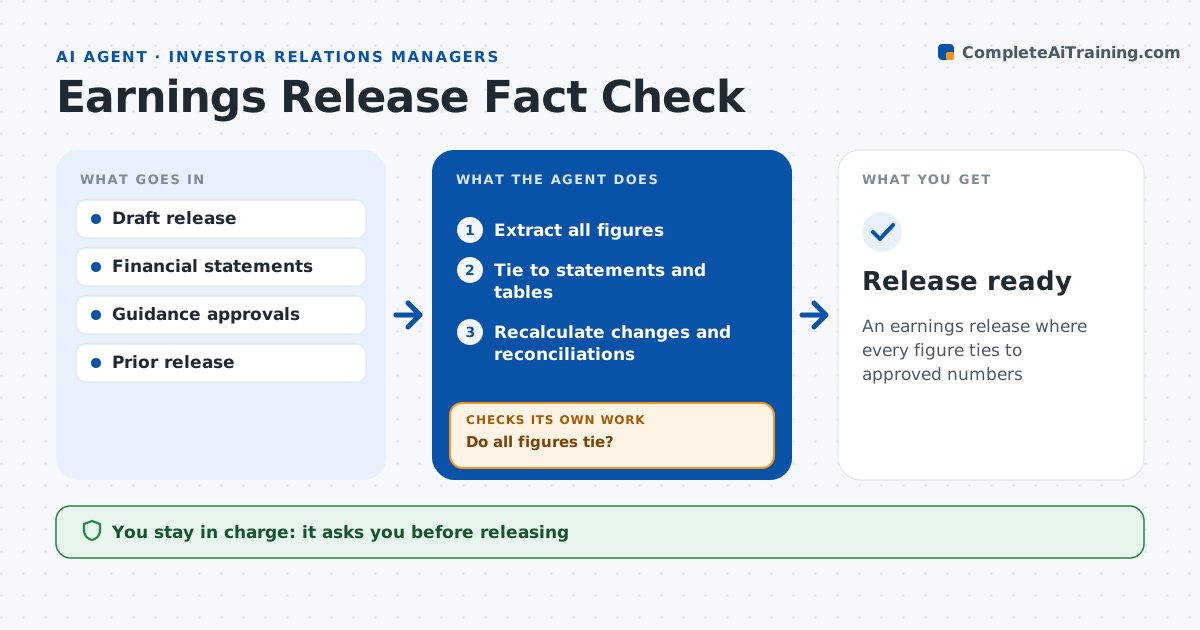
What it does
An error in an earnings release is public, permanent and hard to correct. Before each release, this agent lists every figure in the draft and ties it to the financial statements, segment data and reconciliation tables. It checks that non-GAAP reconciliations add up, that percent changes are calculated correctly using restated prior figures where they exist, and that guidance matches the approved numbers. Unapproved guidance blocks the draft. It compares wording with last quarter for consistency. Each issue goes to a mark-up list with its source. After edits, it rechecks the whole draft, not only the changed lines, until every figure ties. Finance, legal and the IR manager approve before release; the agent never publishes. Edge case: a percent change uses an old prior year figure that was later restated, which the agent catches and corrects to the restated figure.
How it works
Follow the arrows from top to bottom. The orange dashed arrow is the loop: when a check fails, the agent goes back and tries again.
Read the steps as a list
- Draft release ready
- Extract all figures
- Tie to statements and tables
- Recalculate changes and reconciliations
- Do all figures tie?If not: mark issues and recheck after edits. Back to step 3.
- Finance, legal and IR approveThe agent waits here for your OK.
- Release ready
How it decides
It recalculates every number and flags any difference from the source.
- Difference over rounding: flag
- Restated prior figure: use restated
- Guidance not approved: block
Make it yours
Every agent is a starting point. You choose these settings for your own situation.
- Rounding rules
- Tables checked
- Mark-up format
- Draft cycle
What keeps you in control
It always asks you first
- Releasing
Hard limits
- Never releases
- Never changes guidance
It stops when
- Done: approved
- Stop: statements not final
Set it up
We guide you through the set-up, step by step
Members get the full set-up guide for this agent. No technical skills needed: you copy, paste and upload.
- One set of instructions to paste into your AI, with the clicks for ChatGPT, Claude, Microsoft 365 Copilot, Gemini and Grok
- The agent then walks you through connecting your own data, one source at a time
- A downloadable copy with the flow chart, the rules and the full guide