AI agent for clinical data managers
EDC Access and Training Check Agent
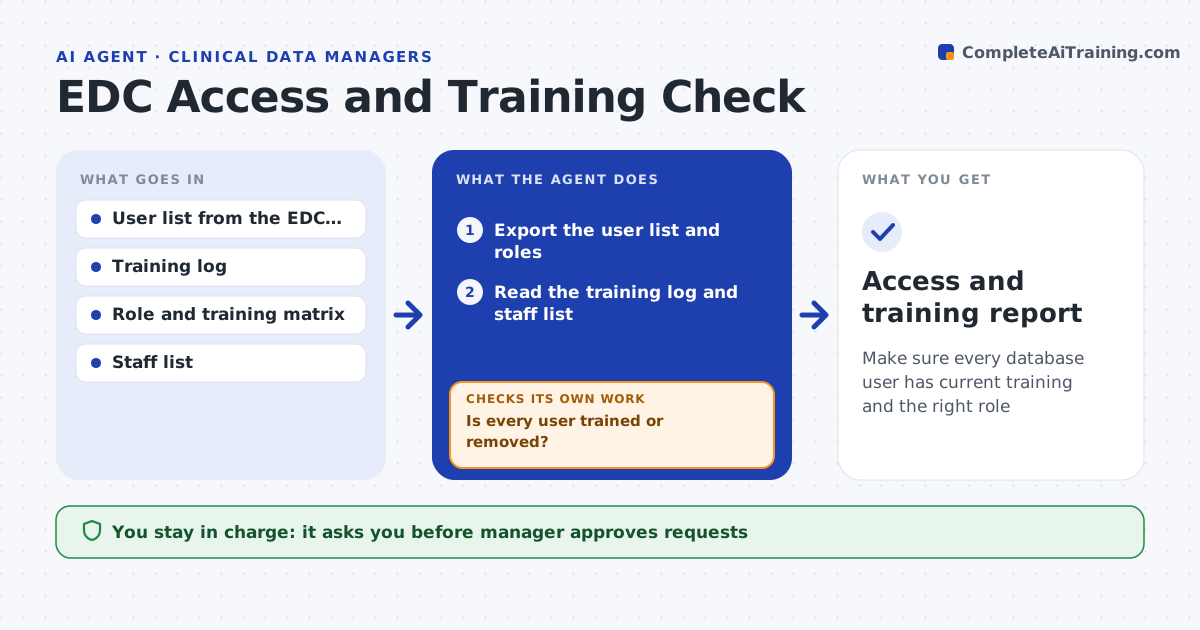
Make sure every database user has current training and the right role
What it does
A monitor has access to the study database but their training lapsed, and an auditor finds it. This agent compares the user list in the electronic data capture system with the training log and the role matrix. For each user it checks whether the required training is current for the role, whether the user is still on the study and whether any account is unused for a long time or belongs to a leaver. It lists the gaps, requests training or removal from the owners and rechecks. The manager approves removal of any access. Edge case: a user completed training but the log was not updated, so the agent asks for the certificate before requesting removal.
How it works
Follow the arrows from top to bottom. The orange dashed arrow is the loop: when a check fails, the agent goes back and tries again.
Read the steps as a list
- Monthly check
- Export the user list and roles
- Read the training log and staff list
- Compare each user with the role training matrix
- List missing training, leavers and unused accounts
- Manager approves the requestsThe agent waits here for your OK.
- Send training reminders and removal requests
- Re-export users and the training log
- Is every user trained or removed?If not: escalate to the line manager and list the open users. Back to step 6.
- Access and training report
How it decides
It flags a user when required training is missing or expired, the person has left or the access does not fit the role, and gives the evidence.
- Flag training expired for any required course
- Flag accounts of leavers on the same day they are detected
- Flag accounts unused over 90 days
- Ask for a certificate before requesting removal when the log looks incomplete
Make it yours
Every agent is a starting point. You choose these settings for your own situation.
- Training matrix by role
- Unused account limit (default 90 days)
- Check schedule (default monthly)
- Escalation contacts
- Systems covered
What keeps you in control
It always asks you first
- Manager approves requests
- Manager approves removal of access
Hard limits
- Never remove or disable an account itself
- Never share training results outside the team
It stops when
- Done: all users have current training or are removed
- Stop: the training log is missing and must be rebuilt
Set it up
We guide you through the set-up, step by step
Members get the full set-up guide for this agent. No technical skills needed: you copy, paste and upload.
- One set of instructions to paste into your AI, with the clicks for ChatGPT, Claude, Microsoft 365 Copilot, Gemini and Grok
- The agent then walks you through connecting your own data, one source at a time
- A downloadable copy with the flow chart, the rules and the full guide