AI agent for facilities managers
Emergency Drill Planning Agent
Run a drill with full coverage and close every lesson learned before the report is final.
What it does
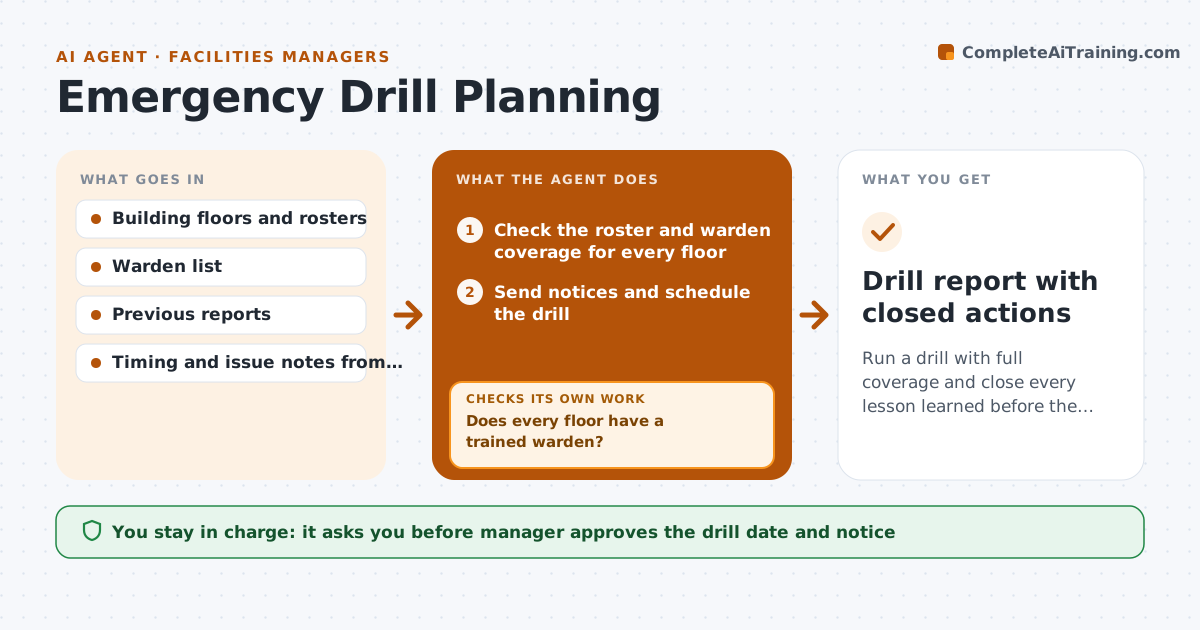
A fire drill that is rushed teaches little, and lessons often vanish after the day. This agent plans the drill: it picks a date, checks that every floor has warden coverage and that the roster is current, and sends notices after the manager approves. On the day it collects timings from wardens, notes blocked exits and slow areas, and counts people at the assembly point. It drafts corrective actions with owners and dates and tracks them. After the fixes are due, it checks each item is closed with evidence, and only then lets the manager approve the final report. Edge case: a floor with no warden present is flagged as a coverage failure.
How it works
Follow the arrows from top to bottom. The orange dashed arrow is the loop: when a check fails, the agent goes back and tries again.
Read the steps as a list
- Drill is due
- Check the roster and warden coverage for every floor
- Does every floor have a trained warden?If not: Find a replacement warden and update the roster. Back to step 2.
- Manager approves the date and the noticeThe agent waits here for your OK.
- Send notices and schedule the drill
- Collect timings and issues on the day and compare with the last drill and the target
- Draft corrective actions with owners and dates
- Track each action to its due date
- Is every action closed with evidence?If not: Chase owners and extend the date only with the manager's approval. Back to step 7.
- Manager approves the final reportThe agent waits here for your OK.
- Drill report with closed actions
How it decides
It compares timings with the last drill and the target, and adds an action for each issue found.
- Every floor needs at least one trained warden present
- Target full evacuation in under the time of the last drill or the set limit
- Every issue gets an owner and a date
- Open actions block the final report
Make it yours
Every agent is a starting point. You choose these settings for your own situation.
- Evacuation target time (default 6 minutes)
- Drill frequency (default twice a year)
- Who must be notified
- Evidence required to close an action
What keeps you in control
It always asks you first
- Manager approves the drill date and notice
- Manager approves the final report
Hard limits
- Never end the drill report with open actions
- Never skip warden coverage checks
It stops when
- Done: all actions are closed and the report is approved
- Stop: the manager postpones the drill
Set it up
We guide you through the set-up, step by step
Members get the full set-up guide for this agent. No technical skills needed: you copy, paste and upload.
- One set of instructions to paste into your AI, with the clicks for ChatGPT, Claude, Microsoft 365 Copilot, Gemini and Grok
- The agent then walks you through connecting your own data, one source at a time
- A downloadable copy with the flow chart, the rules and the full guide