AI agent for employee relations specialists
Employee Handbook Local Law Variance Agent
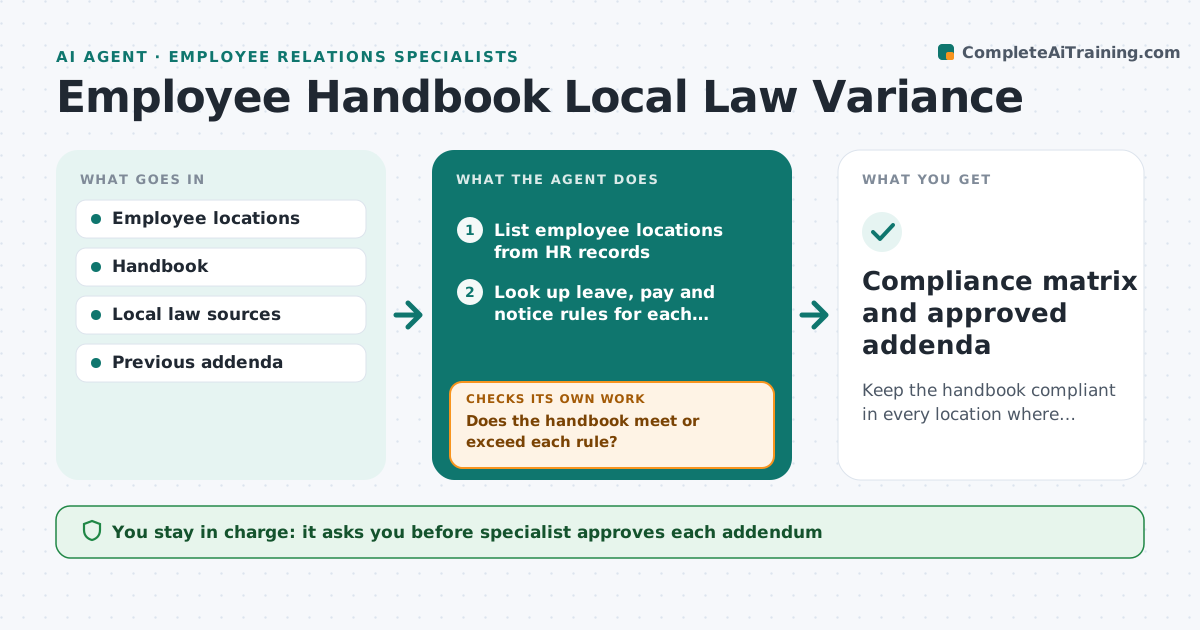
Keep the handbook compliant in every location where employees work.
What it does
Handbook rules vary by state or country, and local changes get missed. The agent maps where employees work, checks leave, pay and notice rules for each location, compares them with the handbook, and lists gaps. It drafts local addenda for each gap and checks them again for conflicts with the main text. When a law changes, it repeats the check for the affected location. The specialist approves each addendum and legal review. Edge case: a state adds paid sick leave of 40 hours, while the handbook gives 24, so the agent drafts a state addendum.
How it works
Follow the arrows from top to bottom. The orange dashed arrow is the loop: when a check fails, the agent goes back and tries again.
Read the steps as a list
- Review date or law change
- List employee locations from HR records
- Look up leave, pay and notice rules for each location
- Compare each rule with the handbook
- Does the handbook meet or exceed each rule?If not: List the gap with the rule text and the handbook section. Back to step 3.
- Draft a local addendum for each gap
- Does the addendum remove the gap without conflicting with the main text?If not: Revise the addendum and re-check. Back to step 6.
- Specialist approves each addendum and sends it for legal reviewThe agent waits here for your OK.
- Record approved addenda and effective dates
- Compliance matrix and approved addenda
How it decides
A location is compliant when each rule it has is met or exceeded by the handbook. A gap gets a local addendum drafted from the rule text.
- Use the more generous rule where handbook and law differ
- A new location triggers a check within 30 days
- Addenda quote the law reference
- Legal review is required before issue
Make it yours
Every agent is a starting point. You choose these settings for your own situation.
- Locations in scope
- Review frequency (default quarterly)
- Rule topics checked
- Legal reviewer
What keeps you in control
It always asks you first
- Specialist approves each addendum
- Legal reviews before issue
Hard limits
- Never gives legal advice
- Never issues a policy change without approval
It stops when
- Done: all locations compliant and addenda issued
- Stop: legal review rejects, so the specialist redrafts
Set it up
We guide you through the set-up, step by step
Members get the full set-up guide for this agent. No technical skills needed: you copy, paste and upload.
- One set of instructions to paste into your AI, with the clicks for ChatGPT, Claude, Microsoft 365 Copilot, Gemini and Grok
- The agent then walks you through connecting your own data, one source at a time
- A downloadable copy with the flow chart, the rules and the full guide