AI agent for hr business partners
Manager Capability Gap Agent
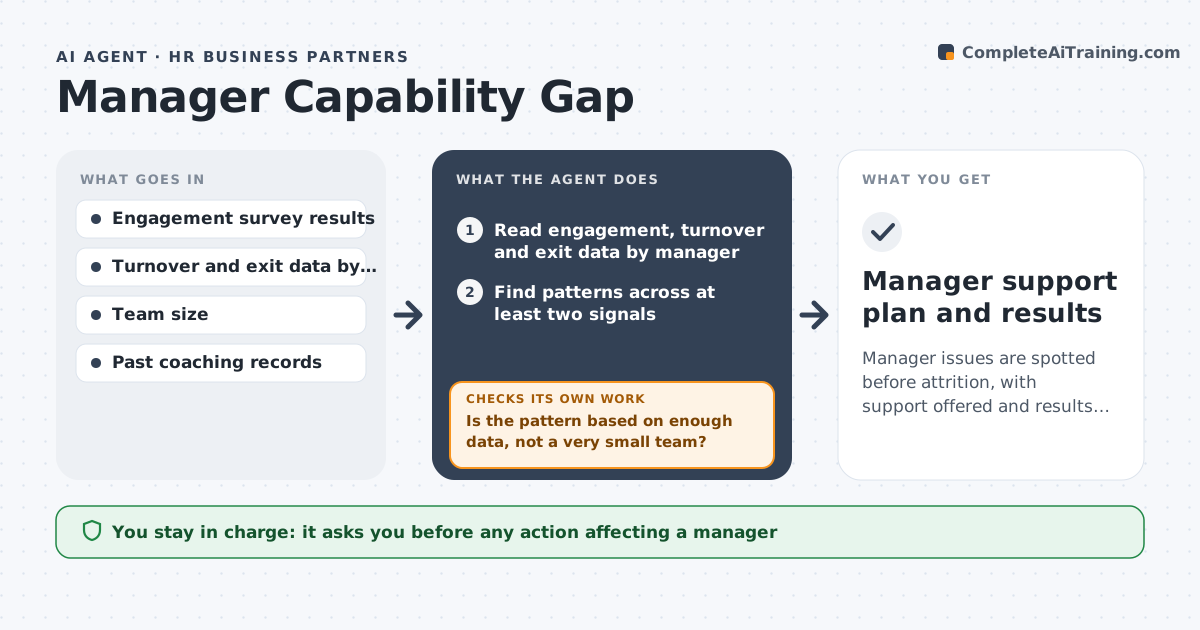
Manager issues are spotted before attrition, with support offered and results checked.
What it does
Attrition spikes under one manager and HR discovers it only after three resignations. This agent reads engagement results, turnover and exit data by manager and finds patterns, such as low trust scores plus rising exits. It proposes coaching or training and later checks signals to see whether the intervention helped. It looks at several signals together, such as survey scores, who left and what exit interviews said, because one number alone can mislead. It records what support was offered and checks the same signals in the next cycle. Small teams are marked as low confidence so one resignation does not label a manager. Edge case: a manager with a small team shows a spike from one move, so the agent notes small numbers. HR approves any action affecting a manager.
How it works
Follow the arrows from top to bottom. The orange dashed arrow is the loop: when a check fails, the agent goes back and tries again.
Read the steps as a list
- Quarterly review begins
- Read engagement, turnover and exit data by manager
- Find patterns across at least two signals
- Is the pattern based on enough data, not a very small team?If not: set the case aside or mark as low confidence. Back to step 2.
- Propose coaching or training for each flagged manager
- HR approves any action affecting a managerThe agent waits here for your OK.
- Record actions taken
- Review signals in the next cycle
- Did engagement or turnover improve?If not: propose a different approach or escalate. Back to step 5.
- Manager support plan and results
How it decides
It flags patterns across at least two signals and discounts results from very small teams.
- Require at least two signals before flagging.
- Teams under 6 people are low confidence.
- Do not show individual survey answers.
- Compare with the manager's past results, not other teams alone.
Make it yours
Every agent is a starting point. You choose these settings for your own situation.
- Signals used
- Small-team limit
- Review cycle
- Support options
- Report audience
What keeps you in control
It always asks you first
- Any action affecting a manager
- Any report naming a manager
Hard limits
- Do not conclude fault.
- Keep survey answers anonymous.
It stops when
- Done: actions taken and results reviewed
- Stop: data is too thin, so the agent recommends a pulse survey
Set it up
We guide you through the set-up, step by step
Members get the full set-up guide for this agent. No technical skills needed: you copy, paste and upload.
- One set of instructions to paste into your AI, with the clicks for ChatGPT, Claude, Microsoft 365 Copilot, Gemini and Grok
- The agent then walks you through connecting your own data, one source at a time
- A downloadable copy with the flow chart, the rules and the full guide