AI agent for traders
End-of-Day P&L Reconciliation Agent
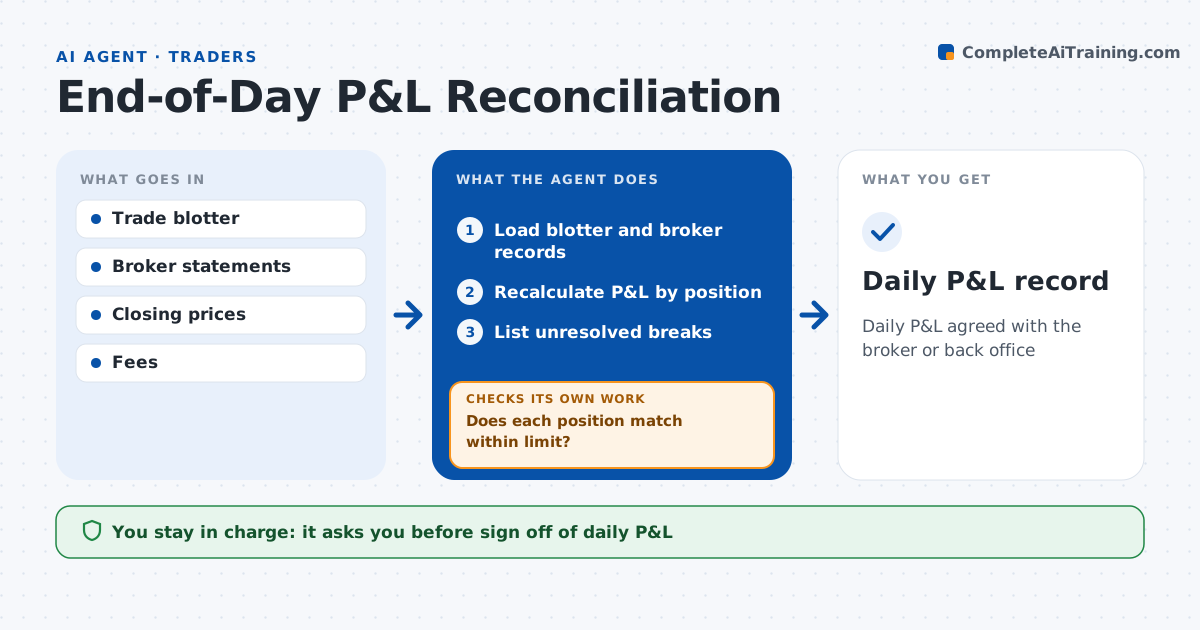
Daily P&L agreed with the broker or back office
What it does
A trader's P&L and the broker's or back office's numbers rarely agree to the dollar, and chasing breaks after the close eats the evening. This agent loads positions, fills, prices and fees from both sides, recalculates P&L by position and finds differences. Any break over 50 dollars is investigated. It looks for causes such as a missing fill, a wrong closing price, a fee difference or a corporate action, and requests confirmation when a fill exists in only one record. After each fix it recalculates and checks the position again. Breaks it cannot resolve go to a list for the trader and operations. The trader signs off on the day and approves any booking correction; the agent never books entries itself. Edge case: a stock paid a dividend, so the broker shows a price drop offset by cash, and the agent pairs the two before calling a break.
How it works
Follow the arrows from top to bottom. The orange dashed arrow is the loop: when a check fails, the agent goes back and tries again.
Read the steps as a list
- Market closes
- Load blotter and broker records
- Recalculate P&L by position
- Does each position match within limit?If not: look for missing fills, prices, fees or corporate actions and recalc. Back to step 3.
- List unresolved breaks
- Trader signs off the dayThe agent waits here for your OK.
- Daily P&L record
How it decides
It requires P&L to match by position within a small limit and lists any break.
- Break over $50: investigate
- Corporate action on a holding: pair cash and price
- Fill missing in one record: request confirmation
Make it yours
Every agent is a starting point. You choose these settings for your own situation.
- Break limit
- Fee schedule
- Price source
- Sign-off time
What keeps you in control
It always asks you first
- Sign off of daily P&L
- Booking corrections
Hard limits
- Never books trades
- Never changes broker data
It stops when
- Done: P&L agreed
- Stop: broker data late
Set it up
We guide you through the set-up, step by step
Members get the full set-up guide for this agent. No technical skills needed: you copy, paste and upload.
- One set of instructions to paste into your AI, with the clicks for ChatGPT, Claude, Microsoft 365 Copilot, Gemini and Grok
- The agent then walks you through connecting your own data, one source at a time
- A downloadable copy with the flow chart, the rules and the full guide