AI agent for traders
Weekly Trading Plan Builder Agent
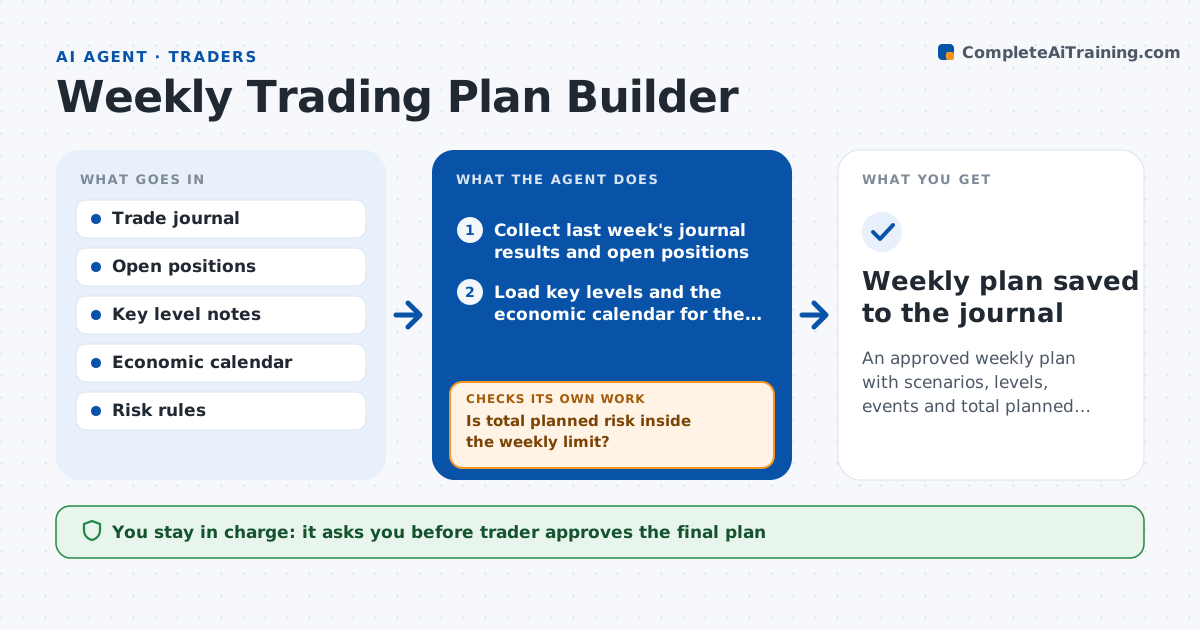
An approved weekly plan with scenarios, levels, events and total planned risk inside the trader's limits
What it does
On the weekend a trader gathers notes, charts and calendars to plan the week, and something always gets missed. This agent collects last week's journal, open positions, key levels, the economic calendar and the trader's risk rules. It builds a plan with a base, bullish and bearish scenario for each market the trader follows, with entries, exits and the events that matter. It then adds up the planned risk across all scenarios and checks it against the weekly loss limit and the maximum open risk. If the total is too high, it trims or drops the lowest-ranked setups and recalculates. It also checks that every planned trade has a stop and a size. The trader approves the final plan and checklist before the week begins. Edge case: a central bank decision on Wednesday triggers a rule to halve size that day.
How it works
Follow the arrows from top to bottom. The orange dashed arrow is the loop: when a check fails, the agent goes back and tries again.
Read the steps as a list
- Weekend planning window opens
- Collect last week's journal results and open positions
- Load key levels and the economic calendar for the week
- Draft base, bullish and bearish scenarios for each market
- List planned trades with entry, stop and size
- Is total planned risk inside the weekly limit?If not: drop or shrink the lowest-ranked setups and recalculate. Back to step 5.
- Does every trade have a stop, size and event conflict check?If not: add the missing items and mark days with major events. Back to step 5.
- Build the week's checklist with event days and size rules
- Trader approves the plan and checklistThe agent waits here for your OK.
- Weekly plan saved to the journal
How it decides
Setups are ranked by the trader's own criteria. The plan is accepted only when total planned risk is within the weekly and open-risk limits and every trade has a stop and size.
- Reject the plan if planned risk exceeds the weekly loss limit
- Halve size on days with a rule-listed high impact event
- Drop a setup that conflicts with an open position's risk
- Rank setups by the trader's written criteria, not by recent results alone
Make it yours
Every agent is a starting point. You choose these settings for your own situation.
- Markets covered
- Weekly loss limit and open-risk limit
- Events that trigger size cuts
- Plan format
What keeps you in control
It always asks you first
- Trader approves the final plan
Hard limits
- Never places orders
- Never raises the trader's risk limits
It stops when
- Done: the plan is approved and saved
- Stop: risk rules are missing
Set it up
We guide you through the set-up, step by step
Members get the full set-up guide for this agent. No technical skills needed: you copy, paste and upload.
- One set of instructions to paste into your AI, with the clicks for ChatGPT, Claude, Microsoft 365 Copilot, Gemini and Grok
- The agent then walks you through connecting your own data, one source at a time
- A downloadable copy with the flow chart, the rules and the full guide