AI agent for energy engineers
Energy Audit Savings Verification Agent
Verified savings for each efficiency measure
What it does
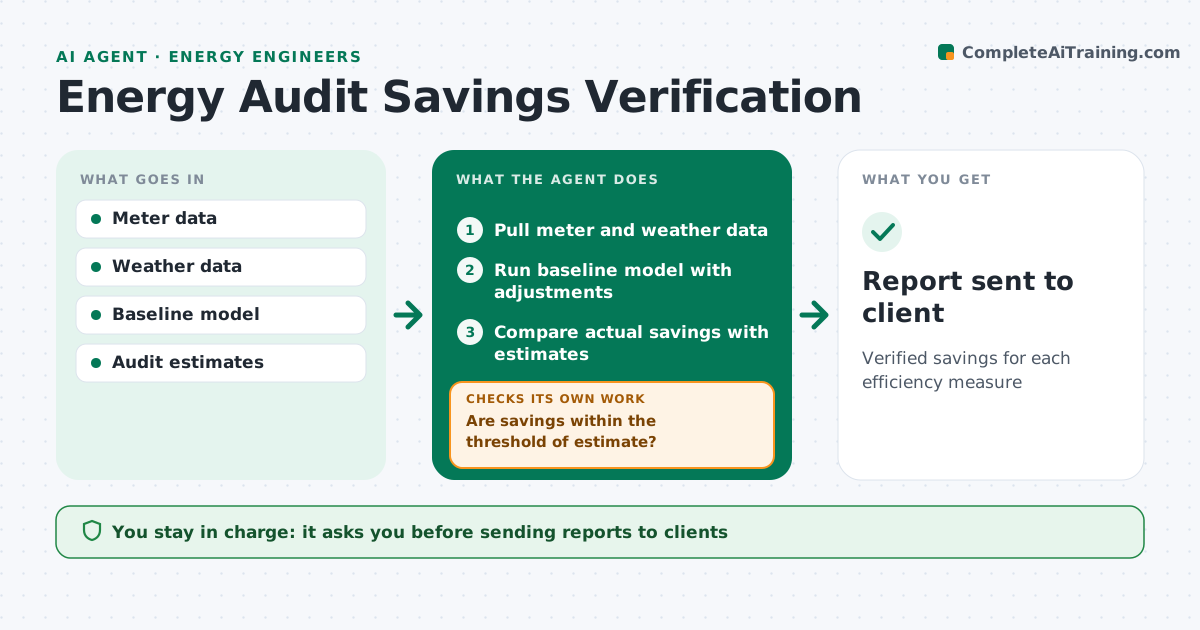
After efficiency measures are installed, clients want proof that the savings are real. Each month this agent pulls meter and weather data and runs a baseline model adjusted for weather and occupancy, using a measurement and verification plan for each measure. It compares actual savings with the audit's estimates. When savings fall short by more than the threshold, it looks for causes, such as controls overridden by staff or changed schedules, and checks again once the cause is fixed or explained. It drafts a savings report. The engineer approves the report before it goes to the client. Edge case: a site that added a new building wing during the period gets the baseline adjusted for the added area, with a clear note so the client understands the change.
How it works
Follow the arrows from top to bottom. The orange dashed arrow is the loop: when a check fails, the agent goes back and tries again.
Read the steps as a list
- Monthly savings check
- Pull meter and weather data
- Run baseline model with adjustments
- Compare actual savings with estimates
- Are savings within the threshold of estimate?If not: look for control overrides or schedule changes and adjust. Back to step 3.
- Draft savings report
- Engineer approves reportThe agent waits here for your OK.
- Report sent to client
How it decides
It compares weather-adjusted actual use with the baseline and flags measures with savings below the threshold percentage of estimate.
- Adjust for weather with degree-days
- Flag measures under the threshold
- Note changes in building use
Make it yours
Every agent is a starting point. You choose these settings for your own situation.
- Savings threshold (default 80% of estimate)
- Baseline model type
- Reporting interval
- Report format
What keeps you in control
It always asks you first
- Sending reports to clients
Hard limits
- Never changes building controls
It stops when
- Done: report sent
- Stop: meter data missing
Set it up
We guide you through the set-up, step by step
Members get the full set-up guide for this agent. No technical skills needed: you copy, paste and upload.
- One set of instructions to paste into your AI, with the clicks for ChatGPT, Claude, Microsoft 365 Copilot, Gemini and Grok
- The agent then walks you through connecting your own data, one source at a time
- A downloadable copy with the flow chart, the rules and the full guide