AI agent for energy engineers
Energy Management System Setpoint Drift Agent
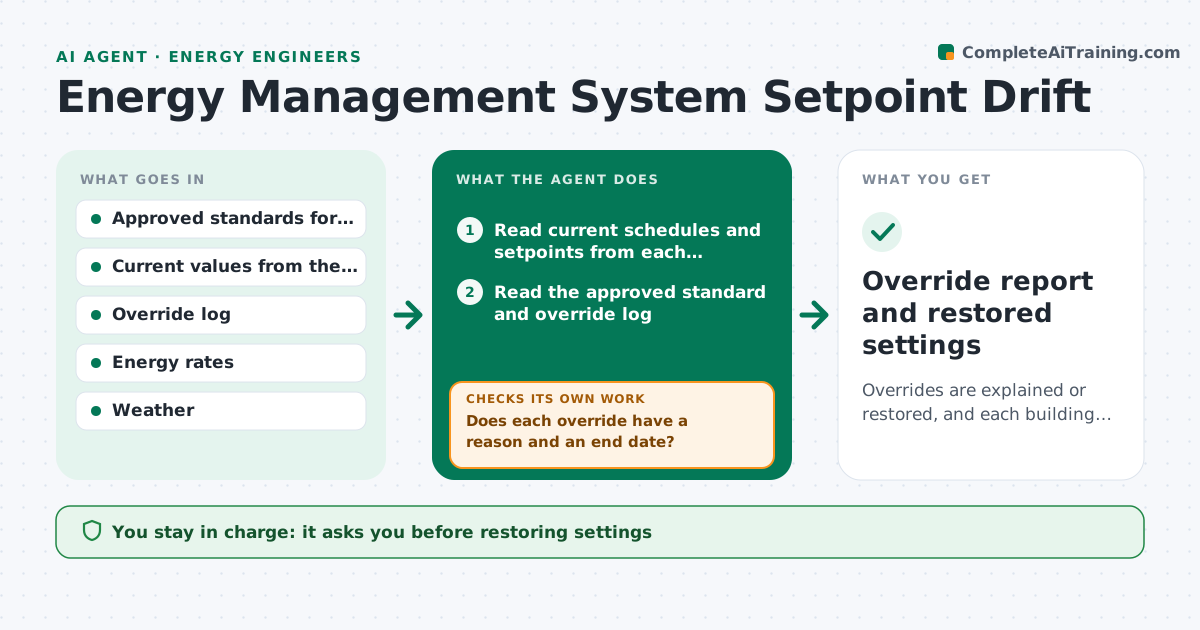
Overrides are explained or restored, and each building runs on the approved standard
What it does
Operators override schedules and setpoints for a one-off reason, then nobody puts them back. This agent compares the current schedules and setpoints in every building to the approved standard and lists overrides. It estimates what each one costs per week using weather and equipment size, and it requests an explanation from the building owner or operator. After a response, it records the reason and a restore date. It rechecks the system after changes to confirm settings returned. The engineer approves any restoration. Edge case: an override is for a weekend event and has an end date, so the agent logs it and checks again after the date instead of asking for a change.
How it works
Follow the arrows from top to bottom. The orange dashed arrow is the loop: when a check fails, the agent goes back and tries again.
Read the steps as a list
- Daily building scan
- Read current schedules and setpoints from each building
- Read the approved standard and override log
- List differences from the standard
- Estimate weekly cost for each override
- Does each override have a reason and an end date?If not: send a response request to the owner. Back to step 4.
- Draft requests to owners and operators
- Did the owner reply within the response window?If not: escalate to the engineer and remind the owner. Back to step 6.
- Engineer approves restoring the standardThe agent waits here for your OK.
- Recheck the system after changes
- Override report and restored settings
How it decides
An override is acceptable only with a reason and an end date. Others are ranked by weekly cost and sent for response.
- Accept an override with a reason and an end date
- Rank by estimated weekly cost
- Escalate after 3 business days without reply
- Never restore safety or freeze protection settings automatically
Make it yours
Every agent is a starting point. You choose these settings for your own situation.
- Response window (default 3 business days)
- Buildings and systems covered
- Cost threshold to report
- Standards version
What keeps you in control
It always asks you first
- Restoring settings
- Any permanent change to the standard
Hard limits
- Never changes a setpoint itself
- Never touches life safety systems
It stops when
- Done: all overrides resolved
- Stop: system data cannot be read
Set it up
We guide you through the set-up, step by step
Members get the full set-up guide for this agent. No technical skills needed: you copy, paste and upload.
- One set of instructions to paste into your AI, with the clicks for ChatGPT, Claude, Microsoft 365 Copilot, Gemini and Grok
- The agent then walks you through connecting your own data, one source at a time
- A downloadable copy with the flow chart, the rules and the full guide