AI agent for clinical data managers
Enrollment Pace Forecast Agent
A weekly, trustworthy view of which sites will miss their enrollment target and what to do about each one
What it does
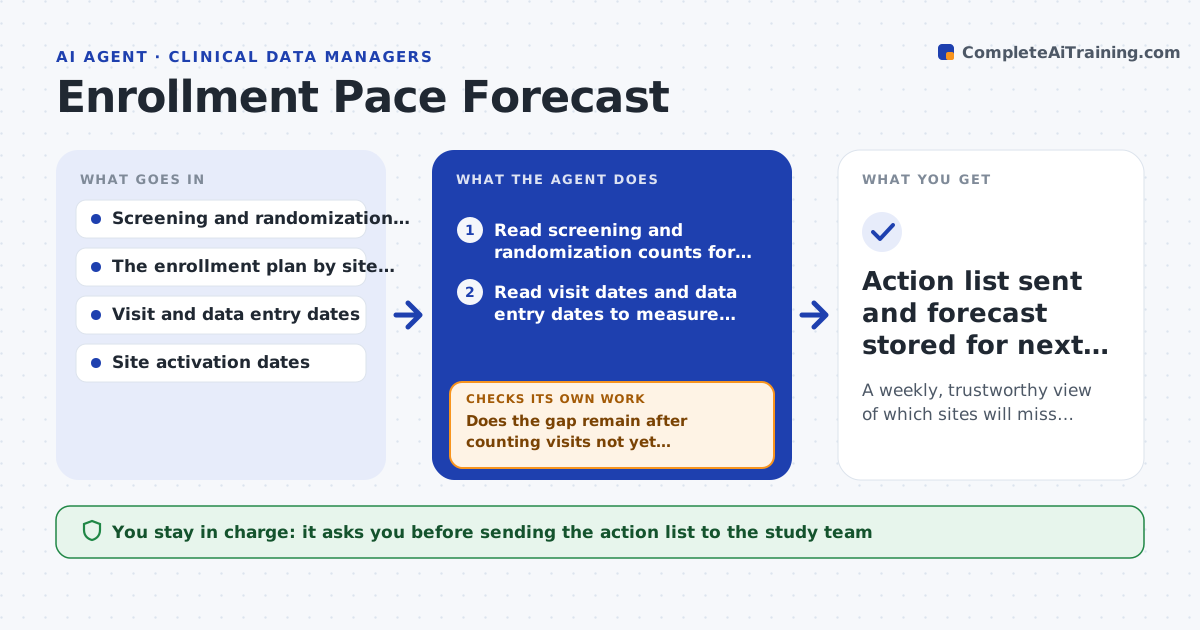
Every week a data manager is asked whether enrollment is on track, and the honest answer takes hours of pulling counts. This agent reads screening and randomization counts for each site, projects each site's finish date against the plan, and then asks whether a gap is real or just late data entry. It compares visit dates with entry dates, recounts with the lag included, and only escalates sites that still miss the plan. It drafts a short site-by-site action list, such as a call to the coordinator or a request to open a backup site. The data manager reviews the list before it goes to the study team. Edge case: a site that opened three weeks ago has too little history, so the agent marks it too early to judge instead of projecting a date.
How it works
Follow the arrows from top to bottom. The orange dashed arrow is the loop: when a check fails, the agent goes back and tries again.
Read the steps as a list
- Weekly run begins on Monday
- Read screening and randomization counts for each site
- Read visit dates and data entry dates to measure entry lag
- Project each site's completion date against the plan
- Does the gap remain after counting visits not yet entered?If not: recount with lagged visits included and drop sites whose gap disappears. Back to step 3.
- Label each remaining gap as a site problem, entry lag or too early to judge
- Do site counts add up to the study total in the database?If not: re-pull the counts and list the sites where numbers differ. Back to step 2.
- Draft a site-by-site action list with a suggested owner
- Data manager approves the list before it is sentThe agent waits here for your OK.
- Action list sent and forecast stored for next week's comparison
How it decides
A site is called off pace only when its projected finish date is later than plan after counting visits that are still waiting for data entry. Sites with under four weeks of history are never projected.
- Call a site off pace when projected finish is more than 3 weeks after plan
- Do not project a site with fewer than 4 weeks of history
- Treat a gap as entry lag when more than 30 percent of recent visits are not yet entered
- Suggest opening a backup site when 3 or more sites are off pace for 2 weeks running
Make it yours
Every agent is a starting point. You choose these settings for your own situation.
- Weeks late before a site is called off pace (default 3)
- Minimum weeks of history before projecting (default 4)
- Day and time of the weekly run (default Monday 8 am)
- Who receives the approved action list
- Counts that define enrolled (screened or randomized)
What keeps you in control
It always asks you first
- Sending the action list to the study team
- Any proposal to add or close a site
Hard limits
- Never changes study data or the enrollment plan
- Never sends anything to sites or sponsors without approval
It stops when
- Done: every site is classified and the totals tie out
- Stop: the count export is missing or older than 7 days
Set it up
We guide you through the set-up, step by step
Members get the full set-up guide for this agent. No technical skills needed: you copy, paste and upload.
- One set of instructions to paste into your AI, with the clicks for ChatGPT, Claude, Microsoft 365 Copilot, Gemini and Grok
- The agent then walks you through connecting your own data, one source at a time
- A downloadable copy with the flow chart, the rules and the full guide