AI agent for real estate developers
Environmental Due Diligence Findings Tracker Agent
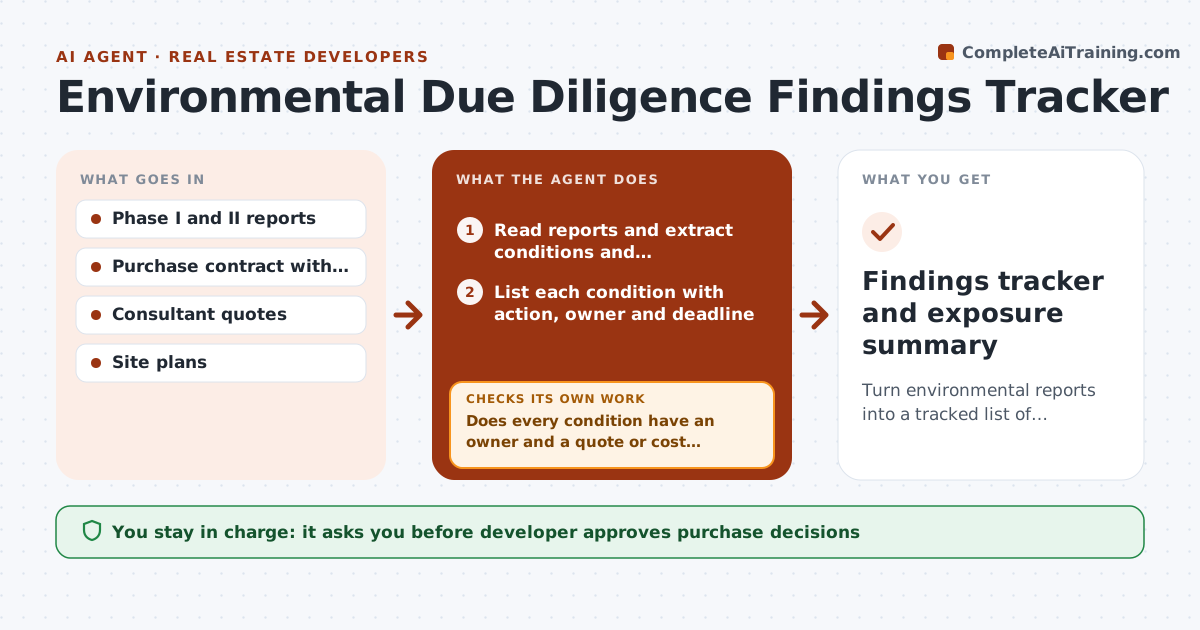
Turn environmental reports into a tracked list of findings, tests, costs and deadlines before the purchase decision
What it does
Environmental findings sit in thick reports and slip past the due diligence deadline. The agent reads each site report and lists every recognized condition and recommended action, such as a tank removal or soil sampling. It ties each to a cost range from consultant quotes and the contract deadline. It tracks tests, quotes and results, and when new results arrive it checks them against thresholds and updates the cost estimate. It escalates open items as the deadline nears, and shows the developer the total exposure. The developer decides whether to buy, renegotiate or walk away. Edge case: a Phase II finds solvent in groundwater, and the agent raises the exposure range and asks for an extension request draft.
How it works
Follow the arrows from top to bottom. The orange dashed arrow is the loop: when a check fails, the agent goes back and tries again.
Read the steps as a list
- Site report received
- Read reports and extract conditions and recommendations
- List each condition with action, owner and deadline
- Request quotes for each recommended test
- Does every condition have an owner and a quote or cost range?If not: Ask the consultant for the missing item and update the list. Back to step 2.
- Record test results as they arrive
- Compare results with thresholds and update costs
- Is total exposure within the budget and before the deadline?If not: Escalate with the cost change and suggest an extension or price request. Back to step 3.
- Developer approves purchase decision or extension requestThe agent waits here for your OK.
- Findings tracker and exposure summary
How it decides
Each recognized condition becomes a task with a cost range and a deadline; unresolved items before the deadline go to the developer.
- Count a condition as open until a test or a report closes it
- Escalate when exposure exceeds 3% of the purchase price
- Alert 14 days before the due diligence deadline
- Ask for an extension draft if a test cannot finish in time
Make it yours
Every agent is a starting point. You choose these settings for your own situation.
- Exposure threshold (default 3% of price)
- Alert lead time (default 14 days)
- Report types included
- Consultant contacts
What keeps you in control
It always asks you first
- Developer approves purchase decisions
- Developer approves extension or price renegotiation requests
Hard limits
- Never state that a site is clean or safe
- Never send requests to sellers without approval
It stops when
- Done: every condition is closed or priced and the developer has decided
- Stop: the deadline arrives with open critical items
Set it up
We guide you through the set-up, step by step
Members get the full set-up guide for this agent. No technical skills needed: you copy, paste and upload.
- One set of instructions to paste into your AI, with the clicks for ChatGPT, Claude, Microsoft 365 Copilot, Gemini and Grok
- The agent then walks you through connecting your own data, one source at a time
- A downloadable copy with the flow chart, the rules and the full guide