AI agent for real estate developers
Subdivision Lot Layout Agent
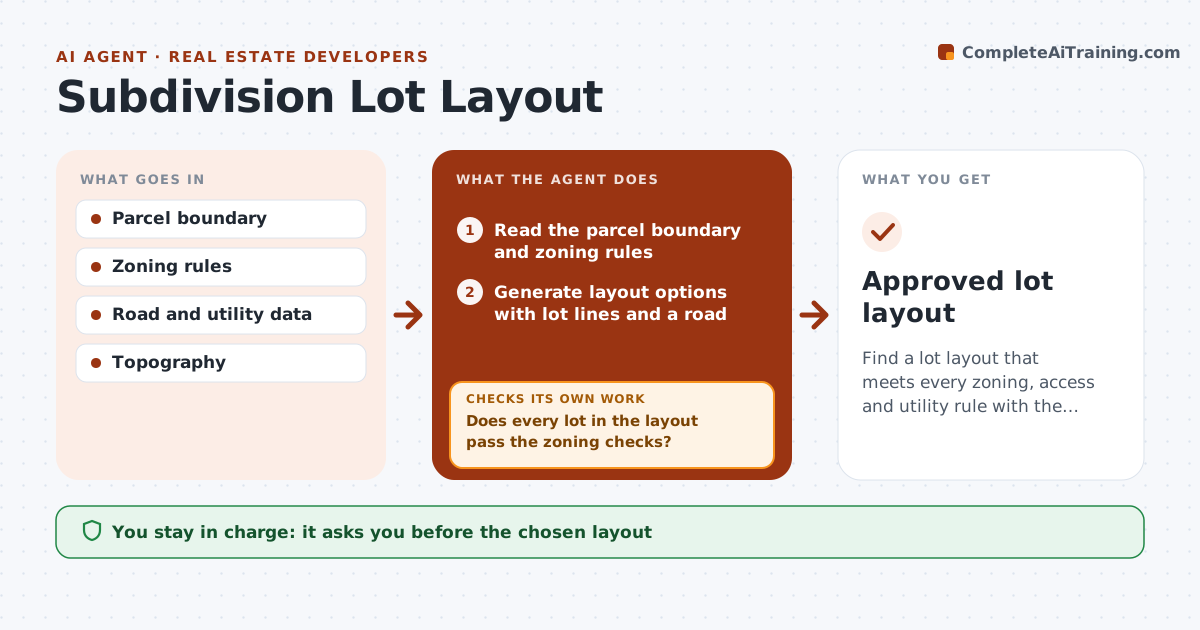
Find a lot layout that meets every zoning, access and utility rule with the best yield.
What it does
A subdivision layout that breaks the minimum frontage or area has to be redrawn later at a cost. This agent tests layout options against the zoning rules for lot area, frontage, depth and access. It flags failures, adjusts the lines, and rechecks the totals. It also checks road access and utility reach for each lot, and drops layouts where a lot fails either test. It ranks the passing layouts by the number of lots and the road length. You approve the layout. Edge case: a flag lot meets the area rule but has a 12 ft access strip against a 20 ft rule, and the agent rejects it.
How it works
Follow the arrows from top to bottom. The orange dashed arrow is the loop: when a check fails, the agent goes back and tries again.
Read the steps as a list
- Parcel and zoning rules are set
- Read the parcel boundary and zoning rules
- Generate layout options with lot lines and a road
- Check each lot for area, frontage, depth and access
- Does every lot in the layout pass the zoning checks?If not: List the failing lots with the rule and shortfall. Back to step 4.
- Adjust lot lines or road position and recalculate lot areas and totals
- Check road access and utility reach for each lot
- Do all lots pass access and utility checks?If not: Drop the layout or add a road or utility extension. Back to step 6.
- Rank passing layouts by lot count and road length
- Surveyor approves the layoutThe agent waits here for your OK.
- Approved lot layout
How it decides
It tests each lot against every rule and eliminates a layout when any lot fails. Among passing layouts, it ranks by lot count and road length.
- Minimum area, frontage and depth must be met on every lot
- Access strips must meet the minimum width
- Layouts where a lot has no utility reach are dropped
- Rank by lot count, then by road length
Make it yours
Every agent is a starting point. You choose these settings for your own situation.
- Zoning rules
- Minimum frontage and area
- Road width and standards
- Utility reach limit
- Ranking order
What keeps you in control
It always asks you first
- The chosen layout
Hard limits
- Never submits the plat
- Never changes zoning rules
- Shows each failed rule
It stops when
- Done: a layout passes every check
- Stop: no layout passes; developer reviews the zoning or yield
Set it up
We guide you through the set-up, step by step
Members get the full set-up guide for this agent. No technical skills needed: you copy, paste and upload.
- One set of instructions to paste into your AI, with the clicks for ChatGPT, Claude, Microsoft 365 Copilot, Gemini and Grok
- The agent then walks you through connecting your own data, one source at a time
- A downloadable copy with the flow chart, the rules and the full guide