AI agent for microbiologists
Environmental Monitoring Excursion Agent
Every excursion investigated and every trend caught early
What it does
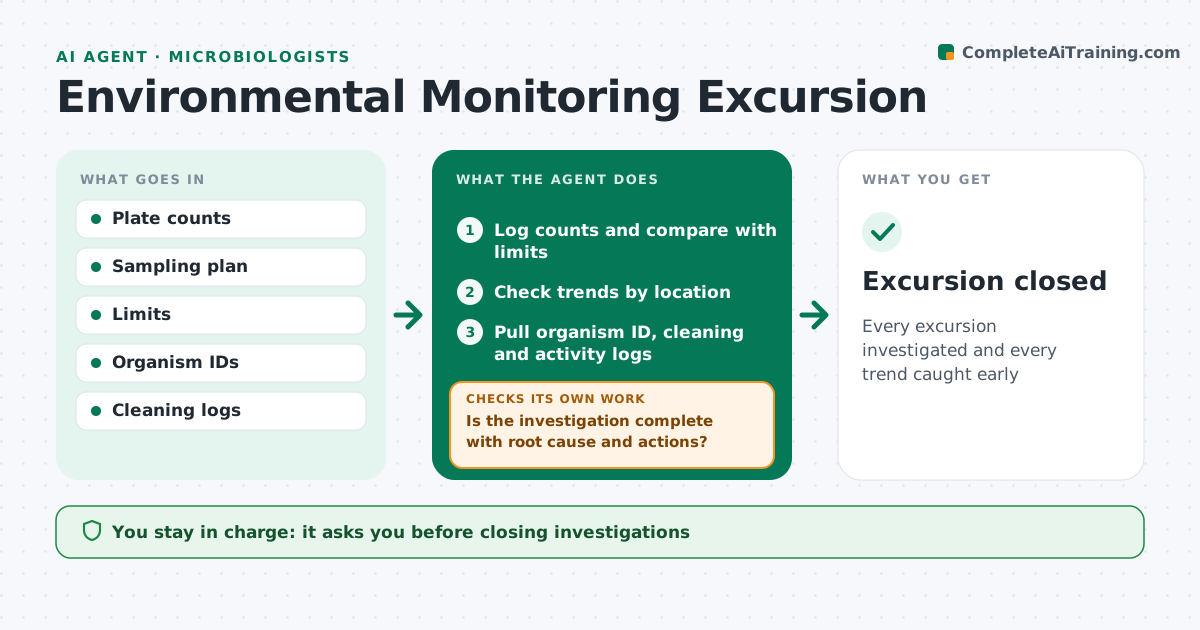
Cleanrooms are sampled for air, surfaces and personnel on a schedule, and excursions must be investigated properly. This agent logs plate counts as they are read and compares each with alert and action limits for that room grade and location. It also looks for trends below the limits, such as counts rising at one door over several weeks. When a limit is passed, it opens an excursion record, pulls the organism ID, cleaning logs and room activity for that time, and drafts starting points for the investigation. Before closure, it checks that the root cause and actions are recorded. If parts are missing, it lists them and chases owners. You approve investigation closures and any product impact decision. Edge case: mold recovered in a grade A zone triggers an action-level response even when the count is low.
How it works
Follow the arrows from top to bottom. The orange dashed arrow is the loop: when a check fails, the agent goes back and tries again.
Read the steps as a list
- Plates read
- Log counts and compare with limits
- Check trends by location
- Pull organism ID, cleaning and activity logs
- Draft investigation starting points
- Is the investigation complete with root cause and actions?If not: list missing parts and chase owners. Back to step 5.
- Microbiologist approves investigation and impact decisionThe agent waits here for your OK.
- Excursion closed
How it decides
It compares counts with limits by grade and location and flags trends of rising counts over the set number of samples.
- Treat molds in grade A as action level
- Flag rising trends below limits
- Require root cause before closure
Make it yours
Every agent is a starting point. You choose these settings for your own situation.
- Limits by grade
- Trend rule
- Investigation template
- Alert contacts
What keeps you in control
It always asks you first
- Closing investigations
- Product impact decisions
Hard limits
- Never decides product release
It stops when
- Done: excursion closed
- Stop: ID results delayed
Set it up
We guide you through the set-up, step by step
Members get the full set-up guide for this agent. No technical skills needed: you copy, paste and upload.
- One set of instructions to paste into your AI, with the clicks for ChatGPT, Claude, Microsoft 365 Copilot, Gemini and Grok
- The agent then walks you through connecting your own data, one source at a time
- A downloadable copy with the flow chart, the rules and the full guide