AI agent for investor relations managers
ESG Rating Response Agent
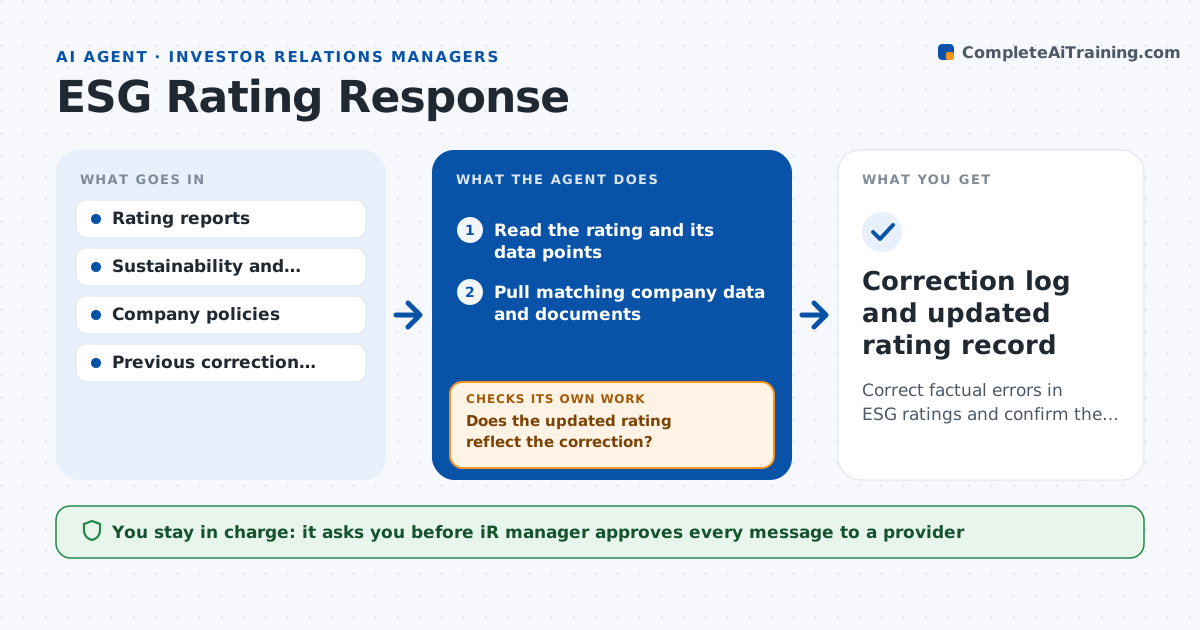
Correct factual errors in ESG ratings and confirm the fixes appear.
What it does
ESG rating providers publish scores based on data about your company, and errors there stay for years because nobody checks. This agent reads each new rating and its data points and checks the facts against company data: emissions, board makeup, policies and safety figures. When it finds an error, it drafts a correction request with the evidence attached and tracks the provider's reply. After the provider updates, it rechecks the rating to see whether the fix was applied and whether other data points changed. If the correction was ignored, it drafts a follow-up. The IR manager approves every message to a provider.
How it works
Follow the arrows from top to bottom. The orange dashed arrow is the loop: when a check fails, the agent goes back and tries again.
Read the steps as a list
- New or updated rating
- Read the rating and its data points
- Pull matching company data and documents
- Compare each data point with company records
- List errors with evidence and impact on the score
- Draft correction requests
- IR manager approves every messageThe agent waits here for your OK.
- Track provider replies and rating updates
- Does the updated rating reflect the correction?If not: draft a follow-up with the evidence again. Back to step 6.
- Correction log and updated rating record
How it decides
It flags a data point as wrong only when company records contradict it with a dated source.
- Flag only errors backed by a dated company document
- Prioritize errors that move the score by more than 1 point
- Allow 15 business days for a provider reply
- Escalate after two unanswered requests
Make it yours
Every agent is a starting point. You choose these settings for your own situation.
- Providers to track
- Reply window (default 15 business days)
- Score impact cutoff
- Data sources
What keeps you in control
It always asks you first
- IR manager approves every message to a provider
- Sustainability head approves any disputed data
Hard limits
- Never contacts a provider without approval
- Does not submit unreleased company data
It stops when
- Done: errors corrected or closed with a reason
- Stop: the company data is itself uncertain
Set it up
We guide you through the set-up, step by step
Members get the full set-up guide for this agent. No technical skills needed: you copy, paste and upload.
- One set of instructions to paste into your AI, with the clicks for ChatGPT, Claude, Microsoft 365 Copilot, Gemini and Grok
- The agent then walks you through connecting your own data, one source at a time
- A downloadable copy with the flow chart, the rules and the full guide