AI agent for clinical research coordinators
Ethics Committee Submission Tracker Agent
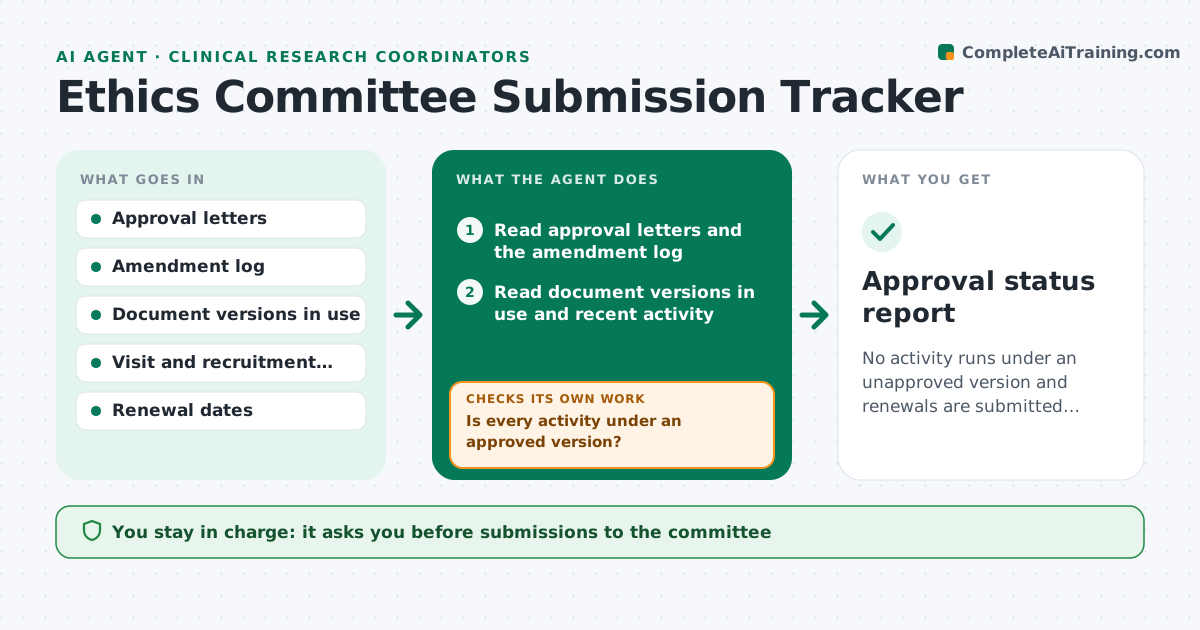
No activity runs under an unapproved version and renewals are submitted before they lapse
What it does
Studies get into trouble when an amendment is used before ethics approval or a renewal lapses. This agent tracks every amendment and renewal against its submission and approval dates. It compares the documents in use, such as the protocol, consent form and recruitment text, to the approved versions on file. If any activity occurs under an unapproved version, it flags it with the date. It drafts submission cover notes and checklists for amendments and renewals and tracks committee replies. After a reply it rechecks that the new versions are filed and in use. The principal investigator approves each submission. Edge case: the committee approves the amendment with a required wording change, so the agent holds the consent form as not yet usable.
How it works
Follow the arrows from top to bottom. The orange dashed arrow is the loop: when a check fails, the agent goes back and tries again.
Read the steps as a list
- Weekly check or committee reply
- Read approval letters and the amendment log
- Read document versions in use and recent activity
- Match each document and activity to an approved version
- Is every activity under an approved version?If not: flag the activity and draft a note for the PI. Back to step 4.
- List renewals due within 90 days
- Draft submission notes and checklists
- PI approves each submissionThe agent waits here for your OK.
- Track committee replies and required changes
- Are approved versions filed and in use?If not: request updates and hold the document as not usable. Back to step 3.
- Approval status report
How it decides
A document is usable only when its version matches an approval letter on file. Renewals are due 60 days before expiry.
- Flag any activity dated before an approval date
- Draft a renewal 60 days before expiry
- Treat approval with required changes as not yet usable
- Compare version numbers and dates, not file names
Make it yours
Every agent is a starting point. You choose these settings for your own situation.
- Renewal lead time (default 60 days)
- Document types tracked
- Committee contact details
- Weekly check day
What keeps you in control
It always asks you first
- Submissions to the committee
- Notes about activity under unapproved versions
Hard limits
- Never submits to the committee
- Never decides a deviation is reportable
It stops when
- Done: all documents approved and filed
- Stop: approval letters are missing
Set it up
We guide you through the set-up, step by step
Members get the full set-up guide for this agent. No technical skills needed: you copy, paste and upload.
- One set of instructions to paste into your AI, with the clicks for ChatGPT, Claude, Microsoft 365 Copilot, Gemini and Grok
- The agent then walks you through connecting your own data, one source at a time
- A downloadable copy with the flow chart, the rules and the full guide