AI agent for energy engineers
EV Charging Load Planning Agent
A charging design that stays within panel and transformer limits at an acceptable demand cost
What it does
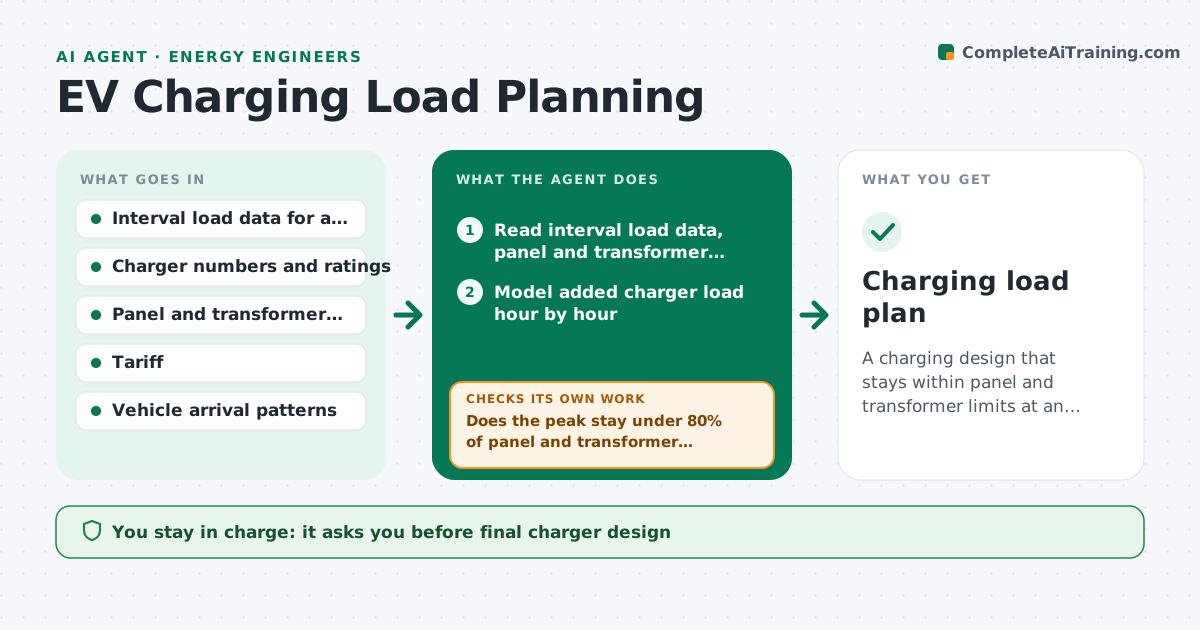
Adding chargers to a site can overload a panel or raise the demand charge more than the charger saves. This agent takes the site's interval load data and the planned number and type of chargers. It models the added load hour by hour, checks it against panel and transformer capacity, and estimates the tariff effect, including demand charges. If a limit is exceeded, it tests staggered or capped charging schedules and reruns until the limits hold. It compares each design on peak load, cost and charging time. The engineer approves the design. Edge case: the model passes in winter but a summer afternoon peak adds air conditioning load, so the agent tests the hottest week before accepting.
How it works
Follow the arrows from top to bottom. The orange dashed arrow is the loop: when a check fails, the agent goes back and tries again.
Read the steps as a list
- Charger plan or change received
- Read interval load data, panel and transformer ratings
- Model added charger load hour by hour
- Apply the tariff to estimate demand charges
- Does the peak stay under 80% of panel and transformer ratings?If not: test staggered start times and per-charger power caps. Back to step 3.
- Test the hottest and coldest weeks for coincident peaks
- Do all tested weeks stay inside limits and meet charging needs?If not: adjust the schedule and cap, then retest. Back to step 3.
- Compare designs by peak load, cost and charge time
- Engineer approves the designThe agent waits here for your OK.
- Charging load plan
How it decides
Design must keep the peak below 80% of equipment rating. Among passing designs, choose the one with the lowest demand cost that meets charging needs.
- Keep peak under 80% of equipment rating
- Prefer staggered charging before capacity upgrades
- Test the highest demand week of the year
- Flag any design that leaves vehicles under 80% charged by departure
Make it yours
Every agent is a starting point. You choose these settings for your own situation.
- Safety margin (default 80%)
- Charging windows
- Tariff to use
- Weather weeks to test
What keeps you in control
It always asks you first
- Final charger design
- Any capacity upgrade request
Hard limits
- Never signs off equipment capacity
- Never changes tariff elections
It stops when
- Done: design passes all limits
- Stop: no design meets limits without an upgrade
Set it up
We guide you through the set-up, step by step
Members get the full set-up guide for this agent. No technical skills needed: you copy, paste and upload.
- One set of instructions to paste into your AI, with the clicks for ChatGPT, Claude, Microsoft 365 Copilot, Gemini and Grok
- The agent then walks you through connecting your own data, one source at a time
- A downloadable copy with the flow chart, the rules and the full guide