AI agent for speech therapists
Evaluation Report Timeline Agent
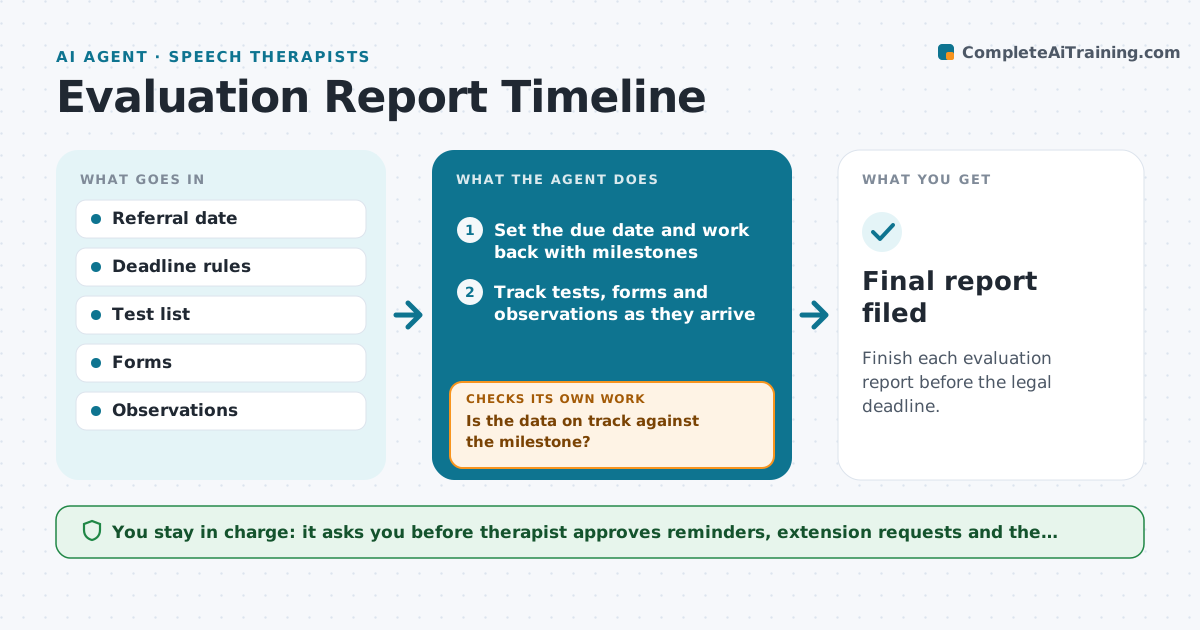
Finish each evaluation report before the legal deadline.
What it does
School evaluations have legal deadlines, and the data collection is easy to leave until the last week. When a referral is accepted, this agent sets the due date and works backward, listing needed tests, observations, parent forms and teacher input. It tracks what has been collected and what is missing. As the deadline nears, it lists what is still missing and moves the draft forward by filling in sections from the data already in. If something is overdue, it drafts a reminder to the person responsible. The therapist approves reminders and the final report. Edge case: a test cannot be given before the deadline, so the agent flags it early for a request to extend.
How it works
Follow the arrows from top to bottom. The orange dashed arrow is the loop: when a check fails, the agent goes back and tries again.
Read the steps as a list
- Referral is accepted
- Set the due date and work back with milestones
- Track tests, forms and observations as they arrive
- Is the data on track against the milestone?If not: send reminders and flag what is missing. Back to step 3.
- Draft the report sections with the data in
- Therapist approves remindersThe agent waits here for your OK.
- Is anything at risk of missing the deadline?If not: propose an extension request or a schedule change. Back to step 3.
- Complete the draft when all data are in
- Therapist approves the reportThe agent waits here for your OK.
- Final report filed
How it decides
It compares days left with work left each day. If the work does not fit, it flags the evaluation as at risk.
- Flag at risk when 50% of time passes with under 50% of data
- Remind after 3 school days overdue
- Flag tests that need time to schedule
- Fill only sections with data
Make it yours
Every agent is a starting point. You choose these settings for your own situation.
- Deadline rules
- Milestones
- Reminder days (default 3)
- At risk threshold
What keeps you in control
It always asks you first
- Therapist approves reminders, extension requests and the report
Hard limits
- Never change dates alone
- Never file the report
It stops when
- Done: report approved on time
- Stop: referral withdrawn
Set it up
We guide you through the set-up, step by step
Members get the full set-up guide for this agent. No technical skills needed: you copy, paste and upload.
- One set of instructions to paste into your AI, with the clicks for ChatGPT, Claude, Microsoft 365 Copilot, Gemini and Grok
- The agent then walks you through connecting your own data, one source at a time
- A downloadable copy with the flow chart, the rules and the full guide