AI agent for speech therapists
Teacher Carryover Check-In Agent
Know whether each strategy is used and adjust it when it is not working.
What it does
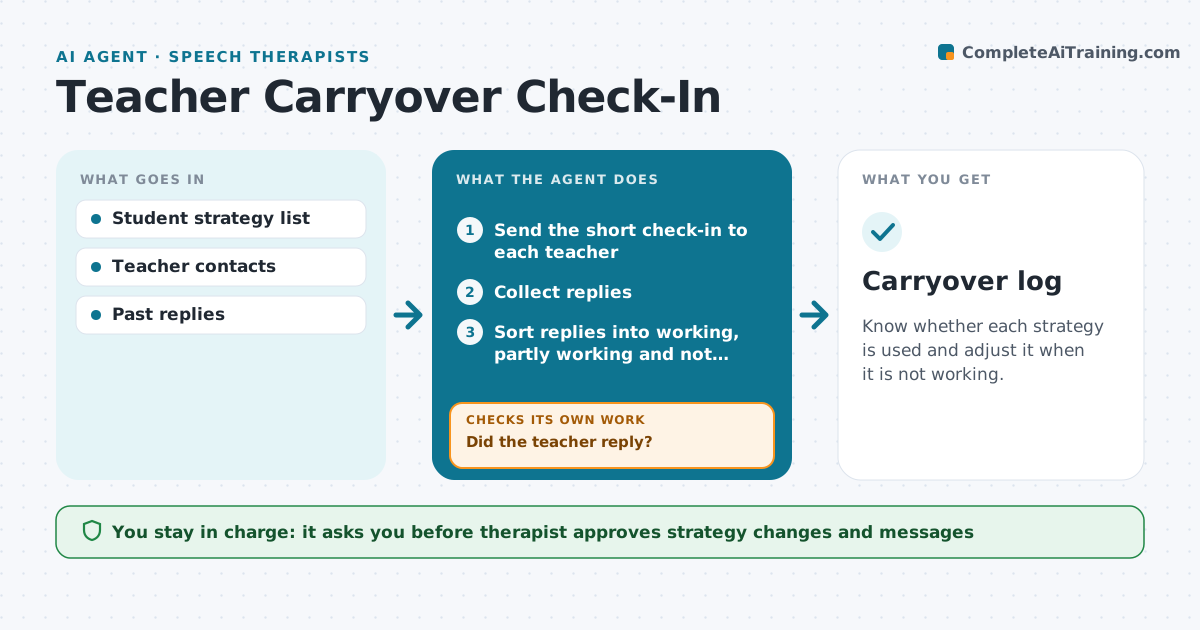
A speech therapist teaches a strategy, but whether it is used in the classroom is unknown. Every two weeks this agent sends each teacher a two-question check-in about the strategy: how often it is used and whether it helps. It collects replies, reads comments and flags problems such as 'student refuses' or 'no time'. If a teacher reports the strategy is not working, it proposes a change, such as a simpler cue or a different moment in the day, and after the therapist approves, sends it. It then checks the next reply to see whether the change helped. Edge case: no reply from a teacher after two attempts, so the agent asks the therapist to talk to them at school.
How it works
Follow the arrows from top to bottom. The orange dashed arrow is the loop: when a check fails, the agent goes back and tries again.
Read the steps as a list
- Two-week check-in date
- Send the short check-in to each teacher
- Collect replies
- Did the teacher reply?If not: send one reminder, then ask the therapist to talk to the teacher. Back to step 2.
- Sort replies into working, partly working and not working
- Draft a strategy change for each not working reply
- Therapist approves changes and messagesThe agent waits here for your OK.
- Send the change to the teacher
- Did the next reply show improvement?If not: propose another adjustment or flag for a meeting. Back to step 6.
- Carryover log
How it decides
A reply of 'not working' or 'rarely used' triggers a proposed change. Silence triggers a reminder.
- Send reminders after 3 school days
- Propose a change when the strategy is used less than 3 times a week
- Stop after two attempts without a reply
- Keep messages under 100 words
Make it yours
Every agent is a starting point. You choose these settings for your own situation.
- Check-in questions
- Frequency (default 2 weeks)
- Reminder days (default 3)
- Teachers included
What keeps you in control
It always asks you first
- Therapist approves strategy changes and messages
Hard limits
- Never share student details beyond the teacher
- Never change a goal
It stops when
- Done: strategy used and helping
- Stop: student moves or is discharged
Set it up
We guide you through the set-up, step by step
Members get the full set-up guide for this agent. No technical skills needed: you copy, paste and upload.
- One set of instructions to paste into your AI, with the clicks for ChatGPT, Claude, Microsoft 365 Copilot, Gemini and Grok
- The agent then walks you through connecting your own data, one source at a time
- A downloadable copy with the flow chart, the rules and the full guide