AI agent for traders
Event Risk Calendar Agent
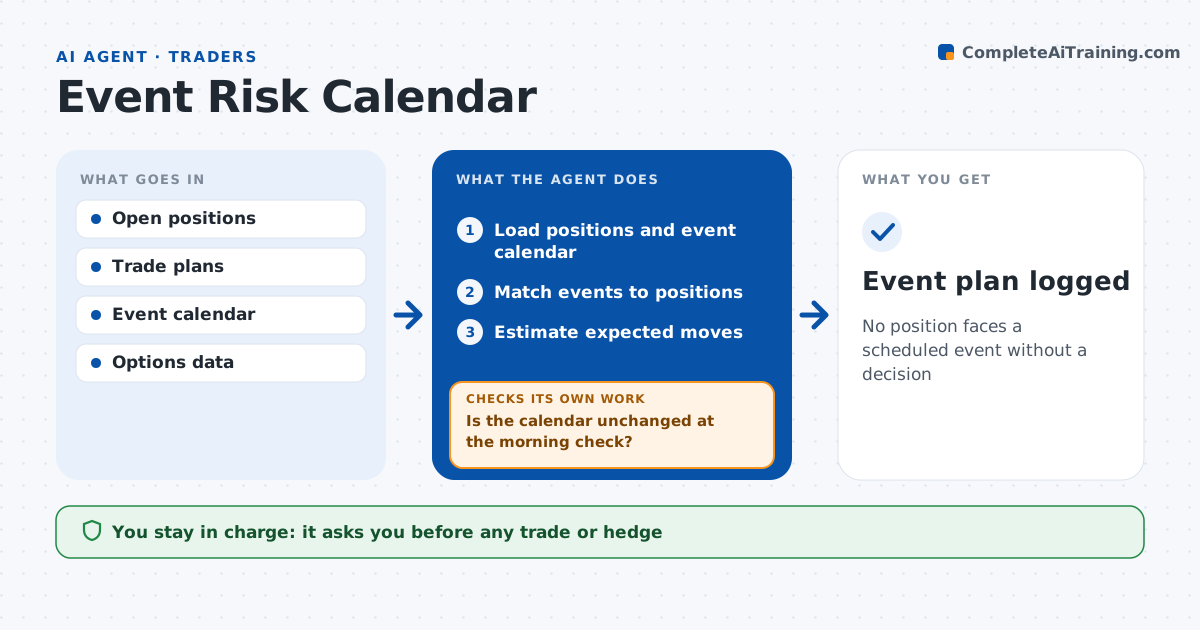
No position faces a scheduled event without a decision
What it does
Earnings, central bank meetings and data releases can move a position far past its stop overnight. Each evening this agent compares open positions and planned trades to the event calendar for the next few days. For each position with an event, it estimates the expected move from options prices or past reactions and compares it to the stop and size. If the expected move is more than 1.5 times the stop distance, it suggests reducing, hedging or keeping, with the cost of each. Rate-sensitive trades get a lower size on central bank days. Each morning it checks the calendar again for changed dates and updates the plan. The trader decides on each position. Edge case: a company moves its earnings date earlier, so the morning check catches it.
How it works
Follow the arrows from top to bottom. The orange dashed arrow is the loop: when a check fails, the agent goes back and tries again.
Read the steps as a list
- Evening review
- Load positions and event calendar
- Match events to positions
- Estimate expected moves
- Suggest reduce, hedge or keep
- Is the calendar unchanged at the morning check?If not: rematch events and update suggestions. Back to step 3.
- Trader decides on each positionThe agent waits here for your OK.
- Event plan logged
How it decides
It compares expected event moves to each position's risk plan.
- Expected move over 1.5 times stop distance: suggest reduce
- Central bank day: lower size on rate-sensitive trades
- Earnings within 2 days: always list
Make it yours
Every agent is a starting point. You choose these settings for your own situation.
- Days ahead
- Event types
- Expected move method
- Reminder times
What keeps you in control
It always asks you first
- Any trade or hedge
Hard limits
- Never trades
- Never claims to predict moves
It stops when
- Done: plan logged
- Stop: calendar source down
Set it up
We guide you through the set-up, step by step
Members get the full set-up guide for this agent. No technical skills needed: you copy, paste and upload.
- One set of instructions to paste into your AI, with the clicks for ChatGPT, Claude, Microsoft 365 Copilot, Gemini and Grok
- The agent then walks you through connecting your own data, one source at a time
- A downloadable copy with the flow chart, the rules and the full guide