AI agent for dietitians
Evidence Update Agent for Client Cases
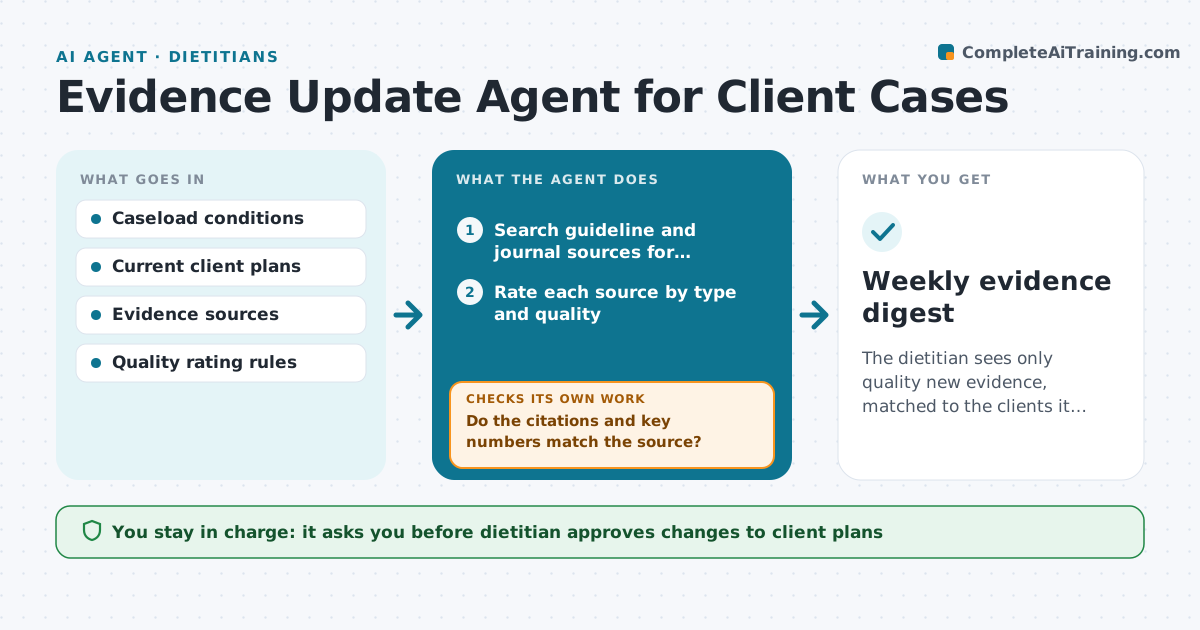
The dietitian sees only quality new evidence, matched to the clients it affects, with sources checked.
What it does
New guidelines and studies appear every week, and a busy dietitian cannot link them to the clients they affect. The agent keeps a list of the conditions in the caseload, such as type 2 diabetes, chronic kidney disease and celiac disease, and scans new guidelines and studies for them. It rates each source by type and quality, for example a guideline from a professional body or a randomized trial versus a small observational study, and drops weak or irrelevant ones. It then matches the findings to clients by condition and current plan, and drafts a short note on what to consider. Before the note goes out, it rechecks the source and the citation for accuracy. The dietitian approves any change to a client's plan. Edge case: a new guideline that contradicts the current plan is placed at the top of the list.
How it works
Follow the arrows from top to bottom. The orange dashed arrow is the loop: when a check fails, the agent goes back and tries again.
Read the steps as a list
- Weekly run
- Search guideline and journal sources for caseload conditions
- Rate each source by type and quality
- Drop weak or off-topic sources
- Match the remaining findings to clients by condition and plan
- Draft a short note per finding with what to consider
- Do the citations and key numbers match the source?If not: Reread the source, correct the note or drop it. Back to step 3.
- Dietitian approves any change to a client planThe agent waits here for your OK.
- Save the notes to the client files
- Log what was reviewed and rejected
- Weekly evidence digest
How it decides
It rates sources by type and quality and matches only strong evidence to clients by condition and plan.
- Guidelines and systematic reviews rank above single studies
- Studies with fewer than 100 participants are low weight
- A finding that contradicts a current plan goes first
- Every claim needs a link to the source
Make it yours
Every agent is a starting point. You choose these settings for your own situation.
- Conditions to track
- Sources and journals
- Quality rules
- Digest day
- Client matching rules
What keeps you in control
It always asks you first
- Dietitian approves changes to client plans
- Dietitian approves any message to a client
Hard limits
- Never change a plan without approval
- Never cite a source it has not read
- Never present weak evidence as strong
It stops when
- Done: digest reviewed and approved
- Stop: the source cannot be verified
Set it up
We guide you through the set-up, step by step
Members get the full set-up guide for this agent. No technical skills needed: you copy, paste and upload.
- One set of instructions to paste into your AI, with the clicks for ChatGPT, Claude, Microsoft 365 Copilot, Gemini and Grok
- The agent then walks you through connecting your own data, one source at a time
- A downloadable copy with the flow chart, the rules and the full guide