AI agent for computer science students
Exam Revision Plan Agent
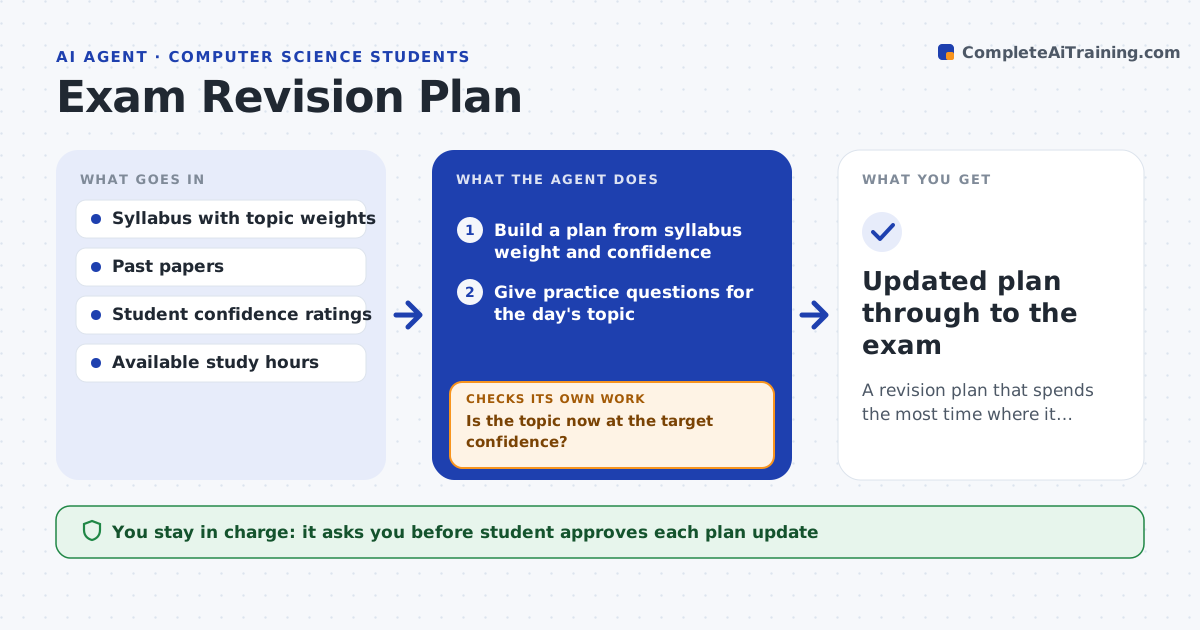
A revision plan that spends the most time where it raises the grade most
What it does
Students often revise the topics they already know and leave weak areas to the last night. This agent builds a revision plan from the syllabus, past papers and the student's own confidence ratings. It schedules sessions that give more time to weak, high-weight topics before the exam date. In each session it gives a few practice questions, checks the answers and updates the confidence score. If scores on a topic stay low after two sessions, it moves more time to that topic and changes the approach, for example worked examples before questions. As the exam nears, it shifts toward full past papers. The student decides daily hours and can move sessions. Edge case: a topic rated confident but failing practice is reopened, because the self-rating was wrong.
How it works
Follow the arrows from top to bottom. The orange dashed arrow is the loop: when a check fails, the agent goes back and tries again.
Read the steps as a list
- Student sets an exam date
- Build a plan from syllabus weight and confidence
- Give practice questions for the day's topic
- Mark the answers and update confidence
- Is the topic now at the target confidence?If not: add time, switch to worked examples, and practice again. Back to step 3.
- Rebalance the remaining days
- Student approves the updated planThe agent waits here for your OK.
- Updated plan through to the exam
How it decides
It prioritizes topics by exam weight times weakness, and reallocates time whenever practice results change the weakness estimate.
- Weight time by exam weight times weakness
- Reopen confident topics that fail practice
- Protect a review day before the exam
Make it yours
Every agent is a starting point. You choose these settings for your own situation.
- Target confidence level
- Daily study hours
- Question sources
- How aggressively to rebalance
What keeps you in control
It always asks you first
- Student approves each plan update
Hard limits
- Does not take the exam or do graded work
- Keeps a rest day in the plan
It stops when
- Done: all high-weight topics at target or exam reached
- Stop: no syllabus or past papers available
Set it up
We guide you through the set-up, step by step
Members get the full set-up guide for this agent. No technical skills needed: you copy, paste and upload.
- One set of instructions to paste into your AI, with the clicks for ChatGPT, Claude, Microsoft 365 Copilot, Gemini and Grok
- The agent then walks you through connecting your own data, one source at a time
- A downloadable copy with the flow chart, the rules and the full guide