AI agent for traders
Execution Quality and Slippage Audit Agent
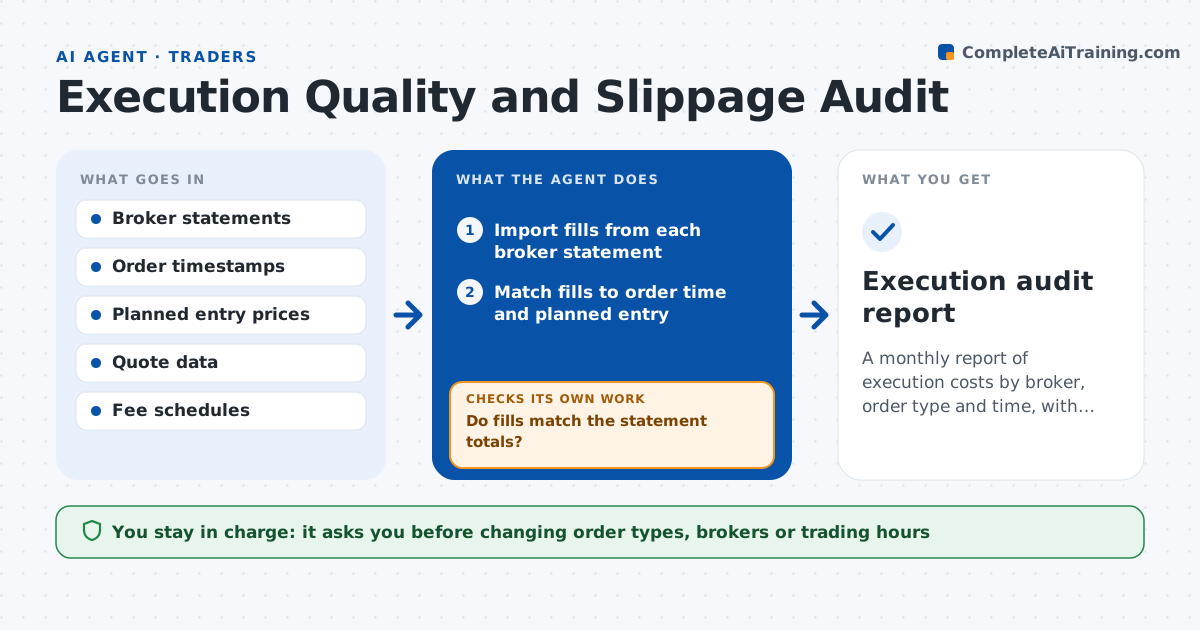
A monthly report of execution costs by broker, order type and time, with approved changes that cut them
What it does
Most traders know their returns but not what execution costs them. Each month this agent pulls fills from broker statements and compares each one with the price when the order was placed and the planned entry. It totals the cost by broker, order type and time of day, including fees. When the cost looks high for a group, it checks whether the cause was a fast market or the order type, then reruns the numbers excluding news spikes and by group. It then proposes changes, such as using limit orders at the open or moving a type of trade to another broker, with the estimated saving. The trader approves what to adopt. Edge case: a large slippage on a stop order during a gap is labeled market risk, not poor execution.
How it works
Follow the arrows from top to bottom. The orange dashed arrow is the loop: when a check fails, the agent goes back and tries again.
Read the steps as a list
- New month begins
- Import fills from each broker statement
- Match fills to order time and planned entry
- Total slippage and fees by broker, order type and time of day
- Do fills match the statement totals?If not: find missing or duplicate fills and re-import them. Back to step 2.
- Flag groups above the cost target
- Check market conditions around each flagged fill
- Is the cost caused by order choice rather than a market spike?If not: exclude spike fills, relabel them as market risk and rerun the totals. Back to step 3.
- Estimate savings from each proposed change
- Trader approves changes to order type, broker or timingThe agent waits here for your OK.
- Execution audit report
How it decides
A group is flagged when its average cost per trade is above the trader's target. The agent attributes cost to market moves or order choice before suggesting changes.
- Flag a group when average slippage exceeds 0.10% of price
- Exclude fills during a halt or gap from the order choice judgment
- Propose a change only with at least 30 fills behind it
- Report fees separately from slippage
Make it yours
Every agent is a starting point. You choose these settings for your own situation.
- Cost target per trade (default 0.10%)
- Brokers and statement locations
- Minimum fills before a proposal (default 30)
- Report format
What keeps you in control
It always asks you first
- Changing order types, brokers or trading hours
Hard limits
- Never moves money or places orders
- Does not share account data outside the trader's tools
It stops when
- Done: audit report and approved changes recorded
- Stop: statements are incomplete
Set it up
We guide you through the set-up, step by step
Members get the full set-up guide for this agent. No technical skills needed: you copy, paste and upload.
- One set of instructions to paste into your AI, with the clicks for ChatGPT, Claude, Microsoft 365 Copilot, Gemini and Grok
- The agent then walks you through connecting your own data, one source at a time
- A downloadable copy with the flow chart, the rules and the full guide