AI agent for historians
Exhibit Label Fact Review Agent
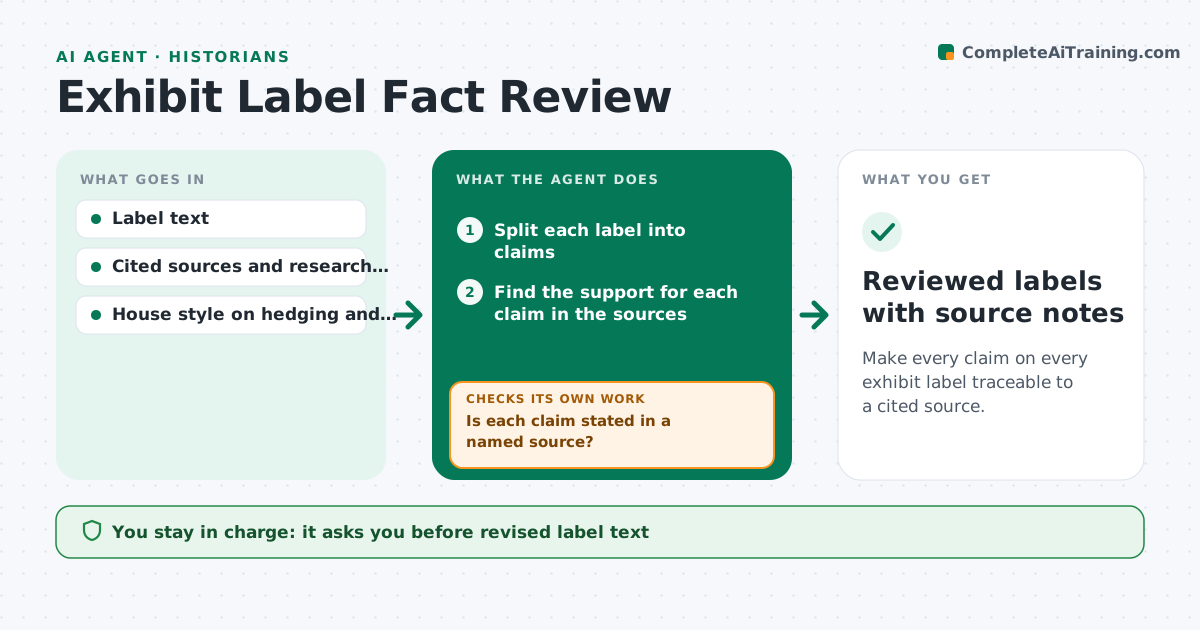
Make every claim on every exhibit label traceable to a cited source.
What it does
Exhibit labels are short and confident, which makes unchecked claims easy to hide. This agent reads each label and splits it into individual claims: dates, names, quantities, causes and quotations. It checks each against the cited sources and the curator's research file, and marks it supported, partly supported or unsupported. For anything unsupported, it proposes safer wording, such as adding about, according to, or removing a causal claim. It records every change and rechecks the revised label against the sources, since a rewrite can introduce a new claim. It never edits the master text. The curator approves the final text. Edge case: a quotation is checked word for word against the source, including spelling.
How it works
Follow the arrows from top to bottom. The orange dashed arrow is the loop: when a check fails, the agent goes back and tries again.
Read the steps as a list
- Label drafts submitted
- Split each label into claims
- Find the support for each claim in the sources
- Is each claim stated in a named source?If not: search the wider research file and mark remaining claims unsupported. Back to step 3.
- Propose safer wording for unsupported or partial claims
- Check quotations word for word
- Produce a revised label with a change list
- Does the revised text contain any new unsupported claim?If not: re-split the revised label and check the new claims. Back to step 2.
- Curator approves the final textThe agent waits here for your OK.
- Reviewed labels with source notes
How it decides
A claim is supported only if a named source states it. Where sources conflict or only imply it, the agent proposes hedged wording rather than a firm statement.
- Mark a claim unsupported if no cited source states it
- Hedge causal claims unless a source states the cause
- Require exact quotes to match the source including spelling
- Keep label length within the word limit after changes
Make it yours
Every agent is a starting point. You choose these settings for your own situation.
- Word limit per label (default 60)
- House hedging phrases
- Source ranking
- Whether to check images and captions too
What keeps you in control
It always asks you first
- Revised label text
- Any removal of a claim
Hard limits
- Never edit the master label file
- Quote the source line for each check
It stops when
- Done: all claims supported or hedged and approved
- Stop: key claim cannot be sourced and the curator must decide
Set it up
We guide you through the set-up, step by step
Members get the full set-up guide for this agent. No technical skills needed: you copy, paste and upload.
- One set of instructions to paste into your AI, with the clicks for ChatGPT, Claude, Microsoft 365 Copilot, Gemini and Grok
- The agent then walks you through connecting your own data, one source at a time
- A downloadable copy with the flow chart, the rules and the full guide