AI agent for ghostwriters
Nonfiction Outline Evidence Agent
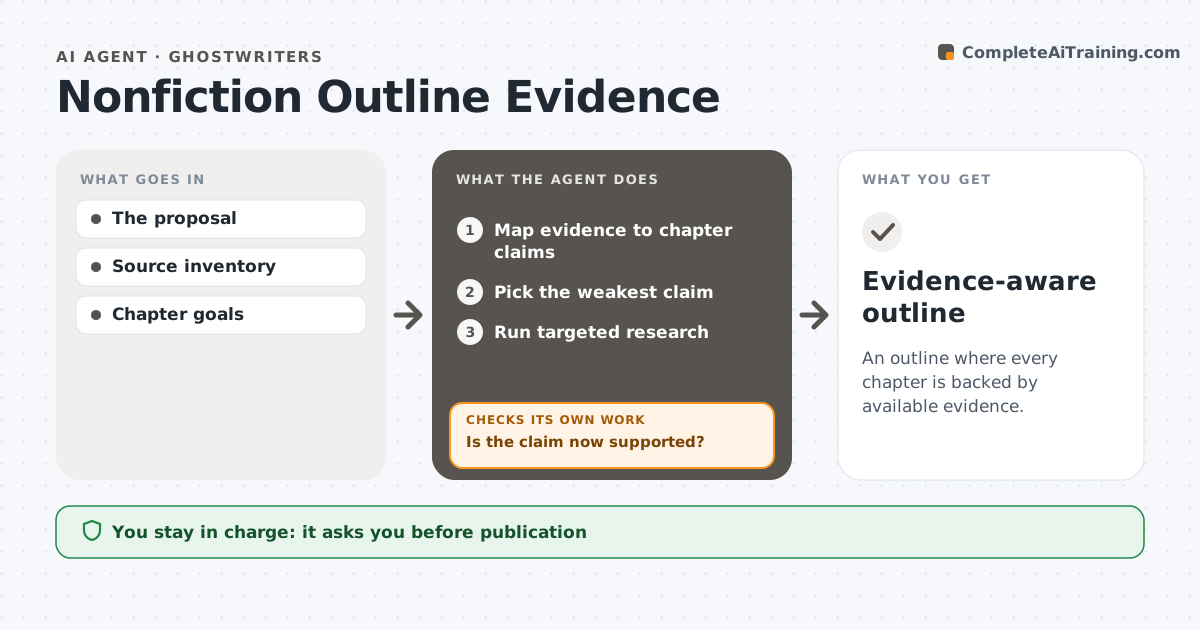
An outline where every chapter is backed by available evidence.
What it does
Nonfiction book proposals often promise chapters that the research cannot support, which becomes a problem halfway through writing. This agent maps the available evidence to each chapter's central claim. It picks the weakest claim and runs targeted research for it, using approved databases and the author's source list. If the claim becomes supported, it updates the map and moves to the next weakest. If support stays absent, it proposes narrowing the chapter rather than inventing evidence. It then revises the outline with gaps stated plainly. The author decides on the final outline. Edge case: a claim supported only by anecdotes is not treated as evidence of a trend.
How it works
Follow the arrows from top to bottom. The orange dashed arrow is the loop: when a check fails, the agent goes back and tries again.
Read the steps as a list
- Proposal drafted
- Map evidence to chapter claims
- Pick the weakest claim
- Run targeted research
- Is the claim now supported?If not: propose narrowing the chapter. Back to step 3.
- Revise the outline with gaps
- Evidence-aware outline
How it decides
It researches the weakest central claim first.
- Never invent evidence for a claim.
- Anecdotes do not prove a trend.
- Narrow the chapter when support stays absent.
- Work on the weakest claim first.
Make it yours
Every agent is a starting point. You choose these settings for your own situation.
- Approved research databases
- Research budget per claim (default 2 hours)
- How many weak claims to work on per run (default 3)
- Who approves the outline (default: the author)
- Outline format
What keeps you in control
It always asks you first
- Publication
- Final factual conclusions
Hard limits
- No invented evidence.
It stops when
- Done: outline revised.
Set it up
We guide you through the set-up, step by step
Members get the full set-up guide for this agent. No technical skills needed: you copy, paste and upload.
- One set of instructions to paste into your AI, with the clicks for ChatGPT, Claude, Microsoft 365 Copilot, Gemini and Grok
- The agent then walks you through connecting your own data, one source at a time
- A downloadable copy with the flow chart, the rules and the full guide