
AI agent for fine artists
Exhibition Loan Paperwork Agent
A consistent loan packet where every document agrees on the work's details and values
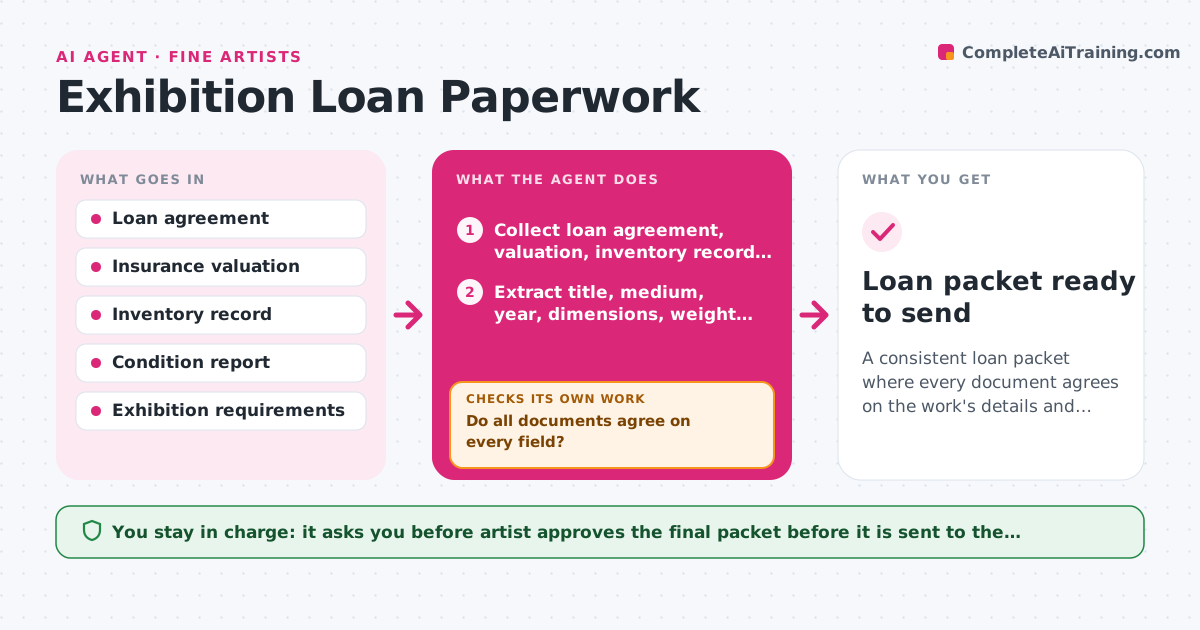
What it does
A museum asks for a loan, and the artist realizes the insurance value on the form differs from the invoice, the dimensions in the condition report include the frame, and the title is spelled two ways. This agent collects the loan agreement, insurance valuation, dimensions and condition report for each work and checks that values and details match across the documents. It builds a comparison table with title, medium, year, dimensions with and without frame, weight, value and condition. Where a mismatch appears, it traces it to the source document, asks the artist which is right, and loops back to re-check after correction. It also checks dates against the loan period and transport requirements. The artist approves the final loan packet. Edge case: dimensions given in inches in one form and centimeters in another are converted before comparison.
How it works
Follow the arrows from top to bottom. The orange dashed arrow is the loop: when a check fails, the agent goes back and tries again.
Read the steps as a list
- Loan request accepted
- Collect loan agreement, valuation, inventory record and condition report for each work
- Extract title, medium, year, dimensions, weight and value from each document
- Convert units and compare each field across documents
- Do all documents agree on every field?If not: List mismatches with their sources and ask the artist which value is correct. Back to step 3.
- Update the incorrect documents or drafts with the confirmed values
- Do the revised documents now match each other and the loan dates?If not: Repeat the comparison on the revised documents. Back to step 3.
- Check insurance coverage dates against the loan period and transport
- Artist approves the final loan packetThe agent waits here for your OK.
- Loan packet ready to send
How it decides
It compares each field across documents after unit conversion and treats any difference in title, value or dimensions as a mismatch that needs a decision.
- The inventory record is the starting point unless the artist says otherwise
- Treat a value difference of more than 5 percent as a mismatch
- Note framed and unframed dimensions separately
- Insurance must cover the full loan period including transport
Make it yours
Every agent is a starting point. You choose these settings for your own situation.
- Fields to compare
- Value difference that counts as a mismatch (default 5 percent)
- Preferred units
- Document folder for loans
- Institution requirements
What keeps you in control
It always asks you first
- Artist approves the final packet before it is sent to the institution
Hard limits
- Never sign or send loan paperwork
- Never change the insurance value without the artist's confirmation
It stops when
- Done: All documents match and the packet is approved
- Stop: Insurance values or dates cannot be confirmed, so the agent asks the artist to contact the insurer
Set it up
We guide you through the set-up, step by step
Members get the full set-up guide for this agent. No technical skills needed: you copy, paste and upload.
- One set of instructions to paste into your AI, with the clicks for ChatGPT, Claude, Microsoft 365 Copilot, Gemini and Grok
- The agent then walks you through connecting your own data, one source at a time
- A downloadable copy with the flow chart, the rules and the full guide



