AI agent for employee relations specialists
Exit Interview Theme Agent
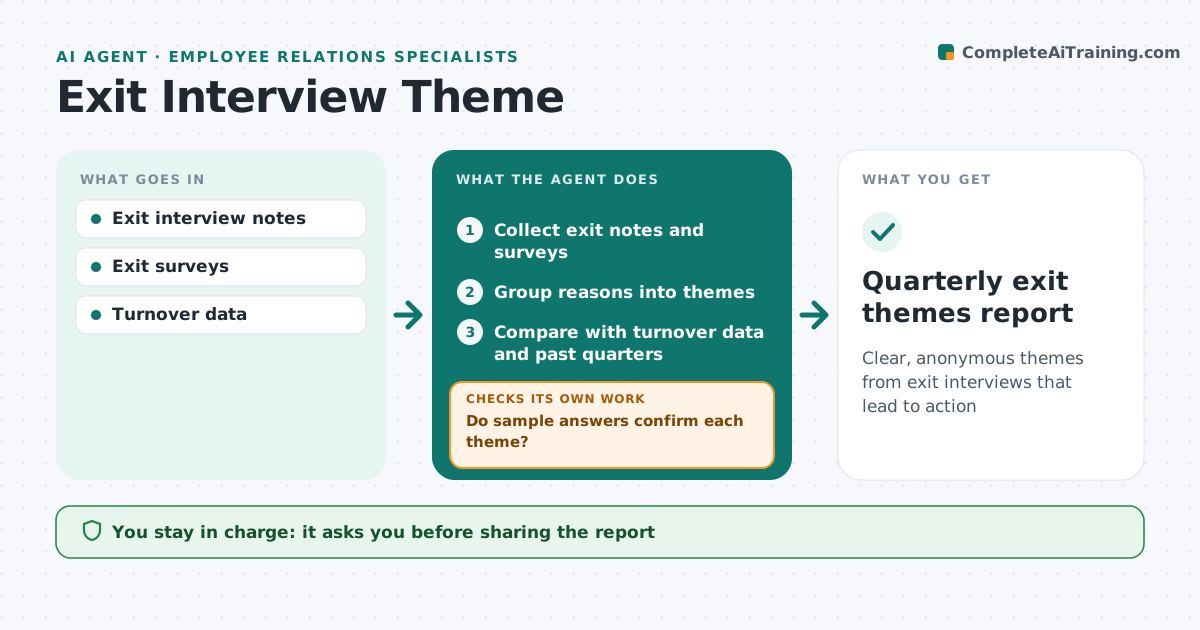
Clear, anonymous themes from exit interviews that lead to action
What it does
Exit interviews hold useful information, but they are filed away and the reasons people leave are not acted on. Each quarter this agent reads exit interview notes and survey answers, groups reasons for leaving into themes such as manager, pay, growth or workload, and links them with department, tenure and role. It checks a sample of themed answers by reading them in full. If a theme mixes reasons, it splits it and regroups. It compares themes with turnover rates and past quarters to find growing issues. A small team where answers could identify a person is reported only at a higher level. It drafts a report with themes, trends and suggested actions, with no names. The HR specialist approves it.
How it works
Follow the arrows from top to bottom. The orange dashed arrow is the loop: when a check fails, the agent goes back and tries again.
Read the steps as a list
- Quarter closes
- Collect exit notes and surveys
- Group reasons into themes
- Do sample answers confirm each theme?If not: split mixed themes and resort. Back to step 3.
- Compare with turnover data and past quarters
- Draft anonymous report with actions
- Specialist approves reportThe agent waits here for your OK.
- Quarterly exit themes report
How it decides
It ranks themes by frequency and growth and reports only groups large enough to stay anonymous.
- Groups under 5 rolled up
- Rank by frequency and growth
- No names or identifying quotes
Make it yours
Every agent is a starting point. You choose these settings for your own situation.
- Theme list
- Minimum group size
- Report audience
What keeps you in control
It always asks you first
- Sharing the report
Hard limits
- Never identifies individuals
It stops when
- Done: report shared
- Stop: too few exits to report
Set it up
We guide you through the set-up, step by step
Members get the full set-up guide for this agent. No technical skills needed: you copy, paste and upload.
- One set of instructions to paste into your AI, with the clicks for ChatGPT, Claude, Microsoft 365 Copilot, Gemini and Grok
- The agent then walks you through connecting your own data, one source at a time
- A downloadable copy with the flow chart, the rules and the full guide