AI agent for insurance actuaries
Experience Rating Renewal Agent
A documented renewal rate for each group that updates as claim data matures and stays within guidelines
What it does
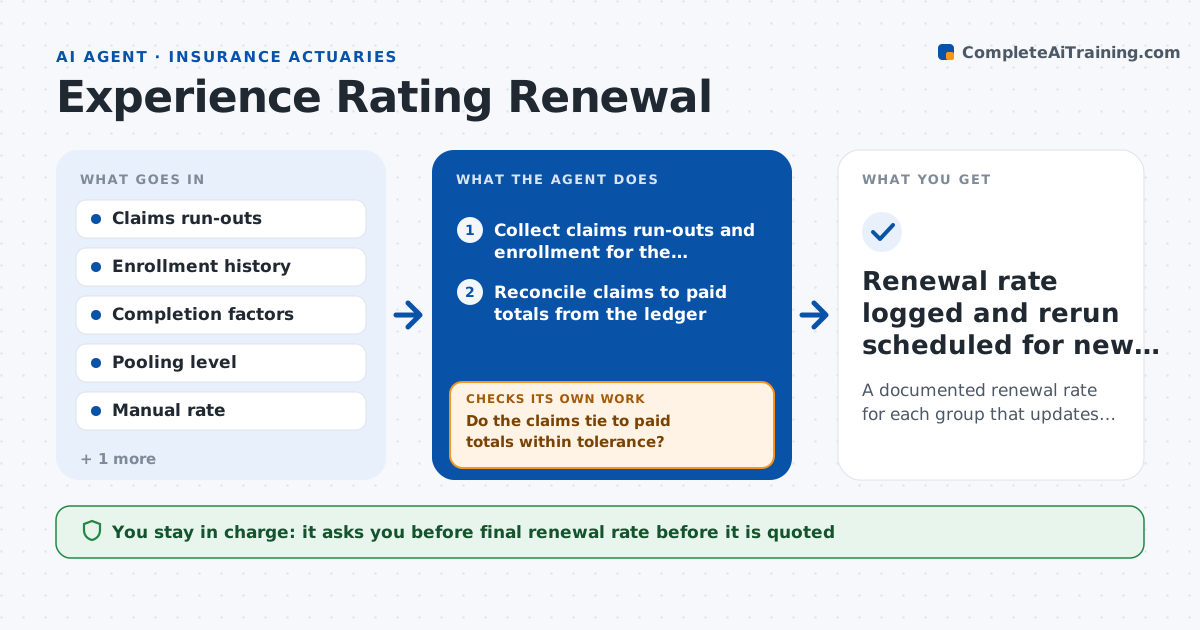
A group renewal rate depends on the last 12 to 24 months of claims, but the most recent months are incomplete and one large claim can distort everything. The actuary rebuilds the rate each time new data arrives. This agent collects the claims run-outs, adjusts for reporting lag using the company's completion factors, caps large claims at the pooling level, applies credibility weights against the manual rate, and proposes a renewal rate. When a new claims file arrives it reruns the calculation and shows how the rate moved and why. It checks that the result stays within the rate band allowed by guidelines and that the data reconciles to paid totals. The actuary approves the renewal rate before it goes to the client. Edge case: a $400,000 claim is capped at the pool and the agent flags it for the narrative.
How it works
Follow the arrows from top to bottom. The orange dashed arrow is the loop: when a check fails, the agent goes back and tries again.
Read the steps as a list
- Renewal window opens for a group
- Collect claims run-outs and enrollment for the experience period
- Reconcile claims to paid totals from the ledger
- Do the claims tie to paid totals within tolerance?If not: request a corrected run-out and rebuild the data set. Back to step 2.
- Apply completion factors and cap large claims at the pooling level
- Weight experience against the manual rate using credibility
- Propose a renewal rate and explain the change from last year
- Is the rate within the guideline band?If not: recheck the credibility weight and large claim cap, then recompute or flag for review. Back to step 5.
- Write a rate summary with sensitivity to the latest data
- Actuary approves the renewal rateThe agent waits here for your OK.
- Renewal rate logged and rerun scheduled for new data
How it decides
It weights experience against the manual rate by credibility, which grows with group size and months of data, and it flags any rate outside the guideline band instead of releasing it.
- Cap individual claims at the pooling level, for example $250,000
- Raise credibility as covered lives and months of data increase
- Reconcile claims within 1% of paid before using them
- Flag any change over 15% for the actuary's attention
Make it yours
Every agent is a starting point. You choose these settings for your own situation.
- Pooling level (default $250,000)
- Credibility formula and full credibility size
- Rate band for automatic flagging (default 12%)
- Months of experience used (default 24)
What keeps you in control
It always asks you first
- Final renewal rate before it is quoted
Hard limits
- Never quotes a rate to the client
- Always shows how much large claims were capped
- Keeps every version of the calculation
It stops when
- Done: renewal rate approved
- Stop: claims data cannot be reconciled after two requests
Set it up
We guide you through the set-up, step by step
Members get the full set-up guide for this agent. No technical skills needed: you copy, paste and upload.
- One set of instructions to paste into your AI, with the clicks for ChatGPT, Claude, Microsoft 365 Copilot, Gemini and Grok
- The agent then walks you through connecting your own data, one source at a time
- A downloadable copy with the flow chart, the rules and the full guide