AI agent for travel agents
Fare and Rate Watch Rebooking Agent
Find and act on price drops for sold trips while changes are still allowed
What it does
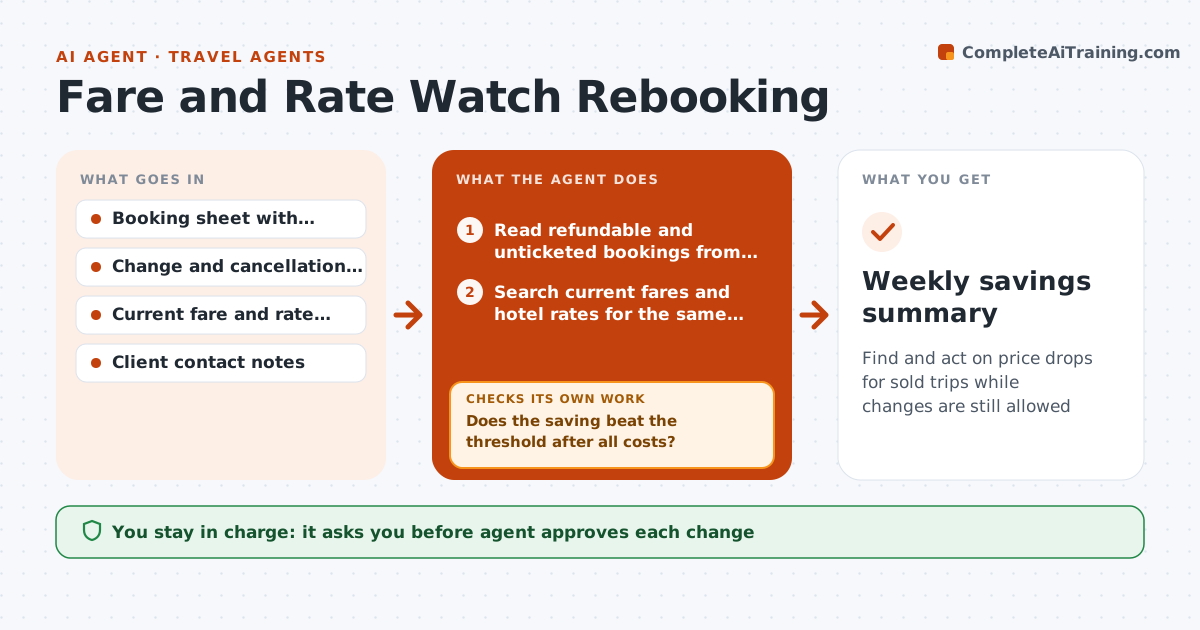
Once a trip is sold, nobody rechecks the price, and a refundable fare may fall by $300 a week later. Each week this agent pulls all refundable and unticketed bookings from the booking sheet and searches current fares and hotel rates for the same trips. It compares each with what was sold after fees and change rules. If a saving beats the threshold, it checks that the cancellation terms still allow rebooking and loops to the next option if they do not. It then drafts a rebooking plan with the old and new prices, the savings after fees and the deadline for each option, and a short client message. The agent approves any change and the client message. Edge case: the cheaper fare removes the checked bag, so the agent subtracts the bag cost.
How it works
Follow the arrows from top to bottom. The orange dashed arrow is the loop: when a check fails, the agent goes back and tries again.
Read the steps as a list
- Weekly run
- Read refundable and unticketed bookings from the booking sheet
- Search current fares and hotel rates for the same trips
- Compare each with the sold price after fees and lost inclusions
- Does the saving beat the threshold after all costs?If not: drop it and check the next booking. Back to step 2.
- Check cancellation and change terms for the sold booking
- Do the terms still allow rebooking without a penalty?If not: try the next cheaper option or mark it as not changeable. Back to step 3.
- Draft the rebooking plan and the client message
- Agent approves the change and the client messageThe agent waits here for your OK.
- Update the booking sheet after the change is made
- Weekly savings summary
How it decides
It recommends a change when the net saving after fees, taxes and lost inclusions beats the threshold and the rules still allow it.
- Recommend a change when net saving is at least $75 or 5%
- Subtract bag, seat and meal costs removed by the cheaper fare
- Do not recommend changes within 48 hours of a deadline without a warning
- Prefer the original supplier when prices are within $20
Make it yours
Every agent is a starting point. You choose these settings for your own situation.
- Saving threshold (default $75 or 5%)
- Booking types to watch
- Check day (default weekly)
- Message tone
- Suppliers and search sources
What keeps you in control
It always asks you first
- Agent approves each change
- Agent approves every client message
Hard limits
- Never cancel or rebook without the travel agent's approval
- Never contact clients directly
It stops when
- Done: all bookings are checked and savings are listed
- Stop: terms cannot be confirmed and the booking is skipped
Set it up
We guide you through the set-up, step by step
Members get the full set-up guide for this agent. No technical skills needed: you copy, paste and upload.
- One set of instructions to paste into your AI, with the clicks for ChatGPT, Claude, Microsoft 365 Copilot, Gemini and Grok
- The agent then walks you through connecting your own data, one source at a time
- A downloadable copy with the flow chart, the rules and the full guide