AI agent for backend developers
Feature Flag Cleanup Agent
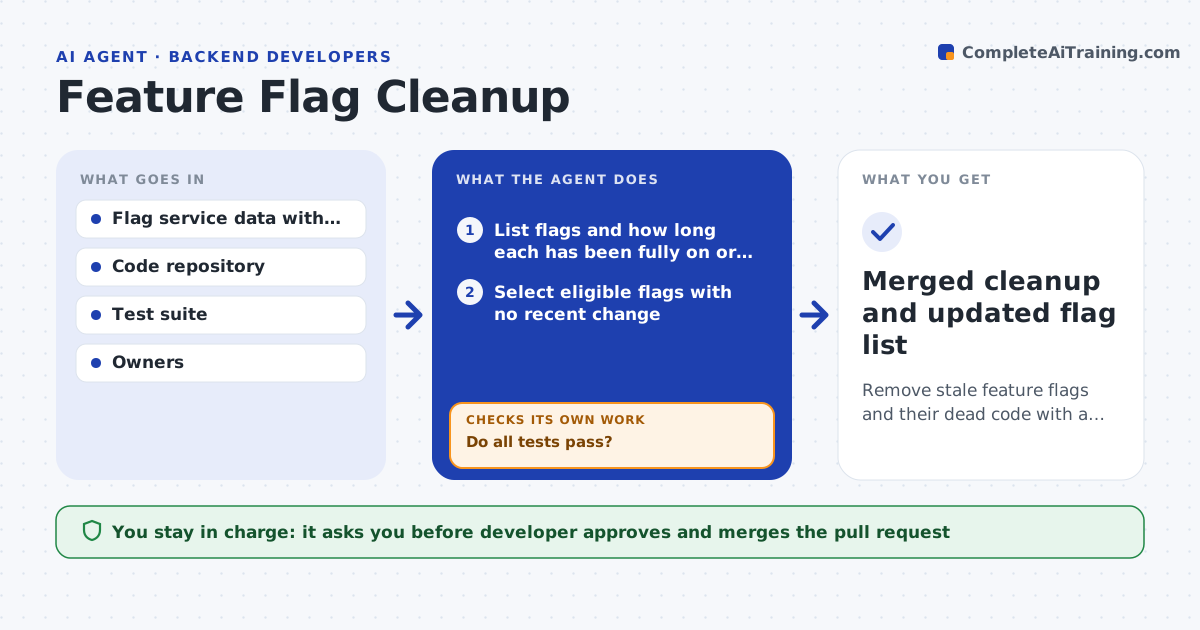
Remove stale feature flags and their dead code with a passing test suite and a reviewed pull request.
What it does
Feature flags are meant to be temporary, but old ones pile up, hiding dead code and making behavior hard to reason about. The agent scans the flag system for flags that have been fully on or fully off for a set time, finds every code reference, and drafts the change that removes the flag and keeps the winning path. It runs the test suite on the branch. If tests fail, it reads the failure, revises the change and runs the tests again. When the tests pass, it opens a pull request with a summary of what was removed and why. Edge case: a flag is fully on but still read in a rarely used admin path, so the agent keeps that branch and notes it.
How it works
Follow the arrows from top to bottom. The orange dashed arrow is the loop: when a check fails, the agent goes back and tries again.
Read the steps as a list
- Weekly flag scan
- List flags and how long each has been fully on or off
- Select eligible flags with no recent change
- Search the code for every reference
- Draft the change that removes the flag and keeps the live path
- Run the test suite on the branch
- Do all tests pass?If not: Read the failure, revise the change and rerun. Back to step 5.
- Check the diff for references in config, docs and admin paths
- Is every reference handled?If not: Update the missing references and rerun tests. Back to step 5.
- Developer approves the pull requestThe agent waits here for your OK.
- Merged cleanup and updated flag list
How it decides
A flag is eligible when it has been at 100 percent on or off for 30 days and has a known owner. The agent keeps the code path matching the current state and removes the other.
- Flags at 100 percent for 30 days or more are eligible
- A flag with active experiments or a changing rollout is skipped
- Remove at most 5 flags per pull request
- If tests fail three times, stop and hand the flag to the developer
Make it yours
Every agent is a starting point. You choose these settings for your own situation.
- Days at full on or off before eligible (default 30)
- Maximum flags per pull request (default 5)
- Repositories in scope
- Flags protected from cleanup
What keeps you in control
It always asks you first
- Developer approves and merges the pull request
Hard limits
- Never merges or deploys code
- Never touches a flag with a changing rollout
It stops when
- Done: pull request approved and merged
- Stop: tests keep failing after three attempts, so the developer takes over
Set it up
We guide you through the set-up, step by step
Members get the full set-up guide for this agent. No technical skills needed: you copy, paste and upload.
- One set of instructions to paste into your AI, with the clicks for ChatGPT, Claude, Microsoft 365 Copilot, Gemini and Grok
- The agent then walks you through connecting your own data, one source at a time
- A downloadable copy with the flow chart, the rules and the full guide