AI agent for civil engineers
Field Inspection Daily Report Agent
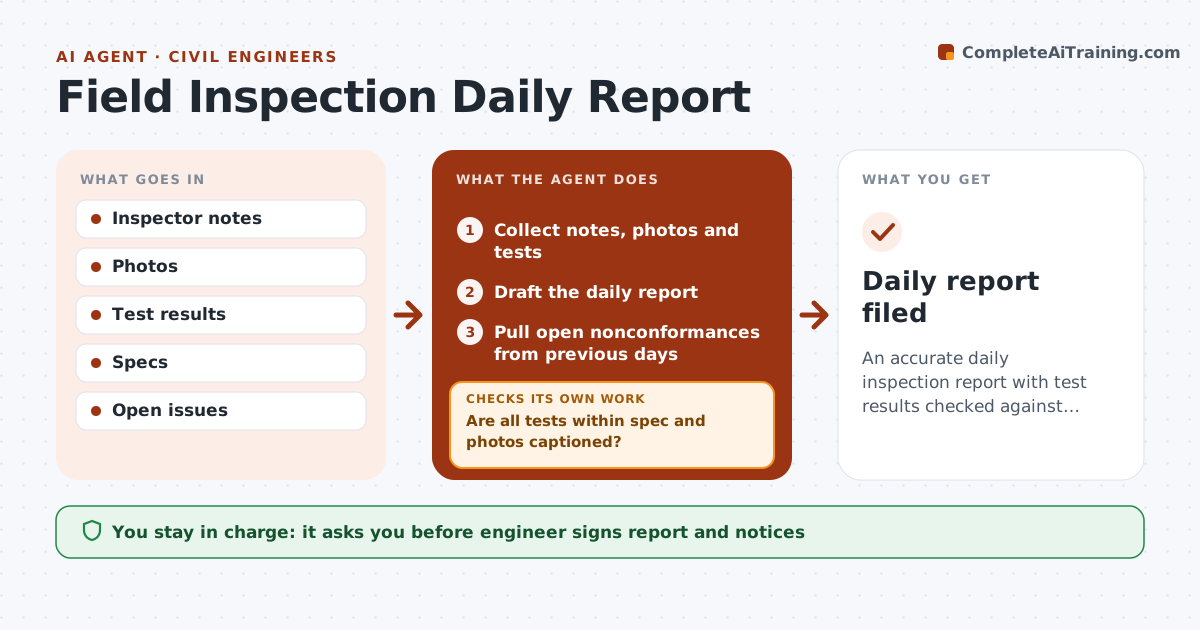
An accurate daily inspection report with test results checked against specs
What it does
Field inspectors record work done, tests, weather and issues every day, often tired at the end of a shift. This agent collects the inspector's notes, photos, test results and the day's planned work, then drafts the daily report. It compares every test with spec limits and checks that every photo has a caption and location. Tests below spec are treated as nonconforming; the agent drafts a nonconformance notice and a retest request for review. It carries open nonconformances forward and checks whether earlier ones were followed up. The engineer signs the report. Edge case: compaction tests below spec always trigger a retest request, even if the contractor says the area will be reworked.
How it works
Follow the arrows from top to bottom. The orange dashed arrow is the loop: when a check fails, the agent goes back and tries again.
Read the steps as a list
- End of day
- Collect notes, photos and tests
- Draft the daily report
- Are all tests within spec and photos captioned?If not: draft nonconformance and caption missing photos. Back to step 3.
- Pull open nonconformances from previous days
- Has every open nonconformance had follow-up?If not: add a follow-up line and remind the contractor's foreman. Back to step 5.
- Carry remaining open issues forward
- Engineer signs reportThe agent waits here for your OK.
- Daily report filed
How it decides
Each test is compared with spec limits. Failures become nonconformance drafts.
- Tests below spec are nonconforming
- Photos must have location
- Open issues carried forward
Make it yours
Every agent is a starting point. You choose these settings for your own situation.
- Spec limits
- Report template
- Photo rules
- Sign-off
What keeps you in control
It always asks you first
- Engineer signs report and notices
Hard limits
- Never issues notices
- Never changes test results
It stops when
- Done: report filed
- Stop: no work today
Set it up
We guide you through the set-up, step by step
Members get the full set-up guide for this agent. No technical skills needed: you copy, paste and upload.
- One set of instructions to paste into your AI, with the clicks for ChatGPT, Claude, Microsoft 365 Copilot, Gemini and Grok
- The agent then walks you through connecting your own data, one source at a time
- A downloadable copy with the flow chart, the rules and the full guide