AI agent for environmental consultants
Mitigation Commitments Register Agent
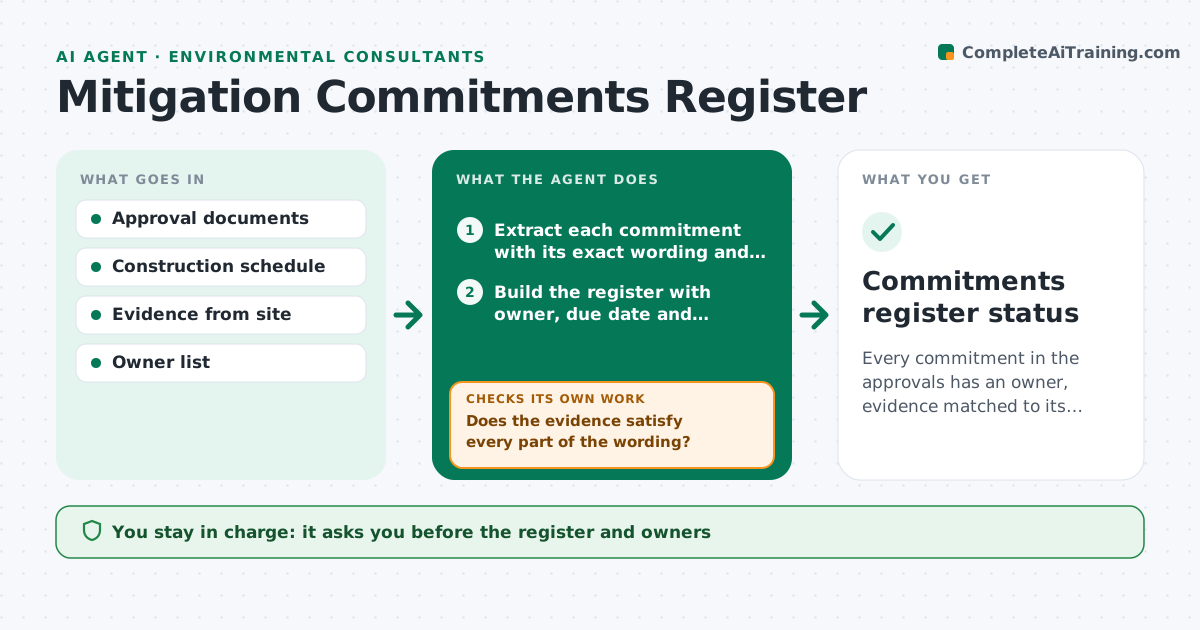
Every commitment in the approvals has an owner, evidence matched to its wording and a documented closure.
What it does
An approval document lists 60 commitments such as seasonal work windows, buffer distances and monitoring, and by the time construction is under way half of them are forgotten. This agent extracts the commitments from the approval documents and builds a register with the wording, the trigger, an owner and a due date. It asks owners for evidence, such as photos, reports or inspection records. It checks each piece of evidence against the exact wording of the commitment, not just whether something was submitted, and chases gaps. You approve each closure. Edge case: a commitment tied to a season, such as no clearing during nesting, is checked against construction dates, not only a completion date.
How it works
Follow the arrows from top to bottom. The orange dashed arrow is the loop: when a check fails, the agent goes back and tries again.
Read the steps as a list
- Approval documents issued
- Extract each commitment with its exact wording and trigger
- Build the register with owner, due date and evidence needed
- Lead approves the register and ownersThe agent waits here for your OK.
- Weekly, compare the construction schedule to time-bound commitments
- Request evidence from owners as each commitment comes due
- Does the evidence satisfy every part of the wording?If not: return the gap, such as a missing distance measurement or date, and ask for more. Back to step 6.
- Does the construction schedule conflict with any seasonal or distance commitment?If not: flag the conflict with the dates and propose a schedule change for the lead. Back to step 5.
- Lead approves each closureThe agent waits here for your OK.
- Commitments register status
How it decides
A commitment closes only when the evidence satisfies each element of its wording. Time-bound commitments are checked against the schedule.
- Commitment due within 14 days with no evidence: chase
- Work planned in a restricted season: urgent flag
- Evidence shows a different buffer than committed: reopen
- Commitment unclear in wording: ask the lead to confirm interpretation
Make it yours
Every agent is a starting point. You choose these settings for your own situation.
- Register fields
- Chase window in days (default 14)
- Evidence types accepted
- Report schedule
- Owners and contacts
What keeps you in control
It always asks you first
- The register and owners
- Each closure
Hard limits
- Never close a commitment
- Never reinterpret the wording of an approval
It stops when
- Done: all commitments closed or transferred with approval
- Stop: approval is amended, rebuild the register
Set it up
We guide you through the set-up, step by step
Members get the full set-up guide for this agent. No technical skills needed: you copy, paste and upload.
- One set of instructions to paste into your AI, with the clicks for ChatGPT, Claude, Microsoft 365 Copilot, Gemini and Grok
- The agent then walks you through connecting your own data, one source at a time
- A downloadable copy with the flow chart, the rules and the full guide