AI agent for embedded systems engineers
Firmware Debug from Evidence Agent
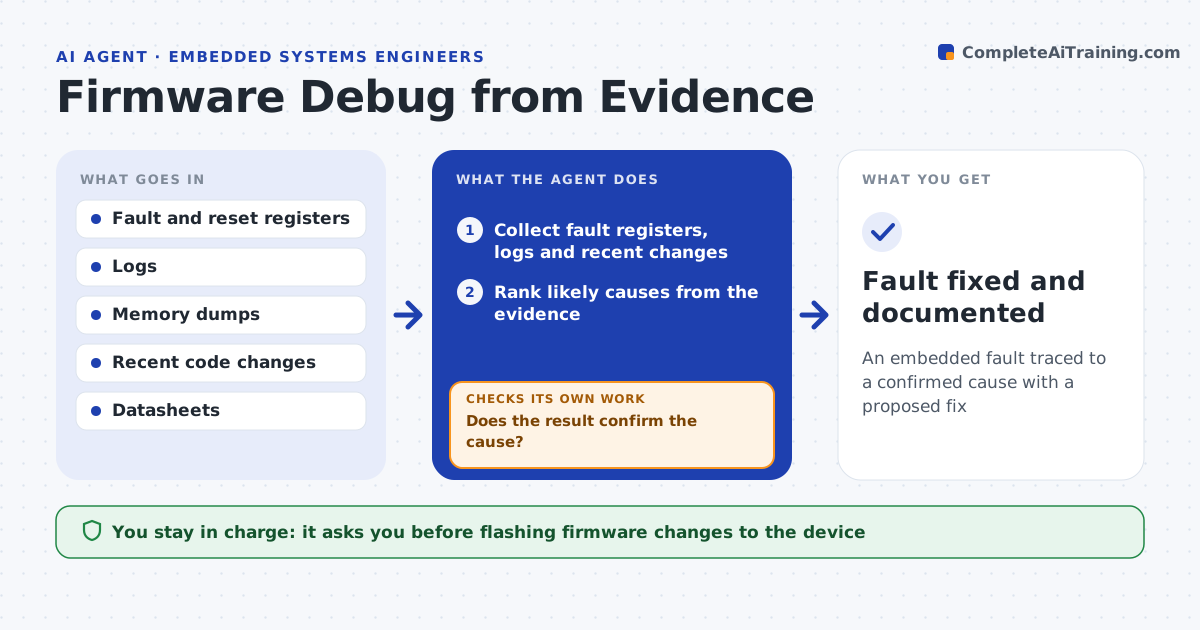
An embedded fault traced to a confirmed cause with a proposed fix
What it does
Embedded bugs are hard because the only evidence may be a watchdog reset, a stuck output or a wrong reading. This agent gathers the evidence, such as fault registers, logs, memory dumps and recent code changes, and forms a ranked list of likely causes, like a stack overflow, a race condition or a misconfigured peripheral. It proposes a safe way to test the top cause, such as adding a log point or reading a register, and interprets the result. If the result rules the cause out, it moves to the next one. Once a cause is confirmed, it proposes a fix and a test that reproduces the original conditions. You approve flashing any change to a device. Edge case: a crash that happens only when the device is cold is traced to startup timing, not treated as random.
How it works
Follow the arrows from top to bottom. The orange dashed arrow is the loop: when a check fails, the agent goes back and tries again.
Read the steps as a list
- Firmware fault reported
- Collect fault registers, logs and recent changes
- Rank likely causes from the evidence
- Propose a safe test for the top cause
- Run the test and read the result
- Does the result confirm the cause?If not: rule it out and test the next likely cause. Back to step 3.
- Propose a fix and a test
- Engineer approves flashing the changeThe agent waits here for your OK.
- Fault fixed and documented
How it decides
It ranks causes by the fault evidence and confirms one only when a test result matches it before proposing a fix.
- Rank causes by fault evidence
- Confirm with a test before proposing a fix
- Treat cold-only crashes as timing, not random
Make it yours
Every agent is a starting point. You choose these settings for your own situation.
- Evidence sources to collect
- How many causes to rank
- Safe test methods allowed
- Device flashing approval
What keeps you in control
It always asks you first
- Flashing firmware changes to the device
Hard limits
- Never flashes the device without approval
- Keeps debug changes separate from the fix
It stops when
- Done: cause confirmed and fix proposed
- Stop: no debug access to the device
Set it up
We guide you through the set-up, step by step
Members get the full set-up guide for this agent. No technical skills needed: you copy, paste and upload.
- One set of instructions to paste into your AI, with the clicks for ChatGPT, Claude, Microsoft 365 Copilot, Gemini and Grok
- The agent then walks you through connecting your own data, one source at a time
- A downloadable copy with the flow chart, the rules and the full guide