AI agent for retail sales associates
Fitting Room and Stock Recovery Agent
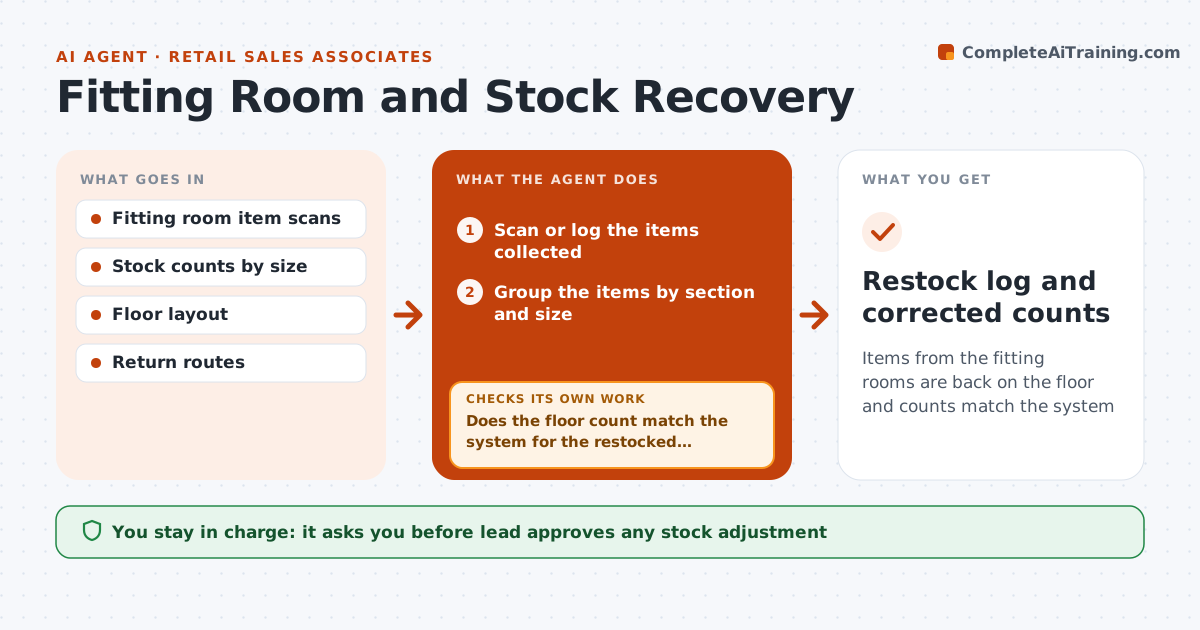
Items from the fitting rooms are back on the floor and counts match the system
What it does
Items taken into fitting rooms end up on the wrong rack or never return to the floor, so a customer cannot find a size that the system says is in stock. This agent logs items collected from the rooms and checks them against stock counts by size. It plans a return route by section so they are put back efficiently, and flags items that are missing, such as a size in the system but not found. After restocking, it rechecks the sales floor counts. The lead approves stock adjustments. Edge case: an item has no tag, so the agent suggests a scan by style code.
How it works
Follow the arrows from top to bottom. The orange dashed arrow is the loop: when a check fails, the agent goes back and tries again.
Read the steps as a list
- Fitting rooms cleared
- Scan or log the items collected
- Group the items by section and size
- Plan the return route to minimize walking
- Restock the items and record the completion
- Does the floor count match the system for the restocked items?If not: list the mismatches and recount those sizes. Back to step 3.
- Flag items missing after recount
- Are the missing items explained, such as sold or moved?If not: search the likely sections and recount again. Back to step 4.
- Lead approves stock adjustmentsThe agent waits here for your OK.
- Restock log and corrected counts
How it decides
Items are grouped by section. Missing items are those logged but not found after the restock. Adjustments happen only after a recount.
- Group by section for a single route
- Recount a size before adjusting stock
- Flag missing items after two recounts
- Suggest scans by style code for untagged items
Make it yours
Every agent is a starting point. You choose these settings for your own situation.
- Clearing frequency
- Recount rules
- Sections and routes
- Who approves
What keeps you in control
It always asks you first
- Lead approves any stock adjustment
Hard limits
- Do not adjust stock without approval
- Do not accuse anyone
- Keep scans accurate
It stops when
- Done: counts match or adjustments are approved
- Stop: a repeated loss pattern goes to the manager
Set it up
We guide you through the set-up, step by step
Members get the full set-up guide for this agent. No technical skills needed: you copy, paste and upload.
- One set of instructions to paste into your AI, with the clicks for ChatGPT, Claude, Microsoft 365 Copilot, Gemini and Grok
- The agent then walks you through connecting your own data, one source at a time
- A downloadable copy with the flow chart, the rules and the full guide