AI agent for director of finances
Fixed Asset Register Repair Agent
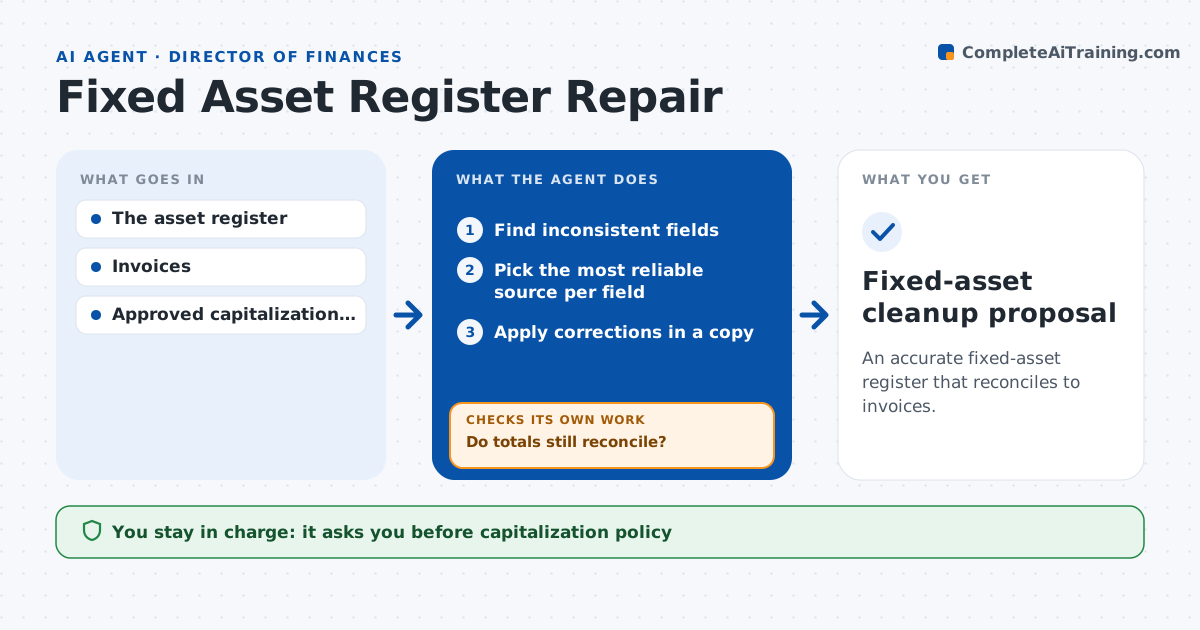
An accurate fixed-asset register that reconciles to invoices.
What it does
Fixed-asset registers drift over time: duplicate IDs, wrong acquisition dates, missing serial numbers. This agent finds inconsistent fields and traces each one to the most reliable source, such as the supplier invoice or delivery note, ahead of spreadsheet notes. It prepares reversible corrections in a copy of the register, never the live one, and reconciles register totals with invoices after each batch. If a correction breaks the reconciliation, it investigates further instead of adding a balancing entry. It then presents a cleanup proposal. The accounting lead approves the cleanup; capitalization and depreciation decisions stay with people. Edge case: two records share a serial number while their invoices show different serials, so only one record is corrected.
How it works
Follow the arrows from top to bottom. The orange dashed arrow is the loop: when a check fails, the agent goes back and tries again.
Read the steps as a list
- Register review
- Find inconsistent fields
- Pick the most reliable source per field
- Apply corrections in a copy
- Reconcile totals with invoices
- Do totals still reconcile?If not: investigate further; no balancing entries. Back to step 3.
- Accounting lead approves the cleanupThe agent waits here for your OK.
- Fixed-asset cleanup proposal
How it decides
It chooses the most reliable source per field and only keeps corrections that keep totals reconciled.
- Source priority: invoice over delivery note over spreadsheet notes.
- Keep a correction only if totals still reconcile.
- Never add a balancing entry to force a reconciliation.
- Corrections are made in a copy and kept reversible.
Make it yours
Every agent is a starting point. You choose these settings for your own situation.
- Source priority order (invoice, delivery note, purchase order, notes)
- Register fields to check
- Reconciliation tolerance (default $0)
- Review frequency (quarterly or annual)
- Who approves the cleanup
What keeps you in control
It always asks you first
- Capitalization policy
- Depreciation decisions
- Ledger posting
Hard limits
- Copy only.
It stops when
- Done: register consistent.
Set it up
We guide you through the set-up, step by step
Members get the full set-up guide for this agent. No technical skills needed: you copy, paste and upload.
- One set of instructions to paste into your AI, with the clicks for ChatGPT, Claude, Microsoft 365 Copilot, Gemini and Grok
- The agent then walks you through connecting your own data, one source at a time
- A downloadable copy with the flow chart, the rules and the full guide