AI agent for community moderators
Flagged Content Review Queue Agent
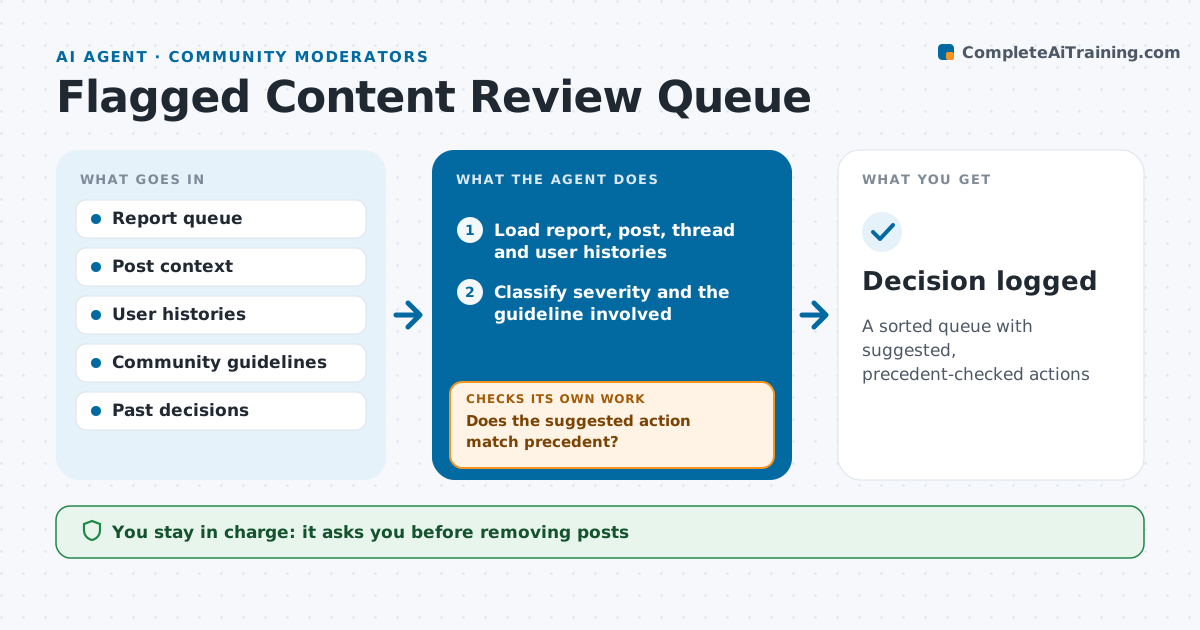
A sorted queue with suggested, precedent-checked actions
What it does
Moderators face a queue of reports where a death threat can sit behind fifty spam flags. This agent reads every new report and the reported post with its context: the thread, the poster's history and the reporter's history. It sorts reports by severity, with threats, self-harm and doxxing first, then harassment, then spam and off-topic. For each item it suggests an action and quotes the exact guideline involved. It then checks the suggestion against similar past decisions. If it differs from precedent, it flags the item for a moderator rather than suggesting. It also checks whether a burst of reports looks coordinated. Moderators decide every action. Edge case: mass reports from accounts that joined at the same time are flagged as possible brigading instead of counted as real reports.
How it works
Follow the arrows from top to bottom. The orange dashed arrow is the loop: when a check fails, the agent goes back and tries again.
Read the steps as a list
- New reports arrive
- Load report, post, thread and user histories
- Classify severity and the guideline involved
- Sort the queue with safety items first
- Find similar past decisions
- Does the suggested action match precedent?If not: mark it for moderator judgment with the differing cases attached. Back to step 3.
- Do reporter accounts look independent?If not: flag possible brigading and recheck the post on its merits. Back to step 2.
- Moderator decides the actionThe agent waits here for your OK.
- Decision logged
How it decides
It ranks by harm severity and suggests the action used in past similar cases.
- Threats, self-harm and doxxing go to the top
- Coordinated reports from new accounts are flagged as brigading
- No suggestion without a cited guideline
Make it yours
Every agent is a starting point. You choose these settings for your own situation.
- Severity order
- Queue check frequency
- Brigading signals
- Which actions need two moderators
What keeps you in control
It always asks you first
- Removing posts
- Warnings, mutes and bans
Hard limits
- Never removes posts or bans users itself
- Self-harm items always go to a person
It stops when
- Done: queue cleared
- Stop: moderation tool down
Set it up
We guide you through the set-up, step by step
Members get the full set-up guide for this agent. No technical skills needed: you copy, paste and upload.
- One set of instructions to paste into your AI, with the clicks for ChatGPT, Claude, Microsoft 365 Copilot, Gemini and Grok
- The agent then walks you through connecting your own data, one source at a time
- A downloadable copy with the flow chart, the rules and the full guide