AI agent for community moderators
Moderator Wellbeing Rotation Agent
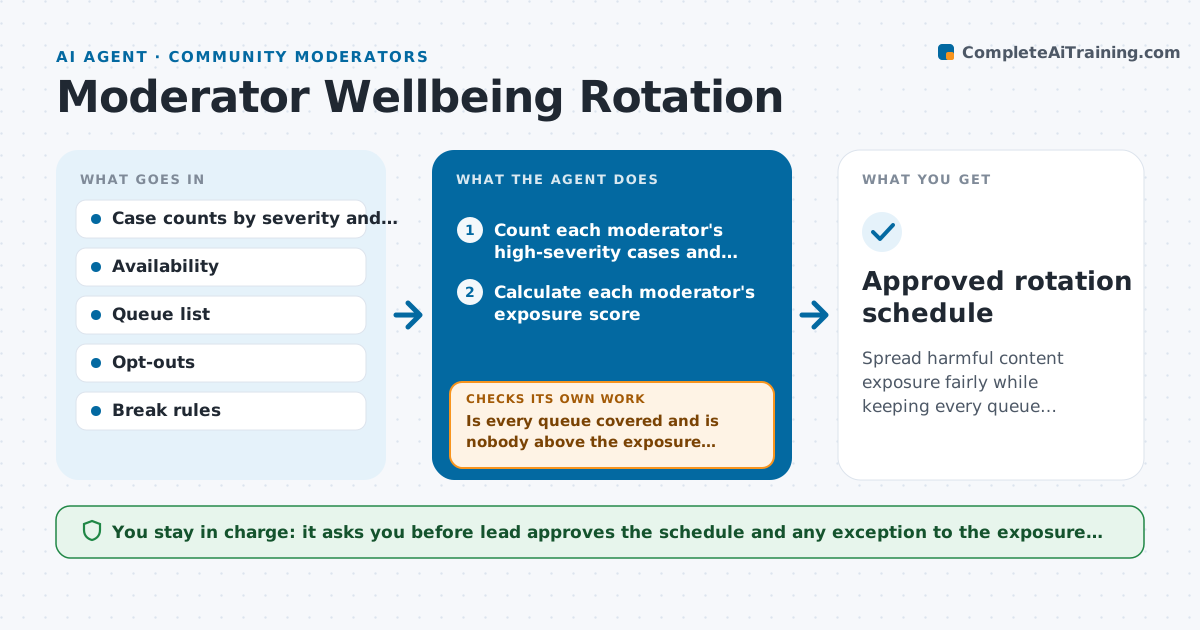
Spread harmful content exposure fairly while keeping every queue covered.
What it does
One moderator keeps getting the worst reports because they are fast, and after three months they leave. This agent counts each moderator's high-severity cases over the past weeks, such as graphic content and threats, along with hours worked. It plans a rotation of queues and breaks so exposure is spread more evenly, and it respects each moderator's availability and any opt-outs they have chosen. It checks that every queue and time slot is still covered after the rotation. When someone is out, it rebuilds the schedule and checks again. It also flags a moderator whose exposure is above the limit this week and suggests a lighter queue. The lead approves the schedule. Edge case: only two moderators speak the language of a queue, so the agent warns that fair rotation is not possible.
How it works
Follow the arrows from top to bottom. The orange dashed arrow is the loop: when a check fails, the agent goes back and tries again.
Read the steps as a list
- Weekly planning or availability change
- Count each moderator's high-severity cases and hours
- Calculate each moderator's exposure score
- Assign queues and break slots to spread exposure
- Check queue coverage for every time slot
- Is every queue covered and is nobody above the exposure limit?If not: swap assignments or flag the shortage for the lead. Back to step 3.
- Draft the schedule and notes for moderators
- Lead approves the scheduleThe agent waits here for your OK.
- Update the schedule when someone is out
- Does coverage and exposure still hold after the change?If not: rebalance and ask the lead about any gap. Back to step 3.
- Approved rotation schedule
How it decides
It limits each moderator to a weekly exposure score and gives the heaviest queues to those furthest below the limit. Coverage rules override fairness only after the lead approves.
- Cap the weekly high-severity cases per moderator at the agreed limit
- Give a break of at least 15 minutes after each graphic case
- Respect opt-outs from specific content types
- Warn the lead when fewer than three moderators can cover a queue
Make it yours
Every agent is a starting point. You choose these settings for your own situation.
- Exposure limit per moderator
- Case severity levels
- Break length and frequency
- Opt-out types
- Schedule frequency
What keeps you in control
It always asks you first
- Lead approves the schedule and any exception to the exposure limit
Hard limits
- Never use the data to judge or rank performance
- Never assign a moderator content they opted out of
It stops when
- Done: schedule covers all queues within the exposure limit
- Stop: coverage is impossible without exceeding the limit, so the lead decides
Set it up
We guide you through the set-up, step by step
Members get the full set-up guide for this agent. No technical skills needed: you copy, paste and upload.
- One set of instructions to paste into your AI, with the clicks for ChatGPT, Claude, Microsoft 365 Copilot, Gemini and Grok
- The agent then walks you through connecting your own data, one source at a time
- A downloadable copy with the flow chart, the rules and the full guide