AI agent for community moderators
Raid and Coordinated Abuse Response Agent
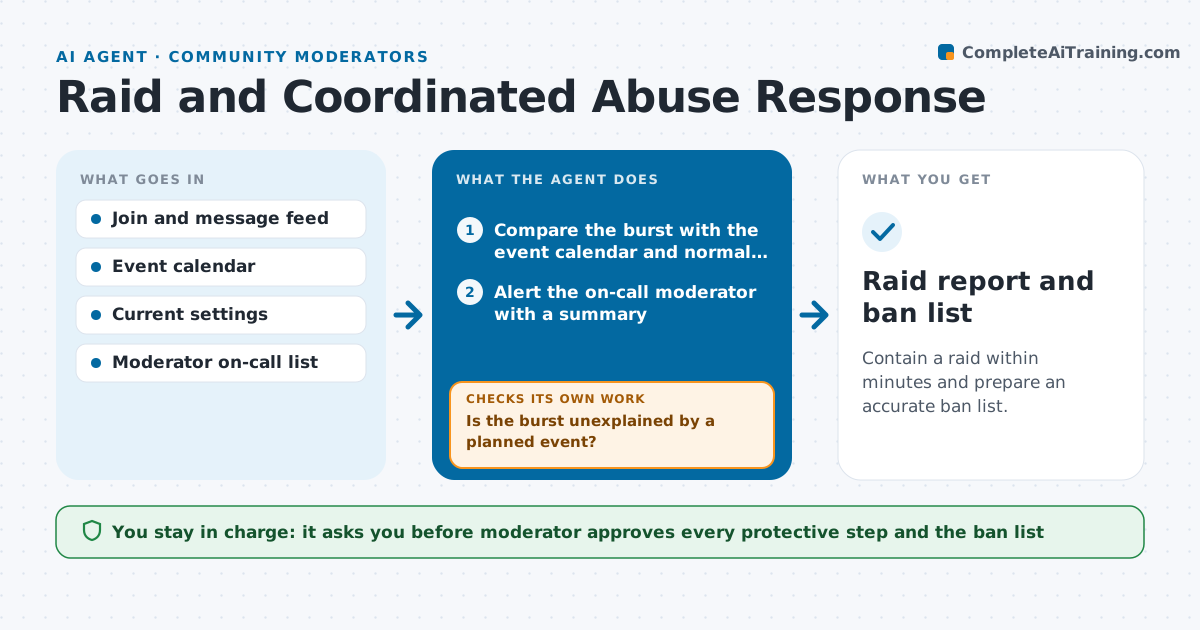
Contain a raid within minutes and prepare an accurate ban list.
What it does
At 2 am, 300 new accounts join your server and flood the channels with abuse, and it takes you 20 minutes to find the right setting. This agent watches joins and messages and detects a burst, such as many new accounts in a few minutes or the same message from many accounts. It sends the on-call moderator an alert with a short summary and proposes protective steps, like slow mode, limited joins or locking new-member channels. After the moderator approves a step, it applies it and checks the effect on message rate and new joins. If the raid continues, it proposes the next level. It gathers the raid accounts, their join times and messages into a ban list. The moderator approves the lockdown and the bans. Edge case: a legitimate event brings a surge of joins, so the agent compares it with the event calendar.
How it works
Follow the arrows from top to bottom. The orange dashed arrow is the loop: when a check fails, the agent goes back and tries again.
Read the steps as a list
- Burst of joins or repeated messages detected
- Compare the burst with the event calendar and normal rates
- Is the burst unexplained by a planned event?If not: log it as normal growth and keep watching. Back to step 2.
- Alert the on-call moderator with a summary
- Propose the lightest protective step
- Moderator approves the protective stepThe agent waits here for your OK.
- Apply the step and read message and join rates
- Have message and join rates fallen to normal?If not: propose the next stronger step for approval. Back to step 5.
- Collect the raid accounts and messages into a ban list
- Moderator approves the lockdown end and the bansThe agent waits here for your OK.
- Raid report and ban list
How it decides
A raid is suspected when join or identical message rates are above 5 times normal over 3 minutes and no event explains it. Steps escalate from light to heavy.
- Suspect a raid at 5 times normal joins or identical messages within 3 minutes
- Escalate from slow mode to join limits to locking channels, one level at a time
- Include an account in the ban list only if it matches the raid pattern
- Compare every burst with the event calendar first
Make it yours
Every agent is a starting point. You choose these settings for your own situation.
- Burst thresholds (default 5 times normal)
- Order of protective steps
- Moderators on call and how to alert them
- Event calendar source
- Pattern fields for the ban list
What keeps you in control
It always asks you first
- Moderator approves every protective step and the ban list
Hard limits
- Never ban accounts or change settings without approval
- Never include accounts that do not match the raid pattern
It stops when
- Done: rates are normal and the ban list is approved
- Stop: the situation includes threats to people, which go to the moderator and platform at once
Set it up
We guide you through the set-up, step by step
Members get the full set-up guide for this agent. No technical skills needed: you copy, paste and upload.
- One set of instructions to paste into your AI, with the clicks for ChatGPT, Claude, Microsoft 365 Copilot, Gemini and Grok
- The agent then walks you through connecting your own data, one source at a time
- A downloadable copy with the flow chart, the rules and the full guide