AI agent for demand planners
Forecast Override Value Audit Agent
Overrides are kept where they add accuracy and controlled where they do not.
What it does
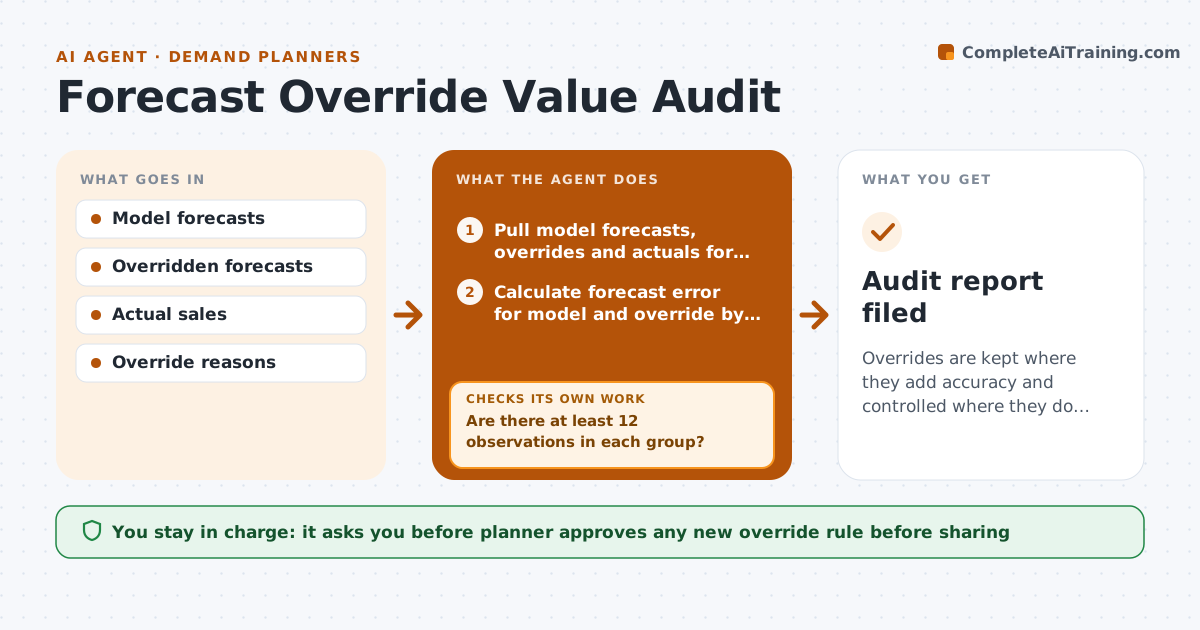
Planners and sales override the statistical forecast every cycle, and no one checks whether the changes helped. Each month this agent compares overridden forecasts with the model forecasts and the actual sales, by person, product group and reason. It calculates forecast value added for each: did the override beat the model? Where overrides keep hurting, it proposes a simple rule, such as a cap on size or a required reason, and tests that rule on past data to see whether it would have helped. If the rule fails the test, it adjusts or drops it. It writes findings for groups, not to blame individuals. The planner approves any new override rule before it is shared. Edge case: an override for a one-time promotion helped, so it is kept.
How it works
Follow the arrows from top to bottom. The orange dashed arrow is the loop: when a check fails, the agent goes back and tries again.
Read the steps as a list
- Monthly override audit
- Pull model forecasts, overrides and actuals for the last 12 months
- Calculate forecast error for model and override by group and reason
- Are there at least 12 observations in each group?If not: merge small groups or extend the period, then recalculate. Back to step 2.
- Rank groups by forecast value added
- Propose a rule for groups where overrides add error
- Test the rule on past data
- Would the rule have improved accuracy?If not: change the cap or reason requirement and retest, or drop the rule. Back to step 6.
- Write the findings and the proposed rules
- Planner approves any new override rule before sharingThe agent waits here for your OK.
- Audit report filed
How it decides
It judges an override group by forecast value added over at least 12 observations and proposes a rule only when the group loses accuracy in most cases.
- Require 12 observations per group.
- Propose a rule when overrides lose accuracy in most cases.
- Test every rule on past data before proposing it.
- Keep overrides for known one-time events.
Make it yours
Every agent is a starting point. You choose these settings for your own situation.
- Observation minimum (default 12)
- Groups compared
- Rule types considered
- Audit frequency
What keeps you in control
It always asks you first
- Planner approves any new override rule before sharing
Hard limits
- Report by group, not to blame individuals
- Show the data behind each finding
It stops when
- Done: report approved.
- Stop: override reasons missing for most records.
Set it up
We guide you through the set-up, step by step
Members get the full set-up guide for this agent. No technical skills needed: you copy, paste and upload.
- One set of instructions to paste into your AI, with the clicks for ChatGPT, Claude, Microsoft 365 Copilot, Gemini and Grok
- The agent then walks you through connecting your own data, one source at a time
- A downloadable copy with the flow chart, the rules and the full guide