AI agent for economists
Forecast Scenario Run Agent
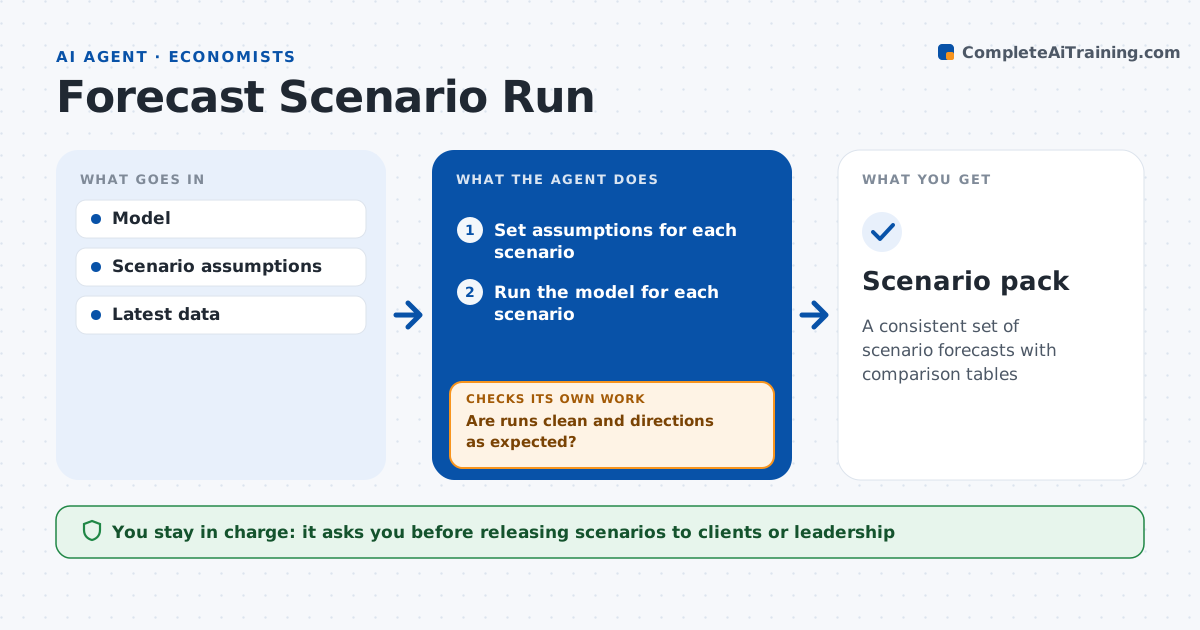
A consistent set of scenario forecasts with comparison tables
What it does
Running forecast scenarios by hand means retyping assumptions, rerunning the model and rebuilding charts, and a single wrong sign can slip into a client deck. When the economist defines scenarios such as a base case, a recession and a high inflation case, this agent sets the assumptions in the model, runs each one and collects the outputs. It then checks each run for errors, failure to converge, values outside the historical range, and whether the scenarios differ in the expected direction. If a run fails a check, it reviews the assumptions, fixes the inputs and reruns until the checks pass. It builds comparison tables and charts and drafts a scenario summary. The economist reviews and decides what to release to clients or leadership. Edge case: the recession scenario shows rising employment due to a sign error in an input, which the direction check catches.
How it works
Follow the arrows from top to bottom. The orange dashed arrow is the loop: when a check fails, the agent goes back and tries again.
Read the steps as a list
- Scenario round requested
- Set assumptions for each scenario
- Run the model for each scenario
- Are runs clean and directions as expected?If not: review assumptions, fix inputs and rerun. Back to step 2.
- Build comparison tables and charts
- Draft scenario summary
- Economist approves for releaseThe agent waits here for your OK.
- Scenario pack
How it decides
It accepts runs only when they converge, values are plausible, and scenarios move in the expected direction against the base.
- Variable outside historical range: flag
- Scenario moves opposite to expected sign: rerun
- Model fails to converge: check inputs
Make it yours
Every agent is a starting point. You choose these settings for your own situation.
- Scenarios to run
- Plausibility ranges
- Chart styles
- Variables in summary
What keeps you in control
It always asks you first
- Releasing scenarios to clients or leadership
Hard limits
- Never changes model code without approval
- Never publishes scenarios
It stops when
- Done: pack approved
- Stop: model fails after two reruns
Set it up
We guide you through the set-up, step by step
Members get the full set-up guide for this agent. No technical skills needed: you copy, paste and upload.
- One set of instructions to paste into your AI, with the clicks for ChatGPT, Claude, Microsoft 365 Copilot, Gemini and Grok
- The agent then walks you through connecting your own data, one source at a time
- A downloadable copy with the flow chart, the rules and the full guide