AI agent for receptionists
Front Desk Call Routing Review Agent
Reduce wrong and failed transfers by keeping the directory and routing notes accurate.
What it does
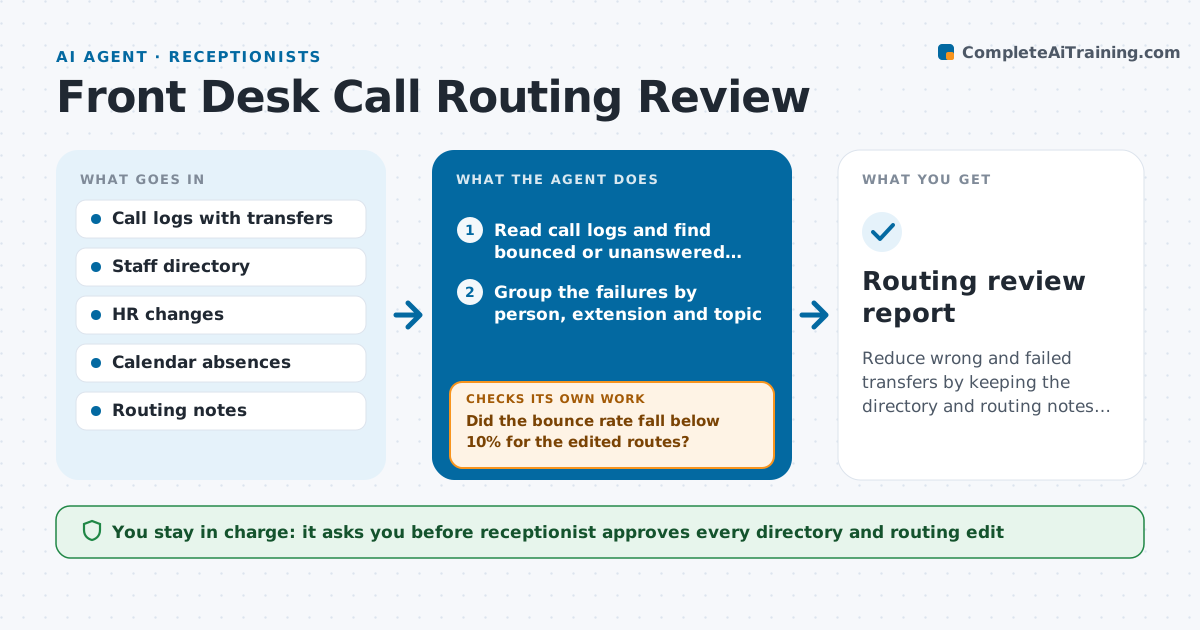
Callers keep being sent to a person who moved teams months ago, and each wrong transfer costs a minute and a bit of goodwill. This agent compares the main-line call logs with the staff directory. It finds transfers that bounced, calls that rang out, and extensions that no longer belong to the named person. It checks each flagged entry against HR for changes, such as team moves or leavers, and against the calendar for absences. It then drafts routing note updates, such as a new owner for a topic and a backup for when someone is away. After the receptionist approves the changes, it checks the next week's logs to see whether the bounces stopped. If a route still fails, it looks for a different cause. Edge case: a caller asks for a person by a nickname, so the agent adds an alias.
How it works
Follow the arrows from top to bottom. The orange dashed arrow is the loop: when a check fails, the agent goes back and tries again.
Read the steps as a list
- Weekly call log review
- Read call logs and find bounced or unanswered transfers
- Group the failures by person, extension and topic
- Check HR changes and calendar absences for each one
- Draft directory and routing note updates
- Receptionist approves the directory editsThe agent waits here for your OK.
- Apply the approved edits
- Review the next week's logs for the same routes
- Did the bounce rate fall below 10% for the edited routes?If not: look for another cause and draft a new edit. Back to step 3.
- Does every absent person have a backup listed?If not: propose a backup from the same team and ask for approval. Back to step 5.
- Routing review report
How it decides
A route is faulty when more than 20% of calls to it bounce or ring out. It looks for the cause in this order: leaver, team move, absence, wrong extension.
- Flag a route when over 20% of calls bounce or ring out
- Check for leavers before team moves, then absences
- Require a named backup for each person who is away more than one day
- Add aliases for names callers use often
Make it yours
Every agent is a starting point. You choose these settings for your own situation.
- Bounce rate that flags a route (default 20%)
- Review day
- Directory and call log sources
- Backup rule
- Alias list
What keeps you in control
It always asks you first
- Receptionist approves every directory and routing edit
Hard limits
- Never change the live phone system or directory without approval
- Never share call content, only transfer outcomes
It stops when
- Done: bounce rate is under 10% on all reviewed routes
- Stop: the call log does not show transfers
Set it up
We guide you through the set-up, step by step
Members get the full set-up guide for this agent. No technical skills needed: you copy, paste and upload.
- One set of instructions to paste into your AI, with the clicks for ChatGPT, Claude, Microsoft 365 Copilot, Gemini and Grok
- The agent then walks you through connecting your own data, one source at a time
- A downloadable copy with the flow chart, the rules and the full guide