AI agent for receptionists
Healthcare Interpreter Scheduling Agent
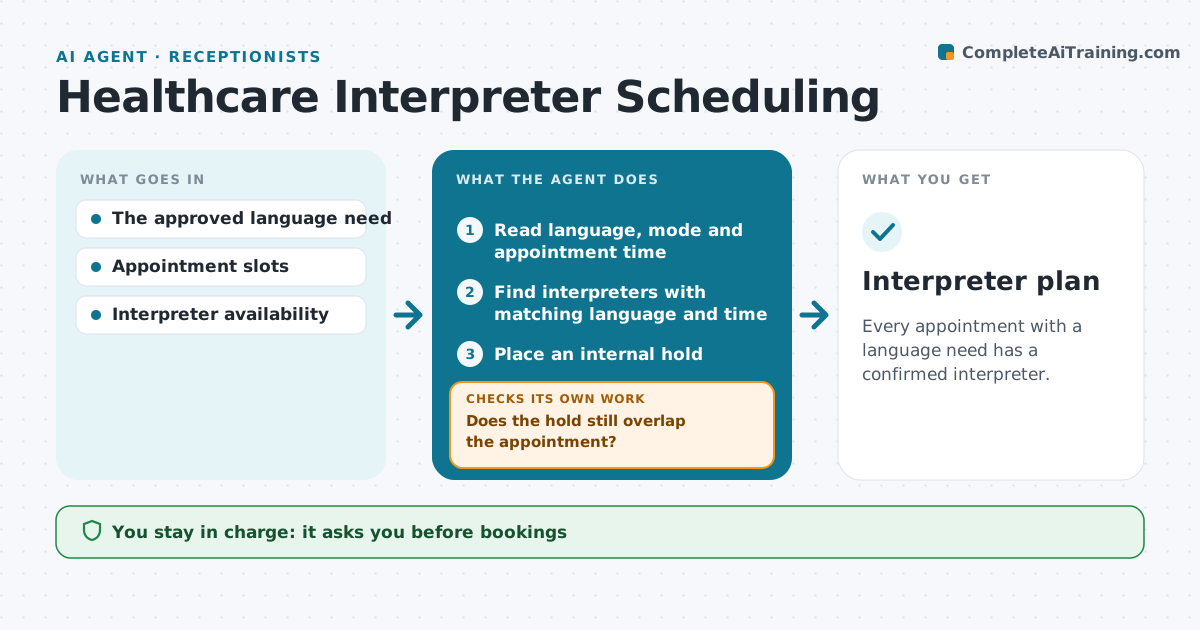
Every appointment with a language need has a confirmed interpreter.
What it does
Interpreter needs get lost when appointments change. When an appointment has a documented language need, this agent finds interpreters who match the language, the appointment time and any constraints such as in-person or video. It places an internal hold. It watches for changes: if the appointment moves or the interpreter's availability changes, it checks whether the hold still overlaps. If not, it releases the hold and selects another interpreter. The coordinator confirms the booking. Patient communications and clinical decisions stay with staff. Edge case: no interpreter for a rare dialect is free that day, so the agent tells the coordinator in time to arrange a phone interpreter.
How it works
Follow the arrows from top to bottom. The orange dashed arrow is the loop: when a check fails, the agent goes back and tries again.
Read the steps as a list
- Appointment with a language need
- Read language, mode and appointment time
- Find interpreters with matching language and time
- Place an internal hold
- Watch for appointment or availability changes
- Does the hold still overlap the appointment?If not: release the hold and reselect. Back to step 3.
- Coordinator confirms the bookingThe agent waits here for your OK.
- Interpreter plan
How it decides
It holds the matching interpreter and releases/reselects when availability or the appointment changes.
- Match on language, mode and time.
- Reselect on any change that breaks the overlap.
- Escalate to the coordinator when no match exists before the cutoff.
- The agent never messages patients.
Make it yours
Every agent is a starting point. You choose these settings for your own situation.
- Interpreter roster and availability source
- Allowed modes (in person, video, phone)
- Hours before the visit to escalate if no match (default 48)
- Who confirms bookings
- Buffer time around appointments (default 15 minutes)
What keeps you in control
It always asks you first
- Bookings
- Patient communications
- Clinical decisions
Hard limits
- No patient contact.
It stops when
- Done: confirmed.
Set it up
We guide you through the set-up, step by step
Members get the full set-up guide for this agent. No technical skills needed: you copy, paste and upload.
- One set of instructions to paste into your AI, with the clicks for ChatGPT, Claude, Microsoft 365 Copilot, Gemini and Grok
- The agent then walks you through connecting your own data, one source at a time
- A downloadable copy with the flow chart, the rules and the full guide