AI agent for fashion designers
Garment Costing Agent
Every style costed and on target before production
What it does
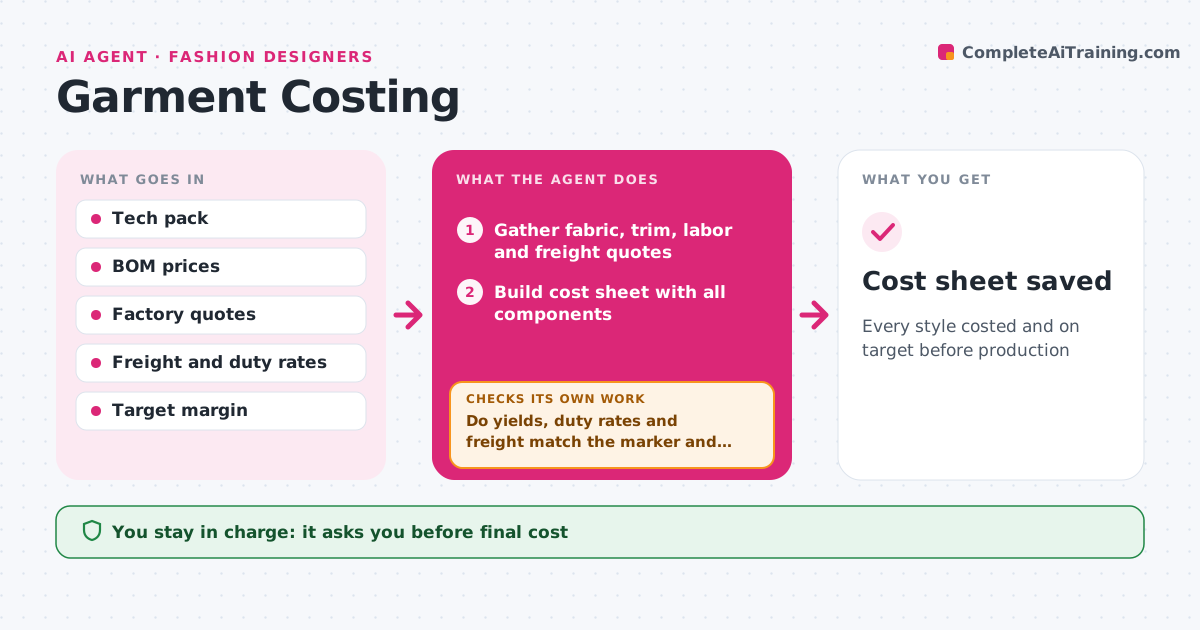
A style can look profitable until freight, duty and a wrong fabric yield show up late. For each style this agent builds a cost sheet: fabric yield times price, trims, labor from factory quotes, packaging, freight, duties and fees. Before trusting the numbers, it checks the inputs: yields against the marker or pattern, duty rates for the product category and country of origin, and freight per unit. It then compares the landed cost with the target set by the retail price and margin goal. If the cost is over target, it suggests the smallest change first, such as a different trim, fabric or factory, and recalculates. It repeats until the cost fits or no sensible change is left. The designer decides which changes to make and approves the final costing. Edge case: if the currency moves between quote and order, it recalculates at the current rate.
How it works
Follow the arrows from top to bottom. The orange dashed arrow is the loop: when a check fails, the agent goes back and tries again.
Read the steps as a list
- Quotes arrive or inputs change
- Gather fabric, trim, labor and freight quotes
- Build cost sheet with all components
- Do yields, duty rates and freight match the marker and rules?If not: correct the inputs and rebuild the sheet. Back to step 3.
- Compare landed cost with target
- Is the landed cost within target?If not: suggest the smallest change and recalculate. Back to step 3.
- Prepare costing summary with options tried
- Designer approves final costingThe agent waits here for your OK.
- Cost sheet saved
How it decides
It compares landed cost with the target and suggests the smallest change that closes the gap.
- Use current exchange rates
- Duty rates by category and origin
- Smallest change first
Make it yours
Every agent is a starting point. You choose these settings for your own situation.
- Target margin
- Cost components
- Currency source
- Freight method
What keeps you in control
It always asks you first
- Final cost
- Material changes
Hard limits
- Never changes factory quotes
- Duty rates are estimates to confirm with a broker
It stops when
- Done: costing approved
- Stop: style dropped
Set it up
We guide you through the set-up, step by step
Members get the full set-up guide for this agent. No technical skills needed: you copy, paste and upload.
- One set of instructions to paste into your AI, with the clicks for ChatGPT, Claude, Microsoft 365 Copilot, Gemini and Grok
- The agent then walks you through connecting your own data, one source at a time
- A downloadable copy with the flow chart, the rules and the full guide