AI agent for fundraisers
Gift Processing and Acknowledgment Agent
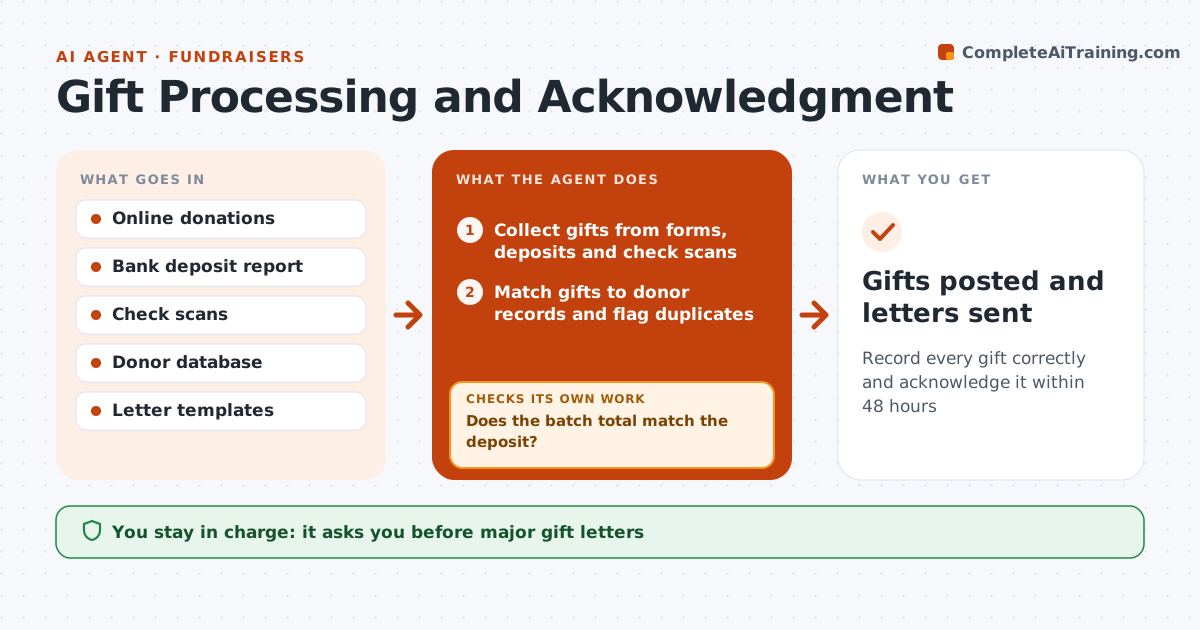
Record every gift correctly and acknowledge it within 48 hours
What it does
Donors expect a prompt, accurate thank-you, and errors in gift records follow a donor for years. Every day this agent collects gifts from the online form, bank deposits and mailed check scans. It matches each gift to a donor record by name, address and email, flags possible duplicates, and applies the right fund, campaign and soft credits. It then reconciles the batch total with the bank deposit. If totals differ, it finds the missing or extra gift and corrects the batch before any letter goes out. It drafts acknowledgments and tax receipts that reflect donor history, such as a first gift or renewal. Gifts above the major gift level get a personal letter for approval, and duplicates are merged only with approval. Edge case: a gift with goods or services received shows the deductible amount, not the full gift.
How it works
Follow the arrows from top to bottom. The orange dashed arrow is the loop: when a check fails, the agent goes back and tries again.
Read the steps as a list
- Daily gift batch
- Collect gifts from forms, deposits and check scans
- Match gifts to donor records and flag duplicates
- Reconcile the batch total with the bank deposit
- Does the batch total match the deposit?If not: find the unmatched gift and correct the batch. Back to step 3.
- Draft acknowledgments and receipts
- Fundraiser approves major gift letters and record mergesThe agent waits here for your OK.
- Gifts posted and letters sent
How it decides
Gifts match donors by name, address and email. Letters vary by gift type and donor history.
- Gifts above the major gift level get a personal letter for approval
- Quid pro quo gifts show the deductible amount
- Possible duplicate donors are merged only with approval
Make it yours
Every agent is a starting point. You choose these settings for your own situation.
- Major gift threshold
- Acknowledgment deadline (default 48 hours)
- Letter templates by gift type
- Funds and campaign codes
What keeps you in control
It always asks you first
- Major gift letters
- Merging donor records
Hard limits
- Never sends tax receipts for unreconciled batches
- Never merges donor records without approval
It stops when
- Done: batch posted and letters sent
- Stop: deposit report unavailable
Set it up
We guide you through the set-up, step by step
Members get the full set-up guide for this agent. No technical skills needed: you copy, paste and upload.
- One set of instructions to paste into your AI, with the clicks for ChatGPT, Claude, Microsoft 365 Copilot, Gemini and Grok
- The agent then walks you through connecting your own data, one source at a time
- A downloadable copy with the flow chart, the rules and the full guide