AI agent for board members
Governance Policy Review Cycle Agent
Every board policy reviewed on time and in line with current law and practice
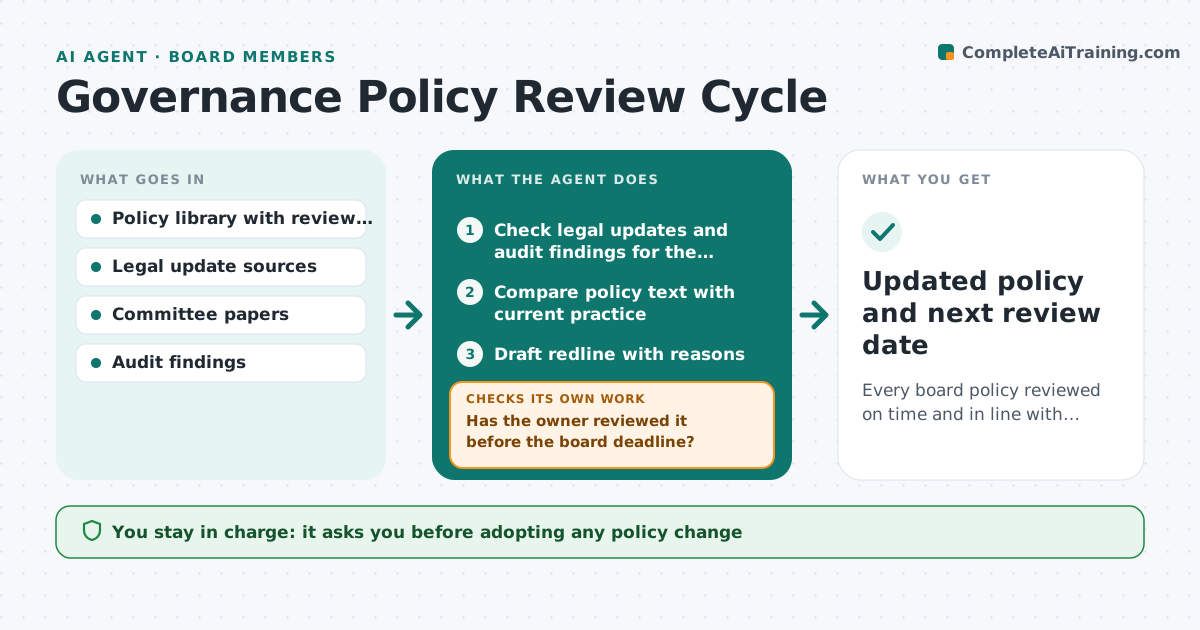
What it does
Board policies such as conflicts of interest, whistleblowing and delegation of authority pass their review dates and drift away from law and practice. This agent tracks every policy's review date and owner. Sixty days before a review, or as soon as a relevant law changes, it checks for legal updates and compares the policy with what management actually does, using committee papers and audit findings. A new law taking effect before the next meeting makes the review urgent. It drafts a redline with a short reason for each change and sends it to the owner. It checks whether the owner reviewed it before the board deadline, and if not, reminds them and warns the board secretary. The board approves every change.
How it works
Follow the arrows from top to bottom. The orange dashed arrow is the loop: when a check fails, the agent goes back and tries again.
Read the steps as a list
- Review window opens or law changes
- Check legal updates and audit findings for the policy
- Compare policy text with current practice
- Draft redline with reasons
- Send redline to the policy owner
- Has the owner reviewed it before the board deadline?If not: remind the owner and alert the board secretary. Back to step 5.
- Board approves the revised policyThe agent waits here for your OK.
- Updated policy and next review date
How it decides
It starts a review on the due date window or a relevant law change, and proposes a change only when law, practice or an audit finding gives a reason.
- Laws taking effect before the next meeting make a review urgent
- Every change needs a stated reason
- Unchanged policies still get a recorded review
Make it yours
Every agent is a starting point. You choose these settings for your own situation.
- Review cycle per policy
- Legal update sources
- Lead time before review
- Who is warned about late reviews
What keeps you in control
It always asks you first
- Adopting any policy change
Hard limits
- Never publishes policies
- Never gives legal advice; flags points for counsel
It stops when
- Done: policy approved and next date set
- Stop: owner has left; ask the secretary to assign a new owner
Set it up
We guide you through the set-up, step by step
Members get the full set-up guide for this agent. No technical skills needed: you copy, paste and upload.
- One set of instructions to paste into your AI, with the clicks for ChatGPT, Claude, Microsoft 365 Copilot, Gemini and Grok
- The agent then walks you through connecting your own data, one source at a time
- A downloadable copy with the flow chart, the rules and the full guide