AI agent for blockchain developers
Governance Proposal Impact Agent
Show exactly what a proposal will change before the team votes
What it does
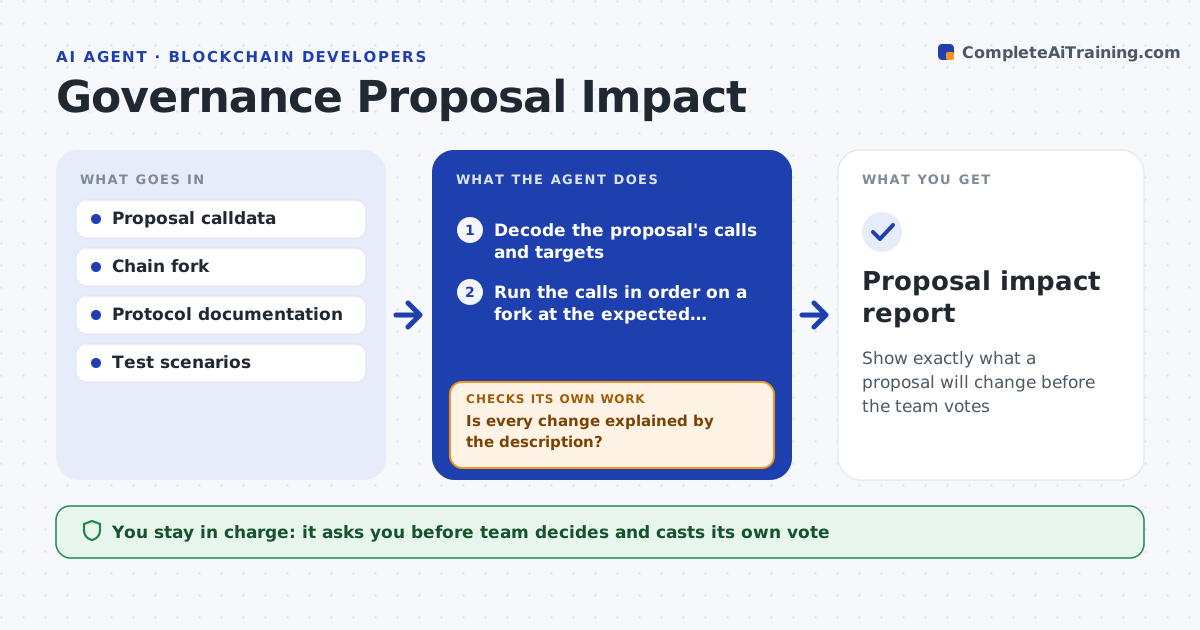
A governance proposal bundles ten contract calls, and voters mostly read the summary. This agent takes the proposal, decodes every call, and runs them in order on a fork of the current chain state. It compares the state before and after: parameters, balances, roles, permissions, upgraded code. It lists every change and flags effects not mentioned in the proposal description, such as a role granted to a new address or an interest rate change that affects open positions. If the proposal is revised, it reruns the simulation. It also runs the protocol's test scenarios after execution to see whether anything breaks. The team approves its own vote after reading the report. Edge case: a call passes in simulation but fails when run after a timelock because of a state change, so the agent simulates at the execution time.
How it works
Follow the arrows from top to bottom. The orange dashed arrow is the loop: when a check fails, the agent goes back and tries again.
Read the steps as a list
- Proposal published or revised
- Decode the proposal's calls and targets
- Run the calls in order on a fork at the expected execution time
- Compare state before and after
- Match each change with the proposal description
- Is every change explained by the description?If not: mark unexplained changes as risky and ask the proposer to clarify. Back to step 4.
- Run the protocol test scenarios on the post-execution state
- Do all scenarios still pass?If not: identify the call that causes the failure and report it. Back to step 3.
- Draft the impact report and a vote recommendation
- Team reviews and decides its voteThe agent waits here for your OK.
- Proposal impact report
How it decides
It compares every state change with the proposal's description and rates a change as expected, unexplained or risky.
- Flag any role or permission change
- Flag any change to a parameter over 10% of its current value
- Rerun the full simulation after each revision
- Simulate at the earliest possible execution time after the timelock
Make it yours
Every agent is a starting point. You choose these settings for your own situation.
- Parameter change threshold (default 10%)
- Chain and fork source
- Test scenarios included
- Report length and format
- Who gets the report
What keeps you in control
It always asks you first
- Team decides and casts its own vote
- Team lead approves posting any public comment
Hard limits
- Never cast a vote or send a transaction
- Never post on the forum without approval
It stops when
- Done: the report is delivered and the vote is cast by the team
- Stop: the proposal cannot be decoded or simulated
Set it up
We guide you through the set-up, step by step
Members get the full set-up guide for this agent. No technical skills needed: you copy, paste and upload.
- One set of instructions to paste into your AI, with the clicks for ChatGPT, Claude, Microsoft 365 Copilot, Gemini and Grok
- The agent then walks you through connecting your own data, one source at a time
- A downloadable copy with the flow chart, the rules and the full guide