AI agent for robotics engineers
Gripper Pick Failure Analysis Agent
A confirmed cause for intermittent pick failures and a tested setting change that lowers the rate
What it does
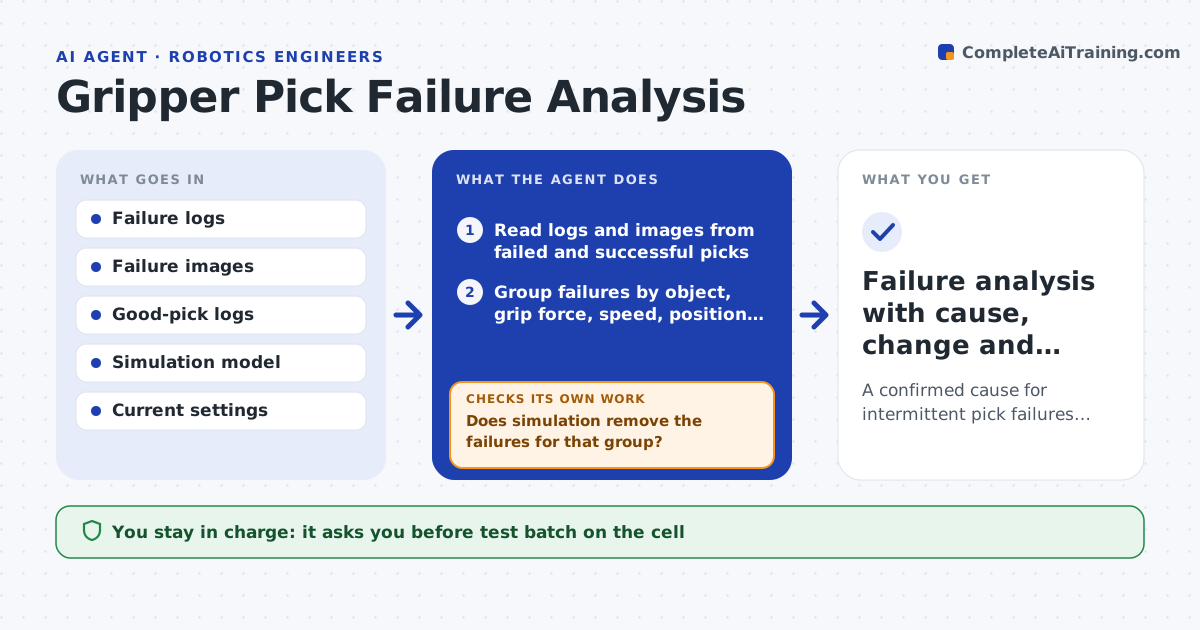
A picking robot drops one part in a hundred, and the logs do not say why. This agent reads logs and images from failed picks and a sample of good ones. It groups the failures by object type, grip force, approach speed, position in the bin and lighting. It looks for the group with the highest failure rate and forms a likely cause, for example too fast an approach on shiny parts. It tests the cause in simulation by changing the setting and checking whether the failures disappear. If simulation agrees, it proposes a change for the real cell and tests it there on a controlled batch. If the failure rate does not fall, it forms the next hypothesis and loops. The engineer approves each change to the live settings. Edge case: failures cluster at shift change when lighting differs.
How it works
Follow the arrows from top to bottom. The orange dashed arrow is the loop: when a check fails, the agent goes back and tries again.
Read the steps as a list
- Pick failure rate passes the limit
- Read logs and images from failed and successful picks
- Group failures by object, grip force, speed, position and lighting
- Form the most likely cause from the highest-rate group
- Test the cause in simulation by changing the setting
- Does simulation remove the failures for that group?If not: drop the hypothesis and form the next one from the groups. Back to step 4.
- Engineer approves a test batch on the real cellThe agent waits here for your OK.
- Run the batch with the new setting and log results
- Did the real failure rate fall below the limit?If not: record the result and test the next hypothesis. Back to step 4.
- Engineer approves the change to the live settingsThe agent waits here for your OK.
- Failure analysis with cause, change and results
How it decides
It picks the group with the highest excess failure rate, tests one cause at a time, and keeps a change only if the rate falls on a real batch.
- Test one cause at a time
- Require at least 200 picks on the real cell
- Accept a change only if failures fall by 50 percent or more
- Check lighting and shift time as causes before changing speeds
Make it yours
Every agent is a starting point. You choose these settings for your own situation.
- Failure rate limit (default 1 percent)
- Batch size for real tests (default 200)
- Which settings it may vary
- Image storage location
What keeps you in control
It always asks you first
- Test batch on the cell
- Change to live settings
Hard limits
- Never changes live settings alone
- Never tests on the cell during production hours
It stops when
- Done: rate below the limit with a documented cause
- Stop: logs lack enough failures to group
Set it up
We guide you through the set-up, step by step
Members get the full set-up guide for this agent. No technical skills needed: you copy, paste and upload.
- One set of instructions to paste into your AI, with the clicks for ChatGPT, Claude, Microsoft 365 Copilot, Gemini and Grok
- The agent then walks you through connecting your own data, one source at a time
- A downloadable copy with the flow chart, the rules and the full guide